Lab Rats 2 v0.25.1 Release!
Added 2020-02-08 10:43:11 +0000 UTCLab Rats 2 v0.25.1 is live! Get it here!
Android: Lab Rats 2 v0.25.1-Android
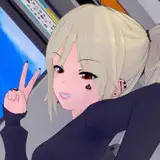
Lab Rats 2 v0.25.1 is finished and ready for it's release to the public! This update brings one major new feature to Lab Rats 2: 2D animation! Girls now bounce, jiggle, and bob to their (or your) hearts content! The ne animation system has been completely integrated into the game, bringing animated character images to every single conversation, random event, business crisis, and sex scene! Jiggly physics mean nothing if they aren't accurate, so LR2 now simulates the difference between small vs large, natural vs artificial tits when animating characters!
The new animation system is the crown of this update, but there is also some new written content to go with it! Three new random events have been added, expanding your interactions with your cousin, girlfriend, or affair partner. Each event has multiple variants depending on the girls opinions and level of corruption. The sex system has been expanded with a new position: When being deepthroated you can now take over completely and start skull fucking a girl.
This has been one of the most technically challenging updates to bring to Lab Rats 2, but I think it's one of the most impressive as well! Enjoy!
Note: Due to platform limitations there are currently no animations on Android.

Changelog (v0.24.1 to v0.25.1):
*CHANGES AND ADDITIONS*
- Added internal support for shader based animation.
- Modified character image section of the screen. Now includes a coloured backplate and a frame.
- Added ability for animations to be given region specific effects. Current weighted regions are a girls breasts and butt.
- Added blurred hair backplate. Reduces border effects for thin girls around their neck and shoulders.
- Added ability for aninimations to have their general intensity modified.
- Added ability to lessen or increase specific region intensities.
- Added an idle wiggle animation, bounces a girls tits and ass if no other animation is called for.
- Integrated animations with existing calls to display characters.
- Added menu option to disable animations.
- Replaced previous clothing removal code. Now works while an image is animated.
- Added character specific region weights, allowing for animation effects to differ from girl to girl.
- Large tits now have a higher breast region weight, causing them to move more when affected by an animation.
- Tits made larger through serum effects now have their breast region weight increased appropriately.
- Tits made larger by getting a boob job have their breast region weight increased by less than a natural increase.
- Added support for positions having unique animations, used when that position is called during sex.
- Added blowjob head bob animation.
- Added tit movement to the blowjob animation.
- Added support for speeding up and slowing down animations.
- Sex based animations now have their speed modified by arousal, going from 50% to 100% speed from 0 to 100 arousal.
- Animation speed modification is proportional to energy spent. If the girl is spending 80% of the energy, her arousal counts for 80% of the arousal effect.
- Added ability to tie special modifiers into position animations. Allows for separate blowjob sucking and idle animations.
- Changed cunnilingus position to use missionary image set instead of sitting image set.
- Updated several special mom texts to use new animation effects.
- Added new random event for your cousin at moderate to high sluttiness but low love and obedience.
- Added new random event for your affair partner texting you.
- Added new random event for your girlfriend texting you.
- Added new skull fuck sex position, possible by transitioning from deepthroating.
- Strip club now includes tables, chairs, and the stage itself for fucking on.
- Changed strip club name dialogue to be more readable on blue background.
- Reduced total number of limited time events and reduced relative chance of a title change event when talking to a person.
- Added extra animation effects to some stages of a strip show.
*BUG FIXES*
- Fixed infinite loop while out of energy with a girl in control of having sex.
- Fixed incorrect opinion checks in piledriver position.
- Fixed one date option removing the incorrect amount of money.
- Fixed breast shrinking serum trait increasing instead of decreasing breast size.
- Fixed incorrect random number generation when asking a girl to grow her pubes into a different style.
- Fixed crash/incorrect result when denying a girl an orgasm during a performance review.
Comments
I'm sorry, but an uncaught exception occurred. After initialization, but before game start. OverflowError: value too large to convert to short -- Full Traceback ------------------------------------------------------------ Full traceback: File "E:\Latest\Lab Rats2\Lab_Rats_2-v0.25.1-pc\renpy\bootstrap.py", line 316, in bootstrap renpy.main.main() File "E:\Latest\Lab Rats2\Lab_Rats_2-v0.25.1-pc\renpy\main.py", line 505, in main renpy.game.script.report_duplicate_labels() File "E:\Latest\Lab Rats2\Lab_Rats_2-v0.25.1-pc\renpy\script.py", line 950, in report_duplicate_labels if renpy.parser.report_parse_errors(): File "E:\Latest\Lab Rats2\Lab_Rats_2-v0.25.1-pc\renpy\parser.py", line 2929, in report_parse_errors renpy.display.error.report_parse_errors(full_text, error_fn) File "E:\Latest\Lab Rats2\Lab_Rats_2-v0.25.1-pc\renpy\display\error.py", line 187, in report_parse_errors error_fn=error_fn, File "E:\Latest\Lab Rats2\Lab_Rats_2-v0.25.1-pc\renpy\game.py", line 281, in invoke_in_new_context return callable(*args, **kwargs) File "E:\Latest\Lab Rats2\Lab_Rats_2-v0.25.1-pc\renpy\display\error.py", line 45, in call_exception_screen return renpy.ui.interact(mouse="screen", type="screen", suppress_overlay=True, suppress_underlay=True) File "E:\Latest\Lab Rats2\Lab_Rats_2-v0.25.1-pc\renpy\ui.py", line 297, in interact rv = renpy.game.interface.interact(roll_forward=roll_forward, **kwargs) File "E:\Latest\Lab Rats2\Lab_Rats_2-v0.25.1-pc\renpy\display\core.py", line 2702, in interact repeat, rv = self.interact_core(preloads=preloads, trans_pause=trans_pause, **kwargs) File "E:\Latest\Lab Rats2\Lab_Rats_2-v0.25.1-pc\renpy\display\core.py", line 3194, in interact_core self.draw_screen(root_widget, fullscreen_video, (not fullscreen_video) or video_frame_drawn) File "E:\Latest\Lab Rats2\Lab_Rats_2-v0.25.1-pc\renpy\display\core.py", line 2094, in draw_screen renpy.config.screen_height, File "renpy/display/render.pyx", line 490, in renpy.display.render.render_screen (gen\renpy.display.render.c:6805) rv = render(root, width, height, st, st) File "renpy/display/render.pyx", line 259, in renpy.display.render.render (gen\renpy.display.render.c:3520) rv = d.render(widtho, heighto, st, at) File "E:\Latest\Lab Rats2\Lab_Rats_2-v0.25.1-pc\renpy\display\layout.py", line 722, in render surf = render(child, width, height, cst, cat) File "renpy/display/render.pyx", line 166, in renpy.display.render.render (gen\renpy.display.render.c:4075) cpdef render(d, object widtho, object heighto, double st, double at): File "renpy/display/render.pyx", line 259, in renpy.display.render.render (gen\renpy.display.render.c:3520) rv = d.render(widtho, heighto, st, at) File "E:\Latest\Lab Rats2\Lab_Rats_2-v0.25.1-pc\renpy\display\layout.py", line 722, in render surf = render(child, width, height, cst, cat) File "renpy/display/render.pyx", line 166, in renpy.display.render.render (gen\renpy.display.render.c:4075) cpdef render(d, object widtho, object heighto, double st, double at): File "renpy/display/render.pyx", line 259, in renpy.display.render.render (gen\renpy.display.render.c:3520) rv = d.render(widtho, heighto, st, at) File "E:\Latest\Lab Rats2\Lab_Rats_2-v0.25.1-pc\renpy\display\layout.py", line 722, in render surf = render(child, width, height, cst, cat) File "renpy/display/render.pyx", line 166, in renpy.display.render.render (gen\renpy.display.render.c:4075) cpdef render(d, object widtho, object heighto, double st, double at): File "renpy/display/render.pyx", line 259, in renpy.display.render.render (gen\renpy.display.render.c:3520) rv = d.render(widtho, heighto, st, at) File "E:\Latest\Lab Rats2\Lab_Rats_2-v0.25.1-pc\renpy\display\screen.py", line 675, in render child = renpy.display.render.render(self.child, w, h, st, at) File "renpy/display/render.pyx", line 166, in renpy.display.render.render (gen\renpy.display.render.c:4075) cpdef render(d, object widtho, object heighto, double st, double at): File "renpy/display/render.pyx", line 259, in renpy.display.render.render (gen\renpy.display.render.c:3520) rv = d.render(widtho, heighto, st, at) File "E:\Latest\Lab Rats2\Lab_Rats_2-v0.25.1-pc\renpy\display\layout.py", line 722, in render surf = render(child, width, height, cst, cat) File "renpy/display/render.pyx", line 166, in renpy.display.render.render (gen\renpy.display.render.c:4075) cpdef render(d, object widtho, object heighto, double st, double at): File "renpy/display/render.pyx", line 259, in renpy.display.render.render (gen\renpy.display.render.c:3520) rv = d.render(widtho, heighto, st, at) File "E:\Latest\Lab Rats2\Lab_Rats_2-v0.25.1-pc\renpy\display\layout.py", line 1127, in render st, at) File "renpy/display/render.pyx", line 166, in renpy.display.render.render (gen\renpy.display.render.c:4075) cpdef render(d, object widtho, object heighto, double st, double at): File "renpy/display/render.pyx", line 259, in renpy.display.render.render (gen\renpy.display.render.c:3520) rv = d.render(widtho, heighto, st, at) File "E:\Latest\Lab Rats2\Lab_Rats_2-v0.25.1-pc\renpy\display\layout.py", line 1594, in render cwidth, cheight = sizeit('c', width, height, 0, 0) File "E:\Latest\Lab Rats2\Lab_Rats_2-v0.25.1-pc\renpy\display\layout.py", line 1591, in sizeit rend = renpy.display.render.render_for_size(pos_d[pos], width, height, st, at) File "renpy/display/render.pyx", line 310, in renpy.display.render.render_for_size (gen\renpy.display.render.c:4391) return render(d, width, height, st, at) File "renpy/display/render.pyx", line 259, in renpy.display.render.render (gen\renpy.display.render.c:3520) rv = d.render(widtho, heighto, st, at) File "E:\Latest\Lab Rats2\Lab_Rats_2-v0.25.1-pc\renpy\display\layout.py", line 1594, in render cwidth, cheight = sizeit('c', width, height, 0, 0) File "E:\Latest\Lab Rats2\Lab_Rats_2-v0.25.1-pc\renpy\display\layout.py", line 1591, in sizeit rend = renpy.display.render.render_for_size(pos_d[pos], width, height, st, at) File "renpy/display/render.pyx", line 310, in renpy.display.render.render_for_size (gen\renpy.display.render.c:4391) return render(d, width, height, st, at) File "renpy/display/render.pyx", line 259, in renpy.display.render.render (gen\renpy.display.render.c:3520) rv = d.render(widtho, heighto, st, at) File "E:\Latest\Lab Rats2\Lab_Rats_2-v0.25.1-pc\renpy\display\viewport.py", line 264, in render surf = renpy.display.render.render(self.child, child_width, child_height, st, at) File "renpy/display/render.pyx", line 166, in renpy.display.render.render (gen\renpy.display.render.c:4075) cpdef render(d, object widtho, object heighto, double st, double at): File "renpy/display/render.pyx", line 259, in renpy.display.render.render (gen\renpy.display.render.c:3520) rv = d.render(widtho, heighto, st, at) File "E:\Latest\Lab Rats2\Lab_Rats_2-v0.25.1-pc\renpy\display\layout.py", line 925, in render surf = render(d, width - x, rh, cst, cat) File "renpy/display/render.pyx", line 166, in renpy.display.render.render (gen\renpy.display.render.c:4075) cpdef render(d, object widtho, object heighto, double st, double at): File "renpy/display/render.pyx", line 259, in renpy.display.render.render (gen\renpy.display.render.c:3520) rv = d.render(widtho, heighto, st, at) File "E:\Latest\Lab Rats2\Lab_Rats_2-v0.25.1-pc\renpy\text\text.py", line 2008, in render layout = Layout(self, width, height, renders, splits_from=virtual_layout) File "E:\Latest\Lab Rats2\Lab_Rats_2-v0.25.1-pc\renpy\text\text.py", line 751, in __init__ textsupport.tweak_glyph_spacing(all_glyphs, lines, target_x_delta, target_y_delta, maxx, y) # @UndefinedVariable File "textsupport.pyx", line 964, in renpy.text.textsupport.tweak_glyph_spacing File "textsupport.pxd", line 78, in renpy.text.textsupport.Line.y.__set__ OverflowError: value too large to convert to short Windows-8-6.2.9200 Ren'Py 7.3.5.606 Lab Rats 2 - Down to Business v0.25.1 Thu Mar 12 20:59:01 2020
2020-03-12 21:00:02 +0000 UTCRoot cause looks to be that you can't force the screenshot to be of any specific size, so if your screen isn't the same size as the rendered picture it doesn't fit properly> The fix looks to be to add `static_image = im.Scale(static_image, renpy.config.screen_width * (y_size/renpy.config.screen_height), y_size, True)` to game/script.rpy after `static_image = im.Data(surface_file.getvalue(), "animation_temp_image.png")`
2020-02-27 19:42:15 +0000 UTC[code] I'm sorry, but an uncaught exception occurred. While running game code: File "game/script.rpy", line 8981, in script call $ picked_option.call_action() File "game/script.rpy", line 9242, in script call call advance_time from _call_advance_time_2 File "game/script.rpy", line 9726, in script call $ the_crisis.call_action() File "game/crises.rpy", line 3432, in script $ person_two.outfit.remove(the_item) File "game/crises.rpy", line 3432, in $ person_two.outfit.remove(the_item) AttributeError: 'Outfit' object has no attribute 'remove' -- Full Traceback ------------------------------------------------------------ Full traceback: File "game/script.rpy", line 8981, in script call $ picked_option.call_action() File "game/script.rpy", line 9242, in script call call advance_time from _call_advance_time_2 File "game/script.rpy", line 9726, in script call $ the_crisis.call_action() File "game/crises.rpy", line 3432, in script $ person_two.outfit.remove(the_item) File "/private/var/folders/l5/zxslcxw15lvgdy9zg__l2w2c0000gn/T/AppTranslocation/85F7EC74-ED6D-42CD-992D-22CE7E0D2969/d/Lab_Rats_2.app/Contents/Resources/autorun/renpy/ast.py", line 914, in execute renpy.python.py_exec_bytecode(self.code.bytecode, self.hide, store=self.store) File "/private/var/folders/l5/zxslcxw15lvgdy9zg__l2w2c0000gn/T/AppTranslocation/85F7EC74-ED6D-42CD-992D-22CE7E0D2969/d/Lab_Rats_2.app/Contents/Resources/autorun/renpy/python.py", line 2028, in py_exec_bytecode exec bytecode in globals, locals File "game/crises.rpy", line 3432, in $ person_two.outfit.remove(the_item) AttributeError: 'Outfit' object has no attribute 'remove' Darwin-16.7.0-x86_64-i386-64bit Ren'Py 7.3.5.606 Lab Rats 2 - Down to Business v0.25.1 Sun Feb 16 09:28:12 2020 [/code]
Ryan
2020-02-16 14:29:53 +0000 UTCI just noticed that the MC can only have nine sucessful Dinner Nights before the row of locations to visit again leaves the screen... maybe using a different way for these special locations would be good?
Maik Decker
2020-02-13 21:12:24 +0000 UTCI ran into the same issue. Like me, it looks like you're on Linux. I was able to fix the issue by adding two lines to 'game/OpenGL/platform/ctypesloader.py' at line 43. It seems to let the game run, but it seems the animations won't work. if os.path.isfile( os.path.join( os.sep, 'usr', 'lib', 'lib' + name + '.so' ): name = os.path.join( os.sep, 'usr', 'lib', 'lib' + name + '.so' )
2020-02-12 13:35:56 +0000 UTCAny progress on Mac animations?
2020-02-12 06:17:46 +0000 UTCThe new animations don't work as expected in high density screens... This is how I see it: https://imgur.com/a/lkysnGN
PhantomBull
2020-02-11 19:10:02 +0000 UTCAs the "animations" aren't really animations but only wobbling graphics - at least that's all I saw until now - I'm not really sure if the time to put them in the game pays off?!? I would much rather see the main character in the sex scenes as a "ghost", so those poor ladies don't have to suck or hump the air ^^ So a see-through male figure as their partner in crime would - for me - enhance the pleasure of the sex scenes greatly.
Maik Decker
2020-02-10 13:22:04 +0000 UTCSo this was working fine in .0a but I can't even open .1 I have openGL installed. I'm sorry, but an uncaught exception occurred. While running game code: File "game/script.rpy", line 9, in script init -2 python: File "game/script.rpy", line 19, in import shader ImportError: ('Unable to load OpenGL library', 'GL: cannot open shared object file: No such file or directory', 'GL', None) -- Full Traceback ------------------------------------------------------------ Full traceback: File "game/script.rpy", line 9, in script init -2 python: File "/home/drew/Downloads/Lab_Rats_2-v0.25.1-pc/renpy/ast.py", line 914, in execute renpy.python.py_exec_bytecode(self.code.bytecode, self.hide, store=self.store) File "/home/drew/Downloads/Lab_Rats_2-v0.25.1-pc/renpy/python.py", line 2028, in py_exec_bytecode exec bytecode in globals, locals File "game/script.rpy", line 19, in import shader File "/home/drew/Downloads/Lab_Rats_2-v0.25.1-pc/renpy/loader.py", line 754, in load_module exec code in mod.__dict__ File "shader/__init__.py", line 4, in File "/home/drew/Downloads/Lab_Rats_2-v0.25.1-pc/renpy/loader.py", line 754, in load_module exec code in mod.__dict__ File "shader/utils.py", line 8, in File "/home/drew/Downloads/Lab_Rats_2-v0.25.1-pc/renpy/loader.py", line 754, in load_module exec code in mod.__dict__ File "OpenGL/GL/__init__.py", line 3, in File "/home/drew/Downloads/Lab_Rats_2-v0.25.1-pc/renpy/loader.py", line 754, in load_module exec code in mod.__dict__ File "OpenGL/error.py", line 12, in File "/home/drew/Downloads/Lab_Rats_2-v0.25.1-pc/renpy/loader.py", line 754, in load_module exec code in mod.__dict__ File "OpenGL/platform/__init__.py", line 35, in File "OpenGL/platform/__init__.py", line 32, in _load File "OpenGL/platform/baseplatform.py", line 92, in install File "OpenGL/platform/baseplatform.py", line 14, in __get__ File "OpenGL/platform/glx.py", line 96, in GetCurrentContext File "OpenGL/platform/baseplatform.py", line 14, in __get__ File "OpenGL/platform/glx.py", line 20, in GL ImportError: ('Unable to load OpenGL library', 'GL: cannot open shared object file: No such file or directory', 'GL', None) Linux-4.15.0-76-lowlatency-x86_64-with-debian-buster-sid Ren'Py 7.3.5.606 Mon Feb 10 21:47:37 2020
2020-02-10 11:20:28 +0000 UTCInteresting. It looks like you've ended up with a serum that has a production cost of 0, which is causing a crash. Could you let me know what traits are in your serums being produced right now? I didn't think it would be possible to reduce the production cost down to 0, so there might be a bug somewhere else for me to track down.
Vren
2020-02-10 08:42:24 +0000 UTCHmm, seems like there are some issues with variation in screen res. I had assumed Ren'py would take care of them, but I suppose not!
Vren
2020-02-10 08:40:07 +0000 UTCDouble check that you're playing the latest version (v0.25.1), there were some errors in the patron release that caused these issues on mac that have been fixed for the public release.
Vren
2020-02-10 08:38:01 +0000 UTCSave error [code] I'm sorry, but an uncaught exception occurred. While running game code: File "renpy/common/00action_file.rpy", line 372, in __call__ renpy.save(fn, extra_info=save_name) MemoryError: out of memory -- Full Traceback ------------------------------------------------------------ Full traceback: File "renpy/common/_layout/screen_load_save.rpym", line 35, in script $ ui.interact() File "F:\Adult\Lab_Rats_2-v0.25.1-pc\renpy\ast.py", line 914, in execute renpy.python.py_exec_bytecode(self.code.bytecode, self.hide, store=self.store) File "F:\Adult\Lab_Rats_2-v0.25.1-pc\renpy\python.py", line 2028, in py_exec_bytecode exec bytecode in globals, locals File "renpy/common/_layout/screen_load_save.rpym", line 35, in $ ui.interact() File "F:\Adult\Lab_Rats_2-v0.25.1-pc\renpy\ui.py", line 297, in interact rv = renpy.game.interface.interact(roll_forward=roll_forward, **kwargs) File "F:\Adult\Lab_Rats_2-v0.25.1-pc\renpy\display\core.py", line 2702, in interact repeat, rv = self.interact_core(preloads=preloads, trans_pause=trans_pause, **kwargs) File "F:\Adult\Lab_Rats_2-v0.25.1-pc\renpy\display\core.py", line 3518, in interact_core rv = root_widget.event(ev, x, y, 0) File "F:\Adult\Lab_Rats_2-v0.25.1-pc\renpy\display\layout.py", line 998, in event rv = i.event(ev, x - xo, y - yo, cst) File "F:\Adult\Lab_Rats_2-v0.25.1-pc\renpy\display\transition.py", line 47, in event return self.new_widget.event(ev, x, y, st) # E1101 File "F:\Adult\Lab_Rats_2-v0.25.1-pc\renpy\display\layout.py", line 998, in event rv = i.event(ev, x - xo, y - yo, cst) File "F:\Adult\Lab_Rats_2-v0.25.1-pc\renpy\display\layout.py", line 998, in event rv = i.event(ev, x - xo, y - yo, cst) File "F:\Adult\Lab_Rats_2-v0.25.1-pc\renpy\display\screen.py", line 714, in event rv = self.child.event(ev, x, y, st) File "F:\Adult\Lab_Rats_2-v0.25.1-pc\renpy\display\layout.py", line 998, in event rv = i.event(ev, x - xo, y - yo, cst) File "F:\Adult\Lab_Rats_2-v0.25.1-pc\renpy\display\layout.py", line 244, in event rv = d.event(ev, x - xo, y - yo, st) File "F:\Adult\Lab_Rats_2-v0.25.1-pc\renpy\display\layout.py", line 998, in event rv = i.event(ev, x - xo, y - yo, cst) File "F:\Adult\Lab_Rats_2-v0.25.1-pc\renpy\display\layout.py", line 998, in event rv = i.event(ev, x - xo, y - yo, cst) File "F:\Adult\Lab_Rats_2-v0.25.1-pc\renpy\display\behavior.py", line 962, in event return handle_click(self.clicked) File "F:\Adult\Lab_Rats_2-v0.25.1-pc\renpy\display\behavior.py", line 897, in handle_click rv = run(action) File "F:\Adult\Lab_Rats_2-v0.25.1-pc\renpy\display\behavior.py", line 313, in run new_rv = run(i, *args, **kwargs) File "F:\Adult\Lab_Rats_2-v0.25.1-pc\renpy\display\behavior.py", line 320, in run return action(*args, **kwargs) File "renpy/common/00action_file.rpy", line 372, in __call__ renpy.save(fn, extra_info=save_name) File "F:\Adult\Lab_Rats_2-v0.25.1-pc\renpy\loadsave.py", line 419, in save six.reraise(t, e, tb) File "F:\Adult\Lab_Rats_2-v0.25.1-pc\renpy\loadsave.py", line 405, in save dump((roots, renpy.game.log), logf) File "F:\Adult\Lab_Rats_2-v0.25.1-pc\renpy\loadsave.py", line 49, in dump cPickle.dump(o, f, cPickle.HIGHEST_PROTOCOL) MemoryError: out of memory Windows-8-6.2.9200 Ren'Py 7.3.5.606 Lab Rats 2 - Down to Business v0.25.1 Sun Feb 09 23:21:49 2020 [/code]
2020-02-10 04:25:44 +0000 UTCGot something weird that popped up that won't allow me to make any serum: File "game/script.rpy", line 8981, in script call $ picked_option.call_action() File "game/script.rpy", line 9257, in script $ mc.business.player_production() File "game/script.rpy", line 9257, in $ mc.business.player_production() File "game/script.rpy", line 802, in player_production production_amount = self.production_progress(mc.focus,mc.int,mc.production_skill) File "game/script.rpy", line 737, in production_progress serum_count = self.serum_production_array[production_line][2]//the_serum.production_cost #Calculates the number of batches we have made (previously for individual serums, now for entire batches) ZeroDivisionError: float divmod()
Pineapple JAK
2020-02-10 04:11:27 +0000 UTCJust had a seemingly non-critical error I'm sorry, but an uncaught exception occurred. While running game code: File "game/script.rpy", line 9018, in script call call advance_time from _call_advance_time_15 File "game/script.rpy", line 9726, in script call $ the_crisis.call_action() File "game/crises.rpy", line 5580, in script if the_person.effective_sluttiness() < 20: File "game/crises.rpy", line 5597, in elif the_person.effecitve_sluttiness() < 60: AttributeError: 'Person' object has no attribute 'effecitve_sluttiness' -- Full Traceback ------------------------------------------------------------ Full traceback: File "game/script.rpy", line 9018, in script call call advance_time from _call_advance_time_15 File "game/script.rpy", line 9726, in script call $ the_crisis.call_action() File "game/crises.rpy", line 5580, in script if the_person.effective_sluttiness() < 20: File "D:\Games\xxx\Lab_Rats_2-v0.25.1-pc\renpy\ast.py", line 1832, in execute if renpy.python.py_eval(condition): File "D:\Games\xxx\Lab_Rats_2-v0.25.1-pc\renpy\python.py", line 2059, in py_eval return py_eval_bytecode(code, globals, locals) File "D:\Games\xxx\Lab_Rats_2-v0.25.1-pc\renpy\python.py", line 2052, in py_eval_bytecode return eval(bytecode, globals, locals) File "game/crises.rpy", line 5597, in elif the_person.effecitve_sluttiness() < 60: AttributeError: 'Person' object has no attribute 'effecitve_sluttiness' Windows-7-6.1.7601-SP1 Ren'Py 7.3.5.606 Lab Rats 2 - Down to Business v0.25.1 Sun Feb 09 22:01:40 2020
2020-02-09 20:05:36 +0000 UTCI had that error yesterday too. After failing to save a few times, I closed a few background apps and that seemingly worked. I was able to save immediately after that. I haven't tried that save file yet.
Tall Geeky & Cool
2020-02-09 13:58:11 +0000 UTCI'm having a different zoom error. When I hover over a woman's name, their image fills the frame. When I click on their name to interact with them, their image gets much smaller, but the surrounding frame doesn't change size. However, if they remove an item of clothing, their image fills the frame while removing the item of clothing, and then goes back to the smaller version as soon as the item is removed.
2020-02-09 05:53:21 +0000 UTCA very minor error: when I leave an encounter, if the woman chooses to thank me and let me go, I get BOTH messages. That is, first the "I'm not letting you go" message, then, immediately after, the "Thanks that ws great" message.
Petechons
2020-02-09 04:47:56 +0000 UTCOh, silly me: it was just because I was out of supplies. Still, you might want to fix the code to round that down to 0!
Petechons
2020-02-09 02:54:55 +0000 UTCJust had a crash trying to save the game. That's a first: ``` I'm sorry, but an uncaught exception occurred. While running game code: File "renpy/common/00action_file.rpy", line 372, in __call__ renpy.save(fn, extra_info=save_name) MemoryError: out of memory ``` According to the Task Manager the game is using about 900MB of RAM. There's still 4.5 GB free on the system.
Apollo
2020-02-09 02:09:38 +0000 UTCOK... here's a weird one: I just went to the production lab, and synthesized some serum... or tried. I actually only generated about 4.93×10⁻³² production points. Not going to get anywhere that way!
Petechons
2020-02-09 01:38:01 +0000 UTCStill get a crash on Mac when I get into the sex animations
2020-02-09 00:52:50 +0000 UTCThe good news is, in the mac version, animation no longer causes a catastrophic crash! The bad news is... I'm having the same issue as Chairman, above: animation zooms in so far that I can only see the upper-left portion.
Petechons
2020-02-08 19:41:29 +0000 UTCCharacter animation is a bit over to the right. You only see half of the person.
Chairman
2020-02-08 14:55:50 +0000 UTCWhat do you mean when you say "new sex scene"? Is it male and female parts or just the females?
Cody
2020-02-08 10:53:02 +0000 UTC