cool so this is 3 months late but better late than never!!!!
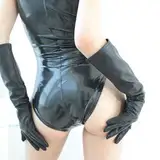
1st part: I use adobe premiere to key out the green screen of the same footage I motion tracked in the last video. I know it's possible in blender but I'm a bit more comfy w premiere.
2nd part: I set up the scene using the exported transparent PNG sequence and start building stuff around it. I also explain why my scene kinda sucks for this because she's laying down instead of standing up so learn from my mistakes!!
#3 will be out thursday, I actually spent the entire day video editing so I could catch up!
previous video is here: https://www.patreon.com/posts/53888608