Hey All!
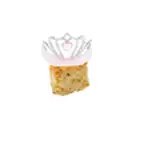
You knew it had to happen. Now you can print your own Rattlesnake Rattle Keychains! I'm including two versions... a single print "Full" version, and a two piece version, in case you want to do a little mix and match with the colors. Also, we have a fancy new Fridge Magnet that keeps the hinged mouth of the full model!
Enjoy!
Matt
**Download from the Pinned "Current Download Links" post**
Print Settings For Magnet:
- 0.16mm layer height
- 3 walls with a 0.4mm nozzle (could do 2 walls with a larger nozzle.)
- 10% Lightning infill (lightning infill is great for these because it keeps the weight down and only creates infill where needed. Keeping the weight down helps the magnets be more effective.)
- 5-6 bottom layers (gives a little extra strength to the magnet attachment area.)
- If your printer struggles with bridging, you may need to add support inside the magnet slot. Give it a try without and see how it goes.
Print Settings For Keychain:
- 3 walls with a 0.4mm nozzle (could do 2 walls with a larger nozzle.)
-10% infill (preferably not Lightning)
**Download from the Pinned "Current Download Links" post**
MatMire_Makes
2023-01-08 20:29:06 +0000 UTCD&K CUSTOM PRINTS
2023-01-08 01:28:19 +0000 UTCMatMire_Makes
2023-01-08 00:53:37 +0000 UTCD&K CUSTOM PRINTS
2023-01-08 00:32:31 +0000 UTC