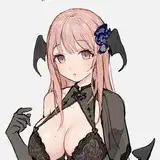
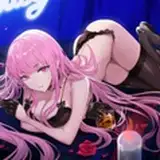
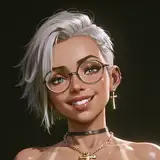
Inspector Fox VRChat Full Body Tracking 3D Model
Added 2024-01-01 22:08:37 +0000 UTC
Unity Package (2022.3.6f1) with Scene, FBX, animations, and effects. All setup and ready for upload to VRChat! Includes Blender Raw File (3.6.5) + Textures (PNG only)
Inspector Fox 3D model, Inspired by Carmelita Fox
Designed specifically for VRChat!
N.S.F.W. Model!
Model Specs & Features
- 53k tris
- 4 Materials
- Full Body Tracking
- Physbones
- 6 Custom Facial Gestures
- Viseme Support
- Toggleable clothing
- Tail Sway Animation
- Breast Size Slider
- Thicc Size Slider
- Shock Pistol Toggle
- Interactable Coin Pouch
- Interactable Sunglasses
- SDK3 (+ Unity 2022)
- Gogo Loco (1.8.1) w/Fly
- Poiyomi Toon Shader
- Independant Body mesh and Clothing
Changelog
- 1.1.0 - Fixed right hand locking for VR controllers without finger tracking (Thanks Prism5), Fixed some weight paints on the ends of the pants, Adjusted subtle changes to the clothing and hair materials with matcaps (Thanks SpadeWolf60)
- 1.2.0 - Updated Poiyomi 8.1 shader, Updated Gogo Loco 1.7.6 (Scale slider), Re-organized file structure
- 1.3.0 - Updated Gogo Loco 1.8.1 with Fly
- 1.4.0 - Changed weapon behavior to use a sub-emitter trigger system, improved rig and physbones to use world immobile constraints
- 1.4.1 - Fixed missing eye blink
- 1.5.0 - 2022.3.6f1 Repack, Fixed gesture expression locking issue for some VR controllers
Instructions for VRChat PC
- Download Unity Hub and install Unity Editor (2022.3.6f1):
https://unity.com/releases/editor/whats-new/2022.3.6
- Make a new Avatar project with VRChat Creator Companion (VCC)
https://vrchat.com/home/download
- (Optional) Import Poiyomi Toon Shader (8.1):
https://github.com/poiyomi/PoiyomiToonShader/releases
- Import my provided .unitypackage file
- Open Avatar.scene, login using the VRchat SDK, build & upload!
Instructions for VRChat Quest (Cont.)
- Copy the Avatar ID that generated after uploading to PC
(In the VRChat SDK, click on the Content Manager tab, you'll see "Copy ID")
- Click on the _Quest avatar and attach/paste the Avatar ID
(In the Inspector, on the Pipeline Manager component, you'll see "Blueprint ID", then click Attach)
- Click on File > Build Settings... > Android > Switch Platform
(Delete _PoiyomiShaders folder if you imported to help speed up the process)
- Open the VRChat SDK and build & upload again!
(If "Build & Publish for Android" is gray, delete/inactive the PC avatar)
Please do not make public.
Please do not redistribute.
Contact
Twitter: https://twitter.com/Shadsterwolf