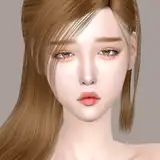
Exclusive collaboration! A custom SIMS 4 RESHADE PRESET built for SummerrPlays, brought to you by Simp4Sims. Follow SummerrPlays on YouTube and Instagram!
The brief were clear - “bright and pink” but the end result was not that easy. After many iterations I’m proud to finally announce Blush, a brand new ReShade preset built using version 4.9.1.
This preset will give your game a touch of pink (hence the name Blush) as well as making everything a bit brighter. Using some interesting shaders from creators like CorgiFX and Prod80 I was able to achieve some very unique tonal and colour balance.
By targeting dark and bright areas separately I was able to enhance shading, even out colours, remove the weird green fog that The Sims 4 has and then finally add a touch of pink to the end result. And with 3 separate AntiAliasing and Debanding shaders your game will look smoother than it ever has before! All this with minimal effect on the UI!
Bundled with Amoebae's Full Bloom MultiLUT, very special thank you to them for letting me include it, you have the ability to completely switch up the look of a scene for some moods and vibes in screen shots/recordings! Check out Amoebae's Tumblr !
INSTALL INSTRUCTIONS (The GIF will repeat every minute or so, it shows how to install ReShade, how to move the relevant files to the right places and how to use the MultiLUT shader!

Downloading and installing ReShade
Installing the Blush Preset
ReShade GUI in Sims 4
Using the MultiLUT for Moods/Vibes
Simp4Sims
2021-10-21 21:18:50 +0000 UTC