*Disclaimer: This is not a paid advertisement/ endorsement of the Apps. Everything I write here is based on my personal experience using various applications and I have selected the best ones in my personal opinion.
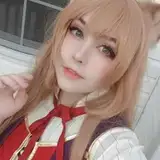
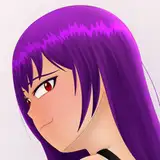
First of all, I will use my Custom MMD Model that will fit more perfectly for the first Apps. As you can see from the first image of this post, The model is "Pyra" from Xenoblade 2. I will explain more about this custom model and some of my upcoming projects at the end of this article. ^_^
Ok, let's start for the First apps in my recommendation apps:
DanceXR (Best for Live Display / Single Model)

I will not explain all the features, because you can see all the good features from the description on the site. However, I will explain some of the features that made me interested in this apps.
My Interesting point of the Features:
1. Idle Standing Animation with the head & (some eyes) following the camera.

Most of other applications when I tried to import MMD models, sure does have idle standing animation which makes the model look alive (not just frozen like a statue in A-pose). But, so far this is the only app that has a feature of head & eyes following the camera and makes the model look more Alive. There's also breathing & blink motion that you can customize.
2. Change Outfit & Turning on/off the part of the Textures.

This Feature (change outfit) only work with special custom MMD model.
but you can also use the "hide texture" feature to turn on/off some accecories of the model. like in case most of all my models "weapon" or "wing"
3. Toon Shading Feature

some model that is not from original 3D game (Anime game model) are better using this toon shader feature because their texture are not detailed like the 3D model of most games. So, I recommended using this feature for All My Isekai MMD Models since they are originally from anime with less detailed texture.
4. Has neatly arranged Folders to make it easier to import models (actors), motion, stages, etc.

This app has their own folder on our storage after the installation. and you can store your model, motion or stage in each of this folder to make it easier to import them from the app..
*The reason why I say this apps is Best for Live Display is because I think this apps is not suitable for importing multiple models, In My Opinion..
That is why i put My second recommendation Apps for importing multiple models and create a scene.
Doll Dancer (Best for Multiple Models to view a Scene or Dance Group)

Same like above, I will not explain all the features, because you can see all the good features from the description on the site. However, I will explain some of the features that made me interested in this apps.
My Interestng Features:
1. Importing Multiple MMD Models and Easy to arrange

"Easy and Simple" is the slogan of this application, and based on my experience, it is true as they say. They give you simple and easy UI to import and arrange your models like the position, rotation or scale of each models. and you can easily move from one model to another model to arrange it.

2. Control the Physics smoothness (can even make the thighs squishy somehow)

While importing model, you will be given the option to control the smoothness of the physical part of the model like the hair, cloth part with bones, chest, and even the thighs if that model has "rigidbody" on that part.
3. Importing MMD Pose or MMD Motion via .vmd files import.
You probably already know how mmd motion or .vmd files work. But how about importing pose to create a still life scene? There is no .vpd import on this app, but you can use .vmd files by creating pose on PC MMD software first.
here's are my step by step to create the pose viewed on this app:
1. Create a pose from PC MMD Software and save it as .vmd motion.

import the .vmd pose motion you save to the app

Go back and click 'Rec' on the center image of camera recorder.

Apply the same process to all the models you desire and arrange it. and there you have the full scene.

The Minus of both Apps:
Although they have interesting features, there are still some features that are not available in the original PC version of MMD software. And one of the most important ones in my opinion is Facial Manipulation / shape keys controller.

without this important feature, we can't change the Facial expression or hide some part/Accessories of the models Easily.
but at least one of the Apps has an alternative to do it manually. like the DanceXR App with the feature to Turn on/off the Texture or change the outfit feature..
And that's why I had an idea for my new project, which is to create a custom MMD model that is compatible with the DanceXR app and has interchangeable outfit, just like my custom Pyra model.
and with this Apps, you can watch your Waifu/Husbando everytime and everywhere with your phone. xD
My custom MMD model may be available in my patreon shop feature if you're interested on this new features.
Let me know what's your opinion in the comment. Thank You and Have a Nice Day. ^_^