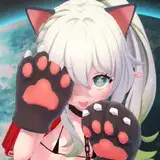
First of all, I'd like to warn you that I don't have much experience creating avatars for VR Chat.
I don't actually play VR Chat myself, and the process of sending avatar models to other people is more difficult than I expected.
For example, I've made a VR Chat account, but I can't upload to my account yet because my rank is not high enough (since I've never played it before).
Please test this avatar and send me your feedback through my Patreon or my Twitter: https://twitter.com/lexferreira89
Instructions:
1- Install Unity, import the Vr Chat SDK and login with your VR Chat Account:
https://docs.vrchat.com/docs/setting-up-the-sdk
2- Inside Unity, AFTER installing the VR Chat SDK, go to "Assets > Import Package > Custom Package..." and select "GawrGuraVRC"
3- Still inside Unity, open the scene called "Gura", click on GawrGuraVRC inside that scene, and on the right-hand-side of the UI, check if:
- there's a component called VRC_Avatar Descriptor (if not, click on "Add Component" button and add it)
- that VRC_Avatar Descriptor has "View Position" settings as X:0, Y:2.1, Z:0.25
- that VRC_Avatar Descriptor has the option "Lip Sync" as "Viseme Blend Shape" and then the "Face Mesh" option is "Body" or "Body (Skinned Mesh Renderer)"
4- Upload the model to your VR Chat account:
https://docs.vrchat.com/docs/creating-your-first-avatar