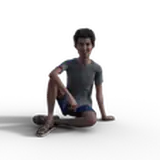
This was an experiment that I left running on my other machine just so see how it would come out. It ended up taking an insanely long time to render, not just because my other machine is technically just a video jukebox, and not really built to do heavy 3d work, but because of the nature of the image itself.
I decided to see just how far I could push Poser's global illumination, so I created a lighting setup that uses no direct light sources. All the light in this image is reflected light calculated by the GI engine.
Ok, so.. what does that mean? When you're lighting a 3d scene, you are provided a set of lights to use - point lights, spot lights and so forth. These throw what's known as "direct light" - light is calculated from the light object, to the objects in the scene, and then depending on that calculation, the indirect bounces will be calculated to fill in the areas where the direct light doesn't reach.
But, you can also generate indirect light by applying a texture to a surface and turning up its ambient setting. So, I created a series of "light" models which were basically just a cube with one end removed. Inside faces set to full ambience, outer faces set to 100% black. Putting these into the scene and letting them reflect light out their open end into the scene caused them to act like lamps. The end result is a realistically lit scene, with soft shadowing, exactly as one might expect to see in the real world.
The big drawback is, as mentioned above, the render time. That's a week-long render up there. Poser just isn't equipped to handle a GI calculation that intense, and I ended up having to stop it, fiddle the settings and restart it again at least twice a day, over the first two days, as I saw how it was progressing.
So, what you're seeing here is Poser's firefly engine with all of the render settings turned up to maximum (including a full 15 light bounces), except for the Irradiance Caching, which was turned all the way down to the lowest setting (5), as that was the only way to keep the lighting from coming out pixelated and grainy.
Anyway, fullsize PNG attached. Enjoy.