Update #2: A new control in the premium Broker window can be set to automatically relist all of your Broker items whenever you open the window. Check it out here, about midway down the post!
_____
Update: It looks like there may be a default solution for this issue on the way with the Shattered Overture game update. Check it out!
_____
If you sell items on the Broker, you already know that your items for sale will be de-listed periodically. Here is a small change to the Broker window that may offer some marginal help with the chore of relisting your items.
First, click an unlisted item in the list to highlight it, then click the gold box in the "Listed" column to toggle its status. This is identical to highlighting an item and clicking the List Item for Sale button, but hopefully the reduced mouse movement will be more comfortable if you have many items to re-list.
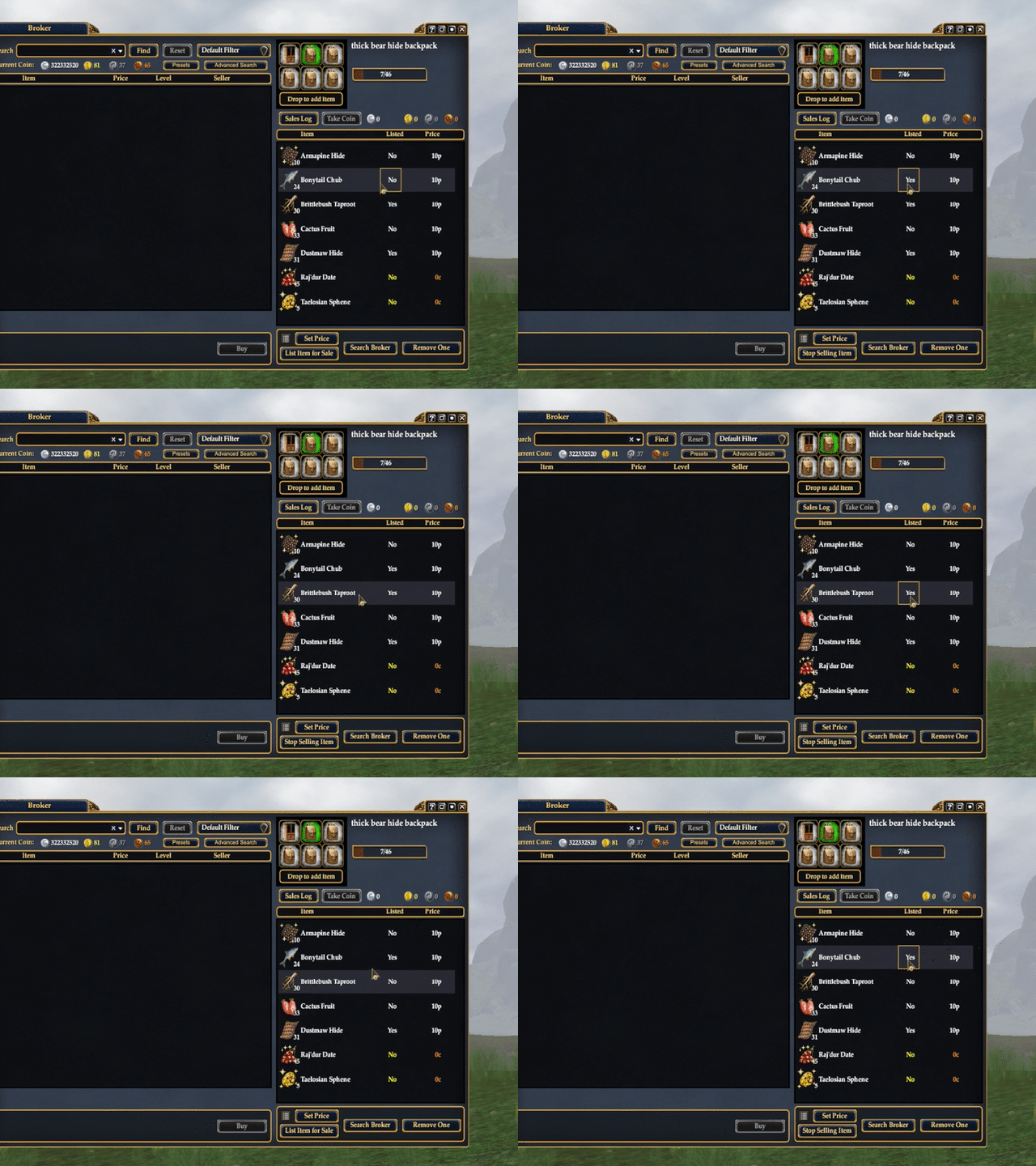
It's very important that you click the item to highlight it before toggling, otherwise you will be listing and de-listing a different item. Hopefully the game designers will come up with a better solution and we can remove this somewhat ugly stopgap measure soon.
David Drake
2023-08-14 17:31:16 +0000 UTC