Hey everyone,
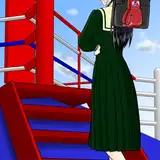
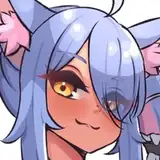
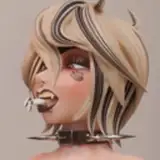
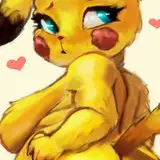
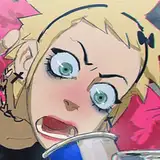
Today I wanted to push myself beyond the limits. Instead of drawing one or more characters, I decided to make one animated. That's right, I've added a little more life into the equation.
The reason behind this decision is that I've been contemplating how I can push the boundaries with my art, venturing into areas that many might avoid. I believe the approach isn't to jump directly into the most challenging tasks but to advance steadily, one step at a time. Today's animation, although complex, isn't quite the final goal I have in mind. Just as I began with character exploration a few months ago, today I embark on character animation. Expect more soon!
Now, let's delve into some fundamental tips about animation, in case you're interested in trying something similar.
1. Inconsistent Timing
One of the most common issues with new animators is inconsistent timing, meaning some actions in the animation move too quickly while others drag on too long. Understand and practice the principle of 'timing and spacing'. Use a metronome or play a consistent beat in the background, and time your frames with it. This can help in making movements look more natural and consistent.
Consider a ball bouncing. If the ball drops quickly and then takes too long to bounce back up, it looks unnatural. Proper timing will have the ball fall and bounce at consistent intervals, replicating real-world physics.
2. Stiff Movements
Characters or objects move in a straight line or look robotic. Incorporate 'arcs' in your animation. Natural movement, whether it's a human arm swinging or a bird flying, follows curved paths or arcs.
When a person waves, their hand doesn't move in a straight line up and down; it follows a slight arc, making the motion feel more fluid.
3. Lack of Anticipation
Actions that come out of nowhere can feel jarring or surprising to the viewer. Use 'anticipation' to prep the audience for a major action. It can be a small movement in the opposite direction of the main action, like crouching before a jump.
Before jumping forward, a character might bend their knees and lean back slightly, signaling to the viewer that a jump is about to occur.
4. Flat Visual Appeal
Characters or objects can look two-dimensional or lacking in depth. Use 'overshoot' and 'follow through' to give your animation a 3D feel. This means allowing parts of the body or object to catch up with the main movement.
When a person suddenly stops running, their hair or clothing might continue to move for a moment, settling down after the rest of the body has stopped.
5. No Secondary Action
Focusing too much on the main action and ignoring the smaller, supplementary actions can make the scene feel static. Incorporate 'secondary actions' to support the primary movement and add richness to the scene.
As a character walks, they might swing their arms, their hair might bounce, or they might occasionally glance around. These secondary actions give life to the character.
6. Poor Posing
It's hard to tell what a character is doing or feeling due to unclear poses.Invest time in 'strong and clear poses'. Even if it's a short animation, each frame should be clear in its intention.
If a character is surprised, rather than just widening their eyes, you might have them take a step back, put a hand to their chest, or even drop what they're holding.
Conclusion
Animation blends creativity with technique. It's not just about making things move but making them come to life in a way that feels right. When you first start, it might seem overwhelming with all the details and principles. But, just like any skill, the more you work at it, the more instinctive it becomes. As you invest time, you'll better grasp what makes a scene pop and what might be holding it back. So, keep practicing, keep experimenting, and trust that every animation brings you one step closer to mastering the craft.
I might not have incorporated all these tips into today's animation, but I'll delve deeper into how I applied some of them in tomorrow's post. I'll be sharing the PSD and process video exclusively for those in the 'Mastering Maestro' tier. If you aren't subscribed to this tier yet, consider upgrading to gain immediate access. For those who prefer to wait, rest assured, I'll be exploring these captivating animation topics more extensively in the upcoming weeks.
.
Welcome to all new patrons! Feel free to ask any questions here in the comments, via DMs on Patreon, or in our Discord group. I'm eager to help and witness your growth.
For more information, check out our Patreon FAQ: https://ramonn90.myportfolio.com/faq and Patreon Catalogue: https://ramonn90.myportfolio.com/work
Your support makes this content possible, thank you
Ramon Nuñez
2023-08-15 20:58:56 +0000 UTCDelinda Arts
2023-08-15 20:43:28 +0000 UTC