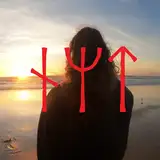
This asset comes with 5 custom-made screenspace spiral effects, complete with fade-in/out animations. You can easily switch between these 5 presets using a slider in the radial menu. The transparency of the screenspace effect can be changed locally through a slider so the owning player can see through the effect or disable it completely. The screenspace effects will only be visible to players within range.
These effects use ValueFactory's Hypno Eyes and Hypno Focus shaders. While this asset is fully functional on its own and does not require ownership of ValueFactory's Hypno Shader, having it will allow you to add new presets and customize the hypno effects featured in the pocket watch.
Get ValueFactory's Hypno Shader (Optional)The video above is an animation and not in-game content.
This asset features realistic clock ticking sounds you can toggle on and off from the radial menu. You can fade-in an immersive delay and reverb effect with a slider to enhance the hypnotic induction process. Moving the slider will also speed up the clock hands.
You can customize the text in the front and the back using the Substance Painter files provided. The default text is "Nycta"/"1964".
You can swing your hand to make the clock swing back and forth. Turn on Hypno mode to activate the spirals, you can change the spiral using the Hypno Effect slider. You can hide the spiral locally using the Hide Hypno slider. Use the Immersion FX slider to fade in some extra sounds that will surround the player and make the hands speed up, this will only work if sounds are enabled.
YOU MAY NOT:
YOU MAY:
This asset uses ValueFactory's Hypno Shader, please refer to their terms of use if you plan on redistributing alternate hypno effects.
For any questions contact me via email or on Discord (please state your question in the first message, I do not reply to just "hi").
Discord username: nycta
Email: contactnycta@gmail.com
If you have any issues or questions don't hesitate to contact me through my email or on discord.
All updates to this asset come free of charge, you will be notified by email when there's a new version.
Drag and drop the left or right hand prefab into the root of your avatar.
Position the asset on your hand.
Modify the menu paths in the VRCFury Toggles as needed.
Fixed a bug where the right hand prefab's physics were inverted.