My dear Simmers! After many requests I received, I finally decided to share my last ReShade Preset with you.
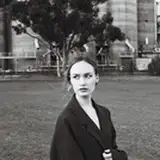
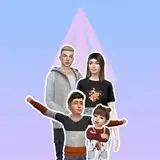
I present to you the Bojana Sims-Boho ReShade preset.
This preset was made with the 5.7 ReShade version, but I believe it works with both the previous and the newest versions too.
Since this isn't my first preset, I won't spend time explaining how to install ReShade (there are tons of other posts and tutorials online), but I'll just explain what you need to have to make it work.
***Very important***
Please, please, if you are not sure how to install this and how it works, if your PC does not support the installation of ReShade, do not do it, I will not be responsible for your actions, nor enter into further conversation. This is up to you and you are responsible for everything you do. Thank you.


And now we can start with important things.
* First step: If you have any other Reshade installation or preset installed on your PC, you should backup them before using this because it will replace the current version of installed Reshade and shaders. So, do this first (On my computer, these files are located in the " c:\Program Files (x86)\Origin Games\The Sims 4\Game\Bin" folder, be aware that the location of your installed game may be different).
* Second step: Download my preset zip which is located at the bottom of this post.
* Third step: Extract that zip archive to the folder that I mentioned above (Bin folder).
* Fourth step: Overwrite any files if asked.
* Final step: Start the game.
You will notice that loading of Reshade may take a bit longer, that is because there are many different shaders included in zip archive.
The shortcut for entering Reshade menu is the "HOME" button, and the shortcut for turning effects on or off is "CTRL+1".