Password has been sent by Email
Commissioned model by Waterninja
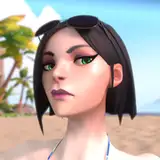
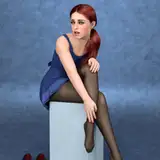
Finally this commission is finished! and another one with a fully rigged face! This one has two tongues. One rigged (moved by bones head tongue 1, 2, 3) by and another tongue with the shapekeys (moved by bone head tongue). If you want to hide the shapekeys tongue in XPS scale the bone down. Her Swimsuit has some nice morphs to make the exposed version. Besides "some" nice textures has been implemented. I hope you enjoy it!
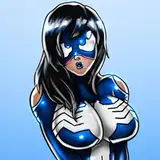
Psylocke
The battle pauses for a heartbeat as Psylocke emerges from the shadows. Her silhouette glows against the violet shimmer of her psionic blades, each step a feline sway that entices as much as it intimidates. The air hums with energy, and her rivals feel they are facing not just a warrior, but a hypnotic presence.
Her gaze cuts like a dangerous caress; the edge of her blades seems to brush the skin before slicing through the air. In that moment, the fight transforms into a dance of desire and threat, every movement as seductive as it is lethal.
DoA Style Ready Pose: In XPS format with all bones renamed.
MMD Ready Dance Pose: Prepped for MMD dancing with hair physics! (Optional Clothes in other morphs, including Blue Dress). Some materials ready for Autoluminous
Blender 3.6.9 LTS: Included in MMD pose!
Optional Parts: In XPS, use Ctrl + A .(Shapekeys converted to Optional Faces). A lot of optional textures. drag the texture folder "tex -- blush" over an XPS window or replace the face texture in the "tex" folder (keep a backup) In XPS don't set the shadow depth more than 10 or you will see ugly darker parts on her face. Both optional faces (converted shapekeys) and bones can be used for multiple expressions.
Optional Parts in MMD: The material morphs are located in the "Other" group. "Body Switch" allows you to toggle between two body types—the default version with clothes, and the exposed clothed version or nude version. Accesories are compatible with both bodies.
To hide all the default clothes at once, use "Cl.All H"
To hide only specific parts of the default clothes, use individual morphs like "Cl.Top H" to hide the Top, for example.
The exposed clothes version is activated by Morphs in her Swimsuit (check other morphs for EX Swimsuit morphs"
The "h" or "s" at the end of the morph names indicate their function:
"h" means the morph hides the clothing.
"s" means the morph shows the clothing.
Clothes are compatible but for the breast part. But you can use some combinations of exposed with default clothes.
All individual morphs for default clothes are designed to hide their respective items ("h" at the end), while individual morphs for exposed clothes are used to show them ("s" at the end).
Credits: Background by vecteezy.com
Animanpower
2025-11-29 22:11:51 +0000 UTCAmanda Sev
2025-11-29 21:58:13 +0000 UTCAnimanpower
2025-11-27 21:14:22 +0000 UTCRyanhunter
2025-11-27 21:12:59 +0000 UTC