The password has been sent by email.
After topping the charts in the latest Next Diva Release Poll, the spotlight now belongs to Marin Kitagawa! Thanks to everyone who voted—you
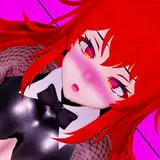
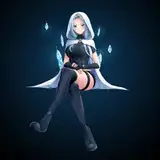
After topping the charts in the latest Next Diva Release Poll, the spotlight now belongs to Marin Kitagawa!
Thanks to everyone who voted—your support made this release possible.
All characters depicted are over 18. Marin Kitagawa’s body proportions have evolved over time, and she is portrayed here as a fully grown young woman.
This model captures Marin’s charm with detailed morphs, expressive features, and anime-accurate styling.
Whether you're animating, posing, or just admiring, she’s ready to shine in your next project.
DoA Style Ready Pose: In XPS format with all bones renamed.
MMD Ready Dance Pose: Prepped for MMD dancing with hair and boobs physics! Skirt physics are available in one "PMX" file, while in the other the skirt is rigged to the legs. (Optional Clothes in other morphs)
FBX and Blender 3.6.9 LTS: Included in T pose!
Optional Parts: In XPS, use Ctrl + A .(Shapekeys converted to Optional Faces). If you want her with face blush drag the texture in the "tex -- blush" over an XPS window or replace the face texture in the "tex" folder (keep a backup) In XPS don't set the shadow depth more than 10 or you will see ugly darker parts on her face. Both optional faces and bones can be used for multiple expressions.
Optional Parts in MMD: The material morphs are located in the "Other" group. "Body Switch" allows you to toggle between two body types—the default version with clothes, and the exposed clothed version or nude version. Accesories are compatible with both bodies. (On this vesion a "body clip" material has been created to avoid clipping issues with her default clothes and default body. Underwear parts have been also been hidden by default to avoid clipping. Cl.Sets (Clothes Sets) habe been implemented for some costume combinations.
To hide all the default clothes at once, use "Clothes All H"
To hide only specific parts of the default clothes, use individual morphs like "Cl.Top" to hide the Top, for example.
The exposed clothes version can be displayed easily:
First, use "Cl.All H" to hide the default clothes.
Then, apply "Cl.Ex ALL S" to reveal the exposed clothes version in two steps.
If you want to display only certain parts of the exposed clothes, use morphs that include "ex" (exposed) in the name. For example:
Use "cl.ex Top s" to show the exposed Top.
The "h" or "s" at the end of the morph names indicate their function:
"h" means the morph hides the clothing.
"s" means the morph shows the clothing.
All individual morphs for default clothes are designed to hide their respective items ("h" at the end), while individual morphs for exposed clothes are used to show them ("s" at the end).
Credits: Background by vecteezy.com