My Discord server is a place where you can connect with other artists.
Specifically artists and students that are working on projects from my Patreon page. But, there's more:
So, it's another platform but is it for you? Well, maybe. Once you get the hang of it- it just feels like a group chat with a bunch of artists. The vibe is very chill and so far the info and tips that people are sharing is GREAT.
Bottom line- you won't be missing out on any vital info or content if you choose not to get on Discord, my Patreon page is where the lessons are. If you are looking for an atelier-like community of artists and students to share your experience with, this is a place online to do it.
If you are a subscriber at any level you already have access, it just needs to be set up. What have you got to do?
This article from Patreon explains it WAY better than I could, so:
Follow the steps below to connect Discord to your Patreon account...
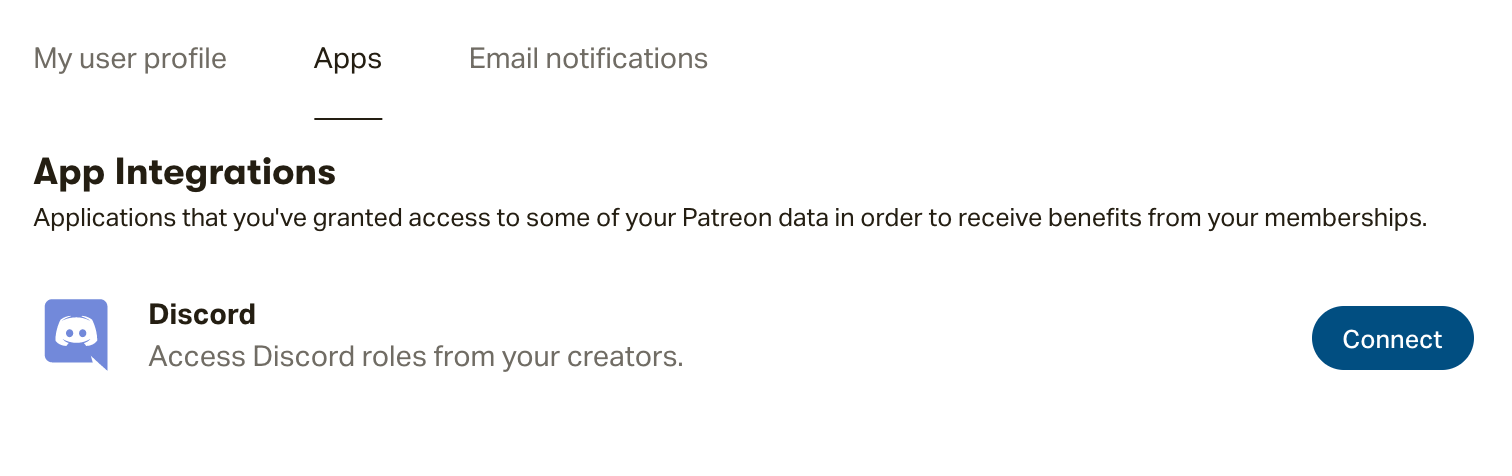
Step 1: Follow this link to the Profile settings and click on the "Apps" tab. Then, click the Connect button to the right of the Discord app. Log in to your Discord account in the pop-up window that populates.
Don’t have a Discord account yet?
Select the option to Register in the pop-up window that shows, and follow the prompts.
Step 2: Now that your Patreon and Discord accounts are communicating, our integration will assign you the role tied to your Tier!
You can access your new role by logging in to your Discord account.
Stephen Bauman Artwork
2022-02-24 07:54:45 +0000 UTCSoheila
2022-02-23 23:11:31 +0000 UTCStephen Bauman Artwork
2022-01-15 08:47:22 +0000 UTCPatrick Sweeney
2022-01-14 19:00:56 +0000 UTC