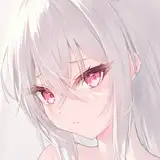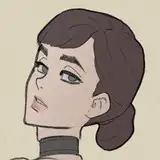
Let's talk about the coloring process:
Added 2023-03-10 17:26:44 +0000 UTCFirst of all, I want to say that the way I do the coloring might not be the best way, honestly: I think the best way to do it is probably to draw it in grayscale to set the value and add colors on top of it.
But the way I do it: starting from big and getting smaller and more detailed.
(lower is gif of face coloring process, it's a bit heavy, give it a bit of time lol)
There are no big secrets, really, just rendering from big to small, but here are some things I do to make it easier:
(Reminder, I use Clip Studio Paint program).
1)Use a multiply layers to get blush or shadows more prominent if necessary.
2)Tonal correction is your friend: getting colors right is hard, so use Hue/Saturation/Luminosity, Brightness/Contrast, and Color Balance to get it right.
3)Try to use Blend Brush as less as you can.
4)I usually color one big part on one separate layer: if it's skin, I add extra layers only if I need to use Multiply or add some detail that I am not sure about (if I like the result, I combine them into one layer). I am, personally, not a big fan of many layers, because my file gets heavy and the computer just shuts down lol.
5)If I want to transform any part, I usually copy that part into a new layer, so in case everything goes wrong, I can always go back to the original. If I like the new transformation better, I combine the layers.
6)I generally copy the layer I am satisfied with into a little folder, so if something goes wrong, I can always return to the point I want.
7)Before, to make the skin a little bit shiny (like from sweat) I used Add or Add Glow layer setting, but recently I found a better way:
- Create a new layer above the skin layer, and clip it to the skin layer;
- Color it with pure black;
- Set it to Color Dodge mode (the black layer will become invisible);

- Take a brush with white color, use a textured brush instead of a soft one;
- Paint where you want the light to be;

- Change transparency if you need, and use Blend brush if you need.
8) Sometimes I use sharpen option if I want brushstrokes to be more visible.
I already did it before, but just to be sure I clipped the my main custom brush I use for almost every coloring I do as an attached file (also for Clip Studio). Also clipped the video of process, since the gif might not work on smartphones.
I hope it helped a bit :D

Comments
Thanks for sharing this qwq I really like your art style, but the coloring and use os shadows and light honestly it's so high ☆♡!!! I will try to use your recommendation ❤️
Carl Azul
2023-08-25 20:14:37 +0000 UTCthank you for sharing!
blushing_silly
2023-03-12 01:46:02 +0000 UTCThank you for supporting me!
TheFuzzyAya
2023-03-11 06:11:44 +0000 UTCThank you I love this
Dominic Conner
2023-03-11 05:44:03 +0000 UTC🥰
TheFuzzyAya
2023-03-11 03:34:36 +0000 UTCIt's okay, I promise 🙈
TheFuzzyAya
2023-03-11 03:34:29 +0000 UTCThank you! I will try to post more of it, but recording is very problematic for my old computer 😂😂
TheFuzzyAya
2023-03-11 03:34:08 +0000 UTCOh boy! Thank you!
Haunted House
2023-03-11 02:50:05 +0000 UTCPeter’s looking pretty scuffed up and I am now worried.
Fantasia Riot
2023-03-11 02:46:50 +0000 UTCYou are just sooo talented! Seeing the process is really impressive! ❤️
Leah
2023-03-10 20:12:03 +0000 UTC🥰🥰🥰
TheFuzzyAya
2023-03-10 19:07:01 +0000 UTCOmg this is like learning magic 😍 thank you for sharing!
Kayla M
2023-03-10 19:03:36 +0000 UTCThank you!! 💕💕
TheFuzzyAya
2023-03-10 18:31:05 +0000 UTCThis is very similar to what I used to do (when I did art… it’s been ages and never nearly at your level), and ya know you do you. Whatever process you’re using is working and it’s ending up absolutely amazing. I love the art process clip!
Samantha
2023-03-10 18:27:45 +0000 UTCNothing serious, I promise! It's actually very cute art 😬😬
TheFuzzyAya
2023-03-10 18:23:02 +0000 UTCWhat happened to the baby?! :0
Aniratac
2023-03-10 18:21:25 +0000 UTCnah, I think you're great!
Ellie
2023-03-10 17:54:02 +0000 UTCYou're welcome! Sorry, I'm not the best teacher 😬
TheFuzzyAya
2023-03-10 17:52:53 +0000 UTCwhoa! this is so cool! thank you for sharing your colouring process❤️
Ellie
2023-03-10 17:48:43 +0000 UTCAnd yes, Peter has a bruise on this one, lol, hopefully post it soon!
TheFuzzyAya
2023-03-10 17:29:21 +0000 UTC