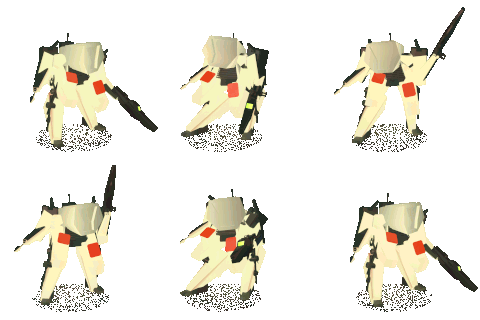
Happy holidays! Been quite busy which is why I haven’t posted, I just got a new apartment finally in brooklyn so once I acquire a desk I’ll be back at it! In the meantime I’ll be uploading a few things on here from my phone. Hope everyone has a good new year!
2022-12-31 20:37:49 +0000 UTC
View Post
a nice walkthru of how to obtain simple flat colors in blender! comment or dm if u have any questions!
also welcome new people<3
2022-12-13 21:32:22 +0000 UTC
View Post
trying to make some really trippy stuff for this beat made by Bolo Yeung back in the day. more to come! ill make a video on particle sims for the tier 2 people soon :)
also today im going to upload a tutorial on Flat Color texturing like you might have seen in a lot of my posts!
tier 3 people will get some textures to go along with the tutorial <3
2022-12-12 19:56:00 +0000 UTC
View Post
a lot of you have been asking for this here it is! took a long time to make this look nice lol.
to use, navigate here in your files vvvv
%APPDATA%\Blender Foundation\Blender\[YOUR VERSION]\scripts\presets\interface_theme\
then save the XML file in that folder, and it should show up in the presets menu.
2022-12-09 15:12:57 +0000 UTC
View Post
uploading theme for tier 3 folks, also ill put some new objects and texture packs in there this week <3
sorry on the delay w the stickers! dont mean to tease, just been all over the place searching for an apartment out here. still on the priority list. hope you guys are having a good week!
2022-12-09 15:09:07 +0000 UTC
View Post
this ones for the people in here who have not touched blender but are curious to start! I go into modeling basic shapes and navigating in the 3d space. no texturing or fancy modifiers just straight modeling!
Its really important to learn the basics of how to make lo poly objects before you get into anything else, hopefully this teaches you a thing or two!
ill continue with this format if you guys like it (unedited long walkthrus) but for texturing, animating etc.
its...
2022-12-02 23:23:02 +0000 UTC
View Post
I’m making a beginner crash course video for those who are here that haven’t touched blender before. It’ll go over how to navigate the UI, make basic objects, and setting up your first first render :)
Also offering 1 on 1 lessons as usual for those who want an in depth session for beginners, or more intermediate sessions whatever techniques youre having trouble with! Shoot me a dm for any question <3
2022-11-30 22:40:08 +0000 UTC
View Post
sometimes it takes quite a few tries to get the shape right for these things. This boombox was particularly tricky. as you can see it took 5 or so drafts before settling on the final shape. I spent the most time on this one easily.
if youre new here and on the learning tier, make sure to check out the past videos where i break this process down! full on modeling tutorial + flat color tech coming soon as possible <3
2022-11-27 20:48:05 +0000 UTC
View Post
these are for everyone in here to show my thanks for the support!
like i said before ill contact you all about shipping info asap.
still putting together these together, tryna find a good quality sheet rather than individual stickers, but ill keep you updated <3
2022-11-27 05:18:48 +0000 UTC
View Post
Hello to the few new people in here!
Lmk if u have any questions feel free to dm me for whatever.
Here’s some pics of my take on yameii for the oseanworld art contest! I’m honestly shocked at how much I liked making this character, I’ll do a breakdown of it asap! Working on modeling tutorials for you guys as well :) coming sooOoOoOn!!
2022-11-24 14:34:48 +0000 UTC
View Post
little walkthru of todays progress!! vibed up in this room, gonna add a few more things on the wall then get to work animating the dude more
2022-11-21 01:45:12 +0000 UTC
View Post
using rigid bodies to make these dice bounce (something ill go into in depth in the future) but theres always that one cube misbehaving! decided to make an animation based off the glitch, where the character is confused at what happened lol. good practice for body language! gonna flesh this room out more and update on here before posting to anywhere else
excited to dive back into this style, ive been experimenting with so many other ones but this flat colorway always felt so satisfying...
2022-11-20 07:50:43 +0000 UTC
View Post
animation practice turning into a little personal project :)
adding more to the environment but i thought id share some of the progress on here
2022-11-11 22:40:00 +0000 UTC
View Post
use this to see how a basic IK rig is set up! check out the tutorial video from earlier today to see how its made.
2022-11-11 04:04:42 +0000 UTC
View Post
hopefully this helps some people with the seemingly impossible task of IK rigging.
Let me know in the comments if youre still having trouble and ill help best i can!
2022-11-11 04:00:44 +0000 UTC
View Post
heres a cool render i had laying around in my phone, made it when testing out the "mesh trails" addon :)
finishing IK tutorial tomorrow <3
hope everyone in here had a good week!
2022-11-09 04:36:45 +0000 UTC
View Post
thank god, ive wanted to upload random throwaways on here, but it was so annoying to only be able to make private youtube video links. Now i can really start posting the things that will never otherwise see the light of day >:)
heres a labratory i was making a while back that i never really did anything with. I got my pc shortly after this and started immediately working on other things. lotta cool assets in this one like the beakers, weird plants, and robot arms.
2022-11-03 18:23:19 +0000 UTC
View Post
duplicate the render layer (shift+D) , run the bottom one thru a Blur node, and mix the two into the final output. make sure the Mix node slider is halfway, then play with the blur values to create a cool glow/glare effect in post!
Also update: my PC made it to NY safe and sound! Its been such a crazy week for me. Ive only been here for 2 days and i already have to fly back out to LA tomorrow to play a show lmfao. once im back on the 6th, its go time foreal.
Heres my gameplan f...
2022-11-03 12:52:24 +0000 UTC
View Post
I’m currently lugging my entire pc in a suitcase, and my GPU is in my backpack bubble wrapped. It feels surreal to have my entire lively hood in such a fragile vessel lmao.
Here’s a photo of some paintings I did early 2020 before getting into blender. I’m a bit sad to leave behind in SJ, can’t take the tapes either until I find a permanent spot :/
Fr tho on some bright side shit I know I keep saying it, but I wanna thank everyone in here again for the support, f...
2022-11-01 21:17:51 +0000 UTC
View Post
truly amazing. stick around ima send every one of yall a sticker pack to show my appreciation once im settled into my new spot!
Once again, i am in the middle of moving across the country, which is extremely chaotic. All of you being here make me so motivated to go as hard as possible once im there. The IK video, modeling walk-throughs, and everything else i have planned is coming soon I PROMISE.
some people have subbed, watched the videos, then cancelled immediately, which is t...
2022-10-27 01:01:35 +0000 UTC
View Post
random internet inspo from today while trying to make new and better characters.
Pure Ref is an amazing free software for creating sheets like this. You can literally drag straight from google into it, and it optimizes the canvas for you.
if youre struggling making characters or design in general, use this technique to make a moodboard so you have stuff to look at. take a little bit from each thing and pretty soon you have your own version of all your inspirations!
2022-10-27 00:54:31 +0000 UTC
View Post
okay check this one out, make a text, make sure its nice and thick. convert it to a mesh, and put particle systems in each one.
definitely takes some tinkering and dense knowledge of particles + collision, but the results are nutty, and you can do this with any shape. once the particles are baked, you can still mess with the shape of the instace, as well as the scale/randomness.
this is for an upcoming festival by Superchillaf edibles.
2022-10-25 02:52:15 +0000 UTC
View Post
someone was asking bout this, i realize a lot of people havent tried this yet. each of the preview modes have different settings for how they behave. the solid one is fun, try turning the lighting to "matcap" and the background to "viewport" you can get surprisingly good results in there. then just go to "view" > "viewport render image"
2022-10-19 21:30:27 +0000 UTC
View Post
and some toys :]
I’ve added more to this at this point but, I had to take this photo after completing the face texture. Haven’t really drawn eyes that I liked this much b4 so I was pretty hyped.
that’s a megaman ost cassette in the corner
2022-10-19 09:20:23 +0000 UTC
View Post
been on a major Tolkien binge and had to do a gandalf type sketch. got a little lazy doing the same type of animation, but cloth sims are really tricky, and i kinda wanted to figure out how that worked first. you can see it kinda starts in a t-pose in 2 of these because the simulation needs to start the same way each time, it gets super weird if you forget that. definitely going to do a ghost render using this for halloween (屮`∀´)屮
also if you have blender and are in...
2022-10-18 07:41:59 +0000 UTC
View Post
blenders compositor is truly wild. If you havent messed with it before, go in there and mess around like you would in the shader editor. Try duplicating the render layers and mix them, but run one thru a blur node and you can get cool bloom effects in post.
2022-10-15 09:36:55 +0000 UTC
View Post
coming soon for tier 3 supporters! itll come with this idle animation baked in, as well as a walk cycle and info on how to toggle between them :)
2022-10-15 03:08:23 +0000 UTC
View Post
damn i feel both surprised and blessed to have reached my initial goal of 15 patrons so soon <3 For you tier 3 folks, i have a fully functional custom rig for humanoids that ill drop in here soon via a .blend file! along with a video on how to make characters to attach to it, and some basic animation tips.
next tutorial video (tier 2) will be on setting up basic IK rigs!
2022-10-15 01:56:26 +0000 UTC
View Post
this is the process I used to make the thrift3d videos!
2022-10-14 18:25:37 +0000 UTC
View Post
heres a blend file with a very strange material that looks like slime encased in glass. It works best in Cycles as it has some subsurface stuff going on, but it looks cool in EEVEE too! try using it on metaballs, as the inside part will stick together nicely.
def peep the nodes too, lmk if you have any questions about the tech!
if you wanna use this in your own start up files, just copy the object with the material, and paste it into another scene!
2022-10-06 00:12:57 +0000 UTC
View Post