Smart prop earrings for Daz Studio + Genesis 8 Female.
Once unzipped/installed, load and select genesis 8 female before loading the earrings.. which can be found in People>Genesis 8 Female>Accessories>digidotz>EthEarrings ;-)
2021-02-03 02:39:49 +0000 UTC
View Post
Add var file to your AddonPackages folder
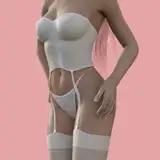
I'll try to improve these and add more textures + will make closer fitting Nylons with a lace top version ;-)
2020-12-19 15:26:13 +0000 UTC
View Post
Add Var file to your AddonPackages folder
Some different colored presets included
mess around with the physics settings 👍
2020-12-17 22:25:57 +0000 UTC
View Post
My first sim clothing here for virt-a-mate. You will probably have to increase the "collision radius" to 0.01 + in the physics settings if your figure is to be making rapid movements...such as dancing ;-p
Some basic color presets included. Add var file to "AddonPackages" folder
TBH it was originally modeled for Daz Studio so loses it's pleats/shape a bit in VAM
Still, Enjoy!
2020-12-13 04:00:41 +0000 UTC
View Post
A different sofa for your Virt-a-mate scenes...

Unzip and copy contents to your main VAM folder.
In VAM edit mode, click on "Scene Add Atom"
Add Misc>Custom Unity Asset
Select it and in the asset tab click select file and browse to Dot_Zee/Sofa folder ;-)
2020-12-11 16:27:55 +0000 UTC
View Post
Here's a bed I originally made for Daz Studio now converted for Virt-a-mate

Unzip and copy contents to your main VAM folder.
In VAM edit mode, click on "Scene Add Atom"
Add Misc>Custom Unity Asset
Select it and in the asset tab click select file and browse to Dot_Zee/Bed folder ;-)
2020-12-11 16:07:42 +0000 UTC
View Post
Here are 6 Iris textures for use with your Virt-a-Mate Characters

Unzip and copy contents to your main Virt-a-mate folder.
To Add to your character, in edit mode, select character root, click on the virt-a-mate Iris materials tab, textures and then click on select to browse to the textures located in the Dot_Zee folder
2020-12-09 07:59:06 +0000 UTC
View Post