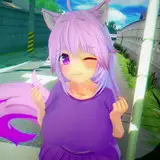
Rendering and a note on my Animation Workflow
Added 2020-05-06 03:59:28 +0000 UTCAfter a little over 6 weeks (incl weekends) of 5+ hour days and many a late night. The work on the animation is done and the render is underway. ETA is a little under a week and a half (barring any interruptions) EDIT: Might end up being closer to two weeks. Needed to alter some settings as there were errors showing up. more samples. longer render time. :/
I'm sure some of you are wondering why my animation takes so long to do, here is a little write up.
For the most part animators in the adult entertainment world focus on nailing short loops that can be easily repeated and link them together with either short interstitial animation or cuts/jumps between loops. CG Films use storyboard and thumbnailing to plan out what the animation will look like, this is normally driven by an audio track that determines the pacing/cadence of the scene.
Everything I produce is done 'strait ahead',. it start with a general idea of what I'm wanting to happen but work begins without a hard and fast layout. I work in sections. Each section gets blocked out then refined. During refining I see what works, smooth out animation, extend and embellish. The reason I like working this way is because it's fertile ground for happy accidents, quite a few parts of this animation started off this way. For sections that lend themselves to it, loops are used as a foundation for further animation.
Much like with rendering, the speed of the characters internal driving structure or "rig" is hardware dependent. on my current machine they don't play back in real time (even without fur enabled!). The only way to see a full speed playback is to have the program step through each frame and screenshot the viewport, compiling these into a short animation that can then be reviewed. To give you an idea this the preview process takes about 2 and a half minutes to generate a preview video lasting 16 seconds.
with that in mind previews for timing and refinement go as follows. during the timing stage I block out a section with key poses. Say I have a paw here, and a few frames later I want it there. I key the positions then run a preview, see how the paw is moving, increase/decrease the number of frames between the keys to get the paw moving faster/slower and bring it closer to what I have in mind, preview, repeat.
Refinement consists of adding in 'breakdowns/inbetweens' these are additional keyframes that add character to an action, instead of a paw moving directly from point A to B in a strait line add in more frames and get it moving in an arc. once this is done again hit the button to preview, wait, watch the preview and note down what frames look off, go correct them, repeat. If there happens to be something that gets corrected that affects something else i.e. moving the chest might make the head position wrong, so that needs correcting but now the paw that was stroking the head is not in the right place etc... so a single small change can cascade into a lot of work.
As you can see this is all a lengthy time consuming process.
The only reason I can dedicate this amount of time towards a project is because of the support I get from everyone here.
Thank you ^_^