If you installed my mod and find that the model is replaced but the textures are not applied, (somehow looks like the header pic,) you're probably facing a low VRAM texture problem.
Why is that happening?
3dmigoto, the core of XXMI or any other mod loader, use a 32-bit hash to recognize which resource it should replace. Hash is a unique fingerprint of a resource. It is guaranteed that the same resource always have the same hash. And 2 different resources, even the slightest difference, always result in 2 different hashes. (Actually, there is a one in 4 billion chance that breaks this guarantee, but i'll just ignore such event.)
To optimize the game performance on low VRAM GPUs, ZZZ will down-scale the resolution of textures on such devices, like, down-scaling a 1024x1024 texture to 512x512. In that case, the down-scaled texture will have a different hash with the origin texture. So 3dmigoto can't recognize and replace the down-scaled textures, as their hashes are not mentioned in my mod's ini file.
Solutions
The solution is to change the texture hashes in my ini to the low VRAM texture hashes. But unfortunately, i don't have a low VRAM device that allows me to check these hashes. i'll post a fix if anyone share their hashes with me. If there isn't a fix, You have to help yourself.
Here's how you can check your texture with gui_collect, take my Ganyu streetlight mod as an example.
1. Download gui_collect from its github release page. Extract it anywhere you like. You also need a Python version 3.9 or above to run the tool. Please ask google for python installation help.
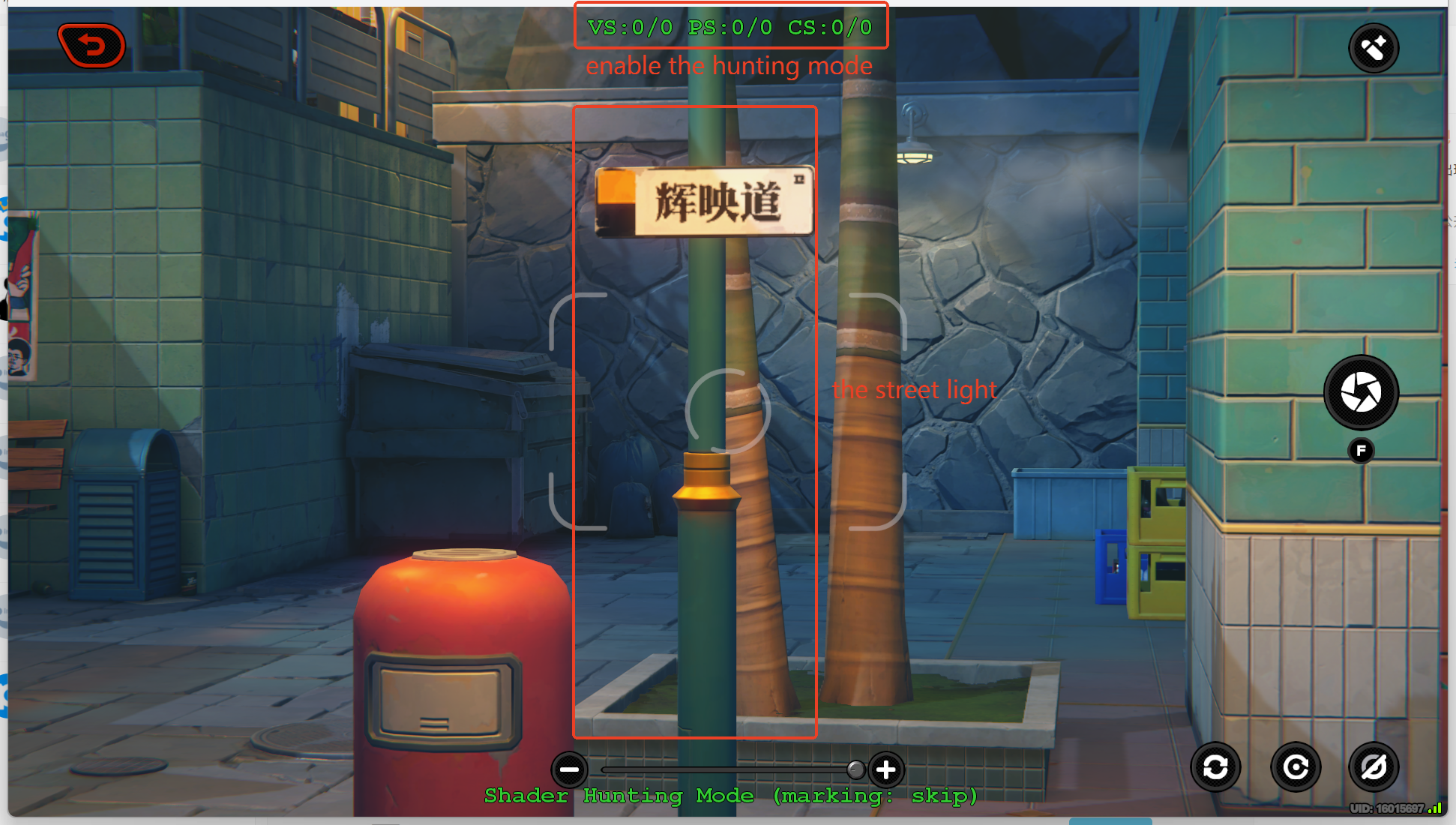
2. In ZZZ, press numpad 0 to enable hunting mode. You should see a line of green text appears on your game window. Press F6 to disable all mods. make sure the mod object (the streetlight in this case) is in your view. Press F8 to dump the frame. You should find a folder named "FrameAnalysis-xxx" under your ZZMI folder.
Check gui_collect's guide if you have any problem in this step.
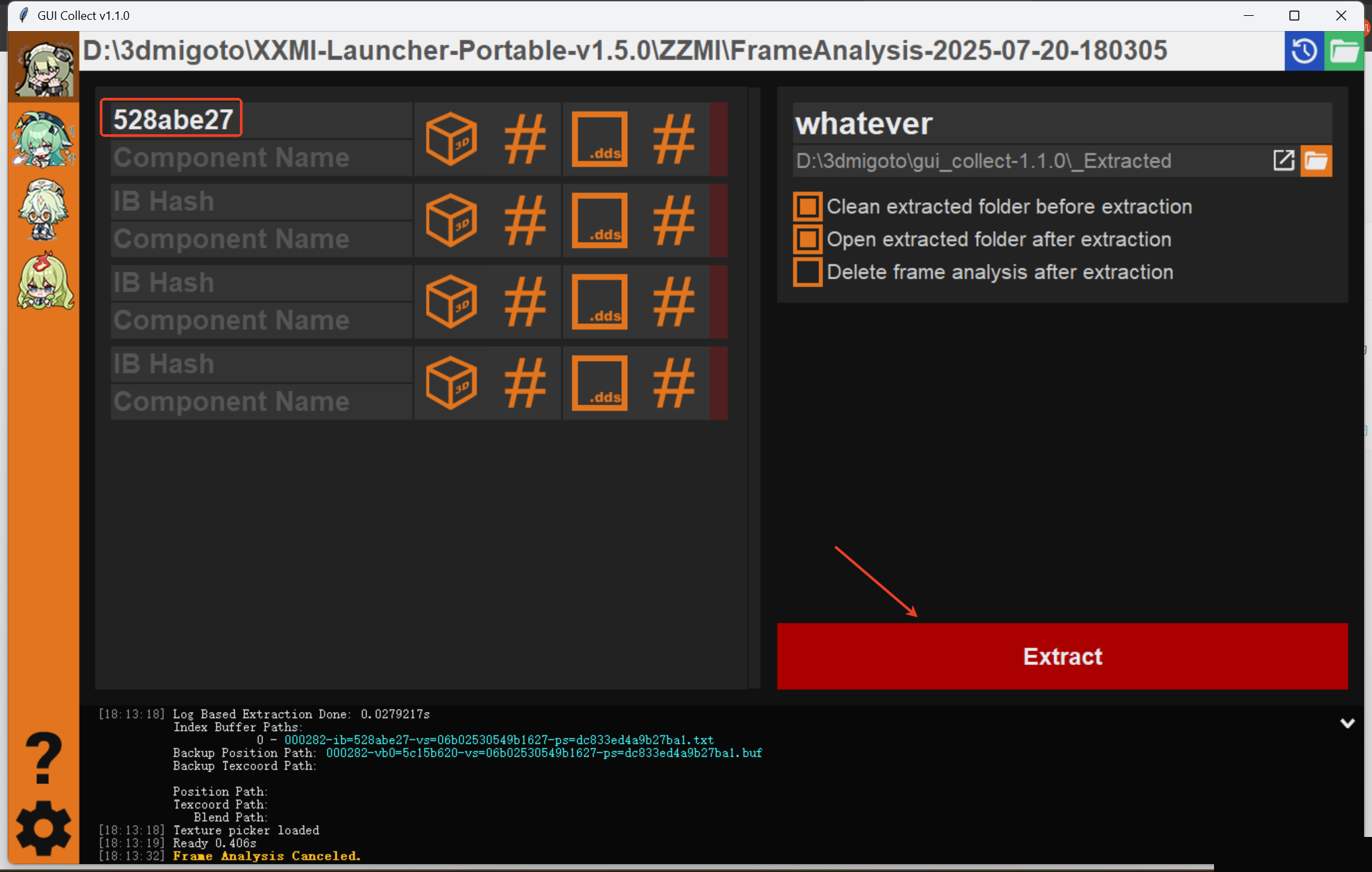
3. Look up in the ini for a section named [TextureOverridexxxIB], you can find the ib hash of the object here. Sometimes there are multiple [TextureOverridexxxIB] sections in the ini. Try them one by one, there should be one working. In gui_collect, choose ZZZ in the left row (the Corin icon), fill in the FrameAnalysis folder path, ib hash and a name, and start extract.
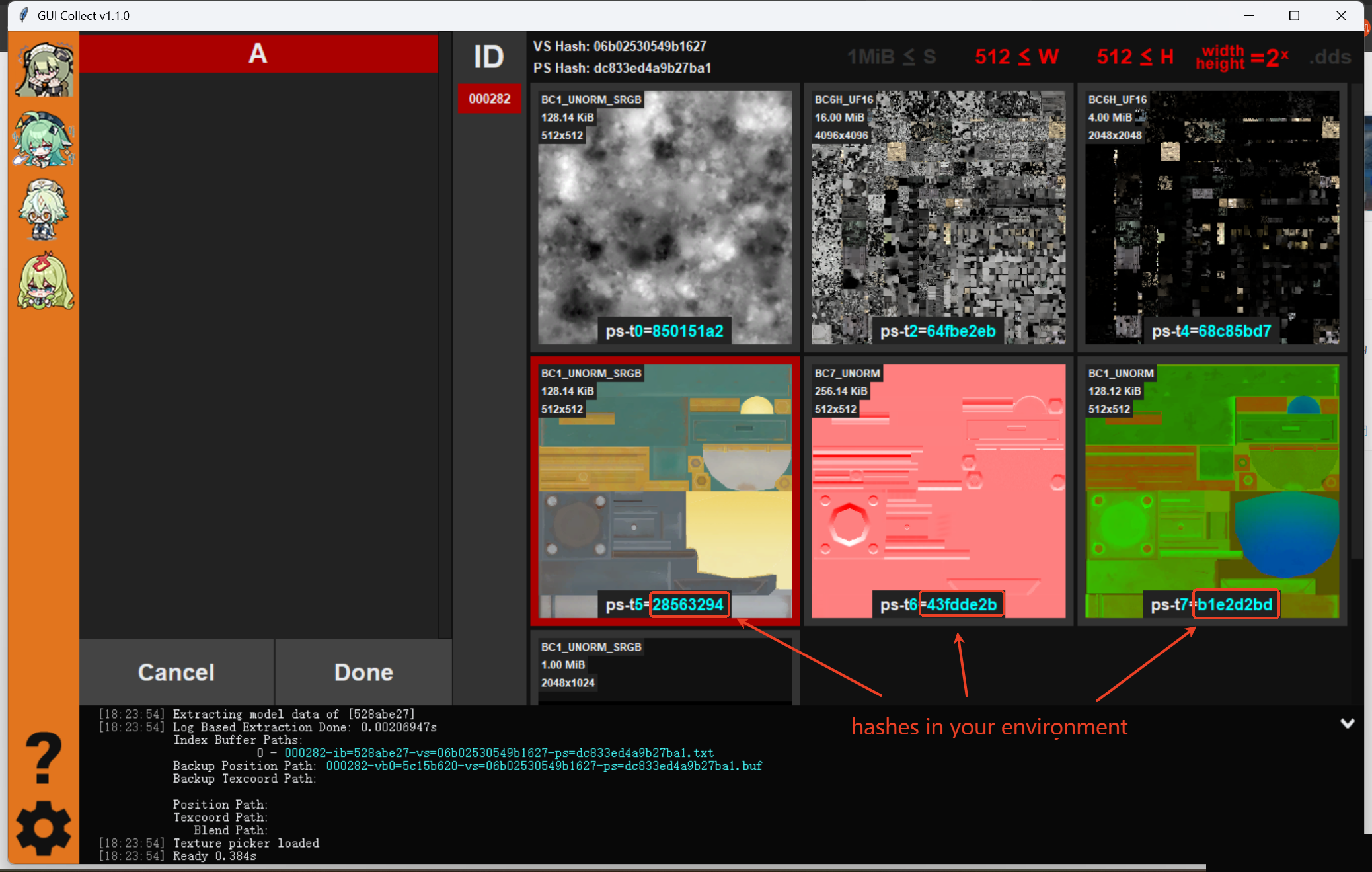
4. If everything goes well, you should be able to see the texture hashes now. If you want to replace the hashes yourself, these hashes sequentially correspond to [TextureOverridexxxDiffuse], [TextureOverridexxxNormalMap] and [TextureOverridexxxLightMap] section. Or you can DM me this screen shot. i'll be grateful if you share the hashes to me.
Good luck.
ゆんべぇ
2025-08-20 18:22:31 +0000 UTCkiss
2025-08-16 13:39:14 +0000 UTC