XaiJu
itemdump
itemdump

patreon


Anyone Have Suggestions

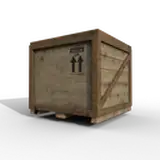
In each case, it's the same mesh, but there is no faceting in Painter, but there is in DAZ and I cannot figure out how to get rid of it.

I've tried increasing subdivisions in DAZ but it has little effect.  

I see no evidence inside the normal map itself that would explain this.

Anyone else have ideas?

Anyone Have Suggestions

Comments

I think this issue solved itself. I finally upgraded from DS4.20 to DS4.22 and doesn't happen anymore.

sedartfonokcaj

Typically applying SubD in Daz can fix artifacts like this for some reason, or at least lessen them. At least in the encounters I've had with strange normal map artifacting it has, but I can't absolutely guarantee it's a fix-all. My suspicions are actually due to how Daz displays meshes rather than the normal map itself.

SquarePeg3D

JPEG. Never thought about trying an uncompressed texture, and I also remember there are some internal Iray settings. I noticed that the medium and high thresholds have dropped in half from what I normally use. Once I get these items rendered, I'll fire up the trunks file and see.

sedartfonokcaj

subtle compression artifact? is this tiff or jpg?

ripped

It's definitely caused by the normal map. One program or another is lying here and can't figure out which one.

sedartfonokcaj


More Creators