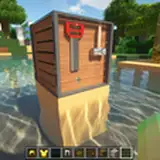
The RTX Bedrock packs work natively with Vibrate Visuals. However, they’re not fully optimized just yet. Separate Vibrant Visual Packs will be released soon. Stay tuned!
Until then, here’s a quick guide on getting RTX (Ray Tracing) working after the new 1.21.90 update:
🚨 The update introduced several bugs that make enabling Ray Tracing a bit tricky but it still works with a few manual steps.
✅ First, enable Allow In-Game Graphics Mode Switching in your settings.
🕹 Then, enter a world (not from the main menu) and switch the graphics mode to Ray Traced from within the game.
_________________________________________________________________________
Download packs. :
LUNA RTX
CHIBLI RTX
________________________________________________________________________
⚠️ Due to this bug, Ray Tracing can’t be turned on from the menu:
Ray Tracing can only be enabled while loaded in a world
Bug report
🔄 Also, each time you restart Minecraft, you’ll need to toggle the Allow In-Game Graphics Mode Switching setting off and on again before entering a world — this ensures PBR textures load correctly.
PBR textures won’t load unless the toggle is reset each session
Bug report
Mojang is actively working on the bugs right now, It should be clear after the next Game update.