Hello everyone!
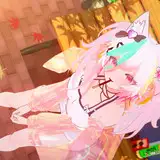
Today, I'd like to share something interesting with you. Recently, I've been experimenting with various 3D expressions, and I tried combining VRChat with Shoost. The results were quite impressive, so I wanted to share this technique with you all.


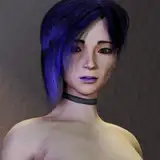
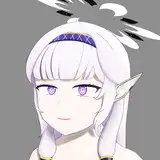
3D model by : 【オリジナル3Dモデル】早川葵 https://booth.pm/en/items/5405703
I hadn't launched VRChat in a while, but when I checked the camera settings, I was surprised to find that Spout functionality had been added!

This makes it super easy to import into Shoost - pretty cool!
I tried it right away. The setup is simple:
1. Check "Spout Stream" in VRChat
2. Select "Spout Capture" in Shoost
3. Select "VRCSender" in Layer


That's all for the basic setup! Now let's work on creating the atmosphere. (It would be great if we could send the background and character separately in the future - that would allow for even more detailed settings!)
After capturing the VRChat screen, we'll add effects from the EFFECTS menu.
First, set the BlendAutoColor value to 0. This is important because without this adjustment, the background color will affect the overall color of the screen.

Next, use the White Balance function to adjust the overall color tone.

Adjusting the white reference makes subsequent adjustments easier.
For more detailed explanations about this part, please check out my previous article.
Then, use Screen Filter and Color Grading to make fine adjustments to color and contrast.

You can also try using the Film and Television functions for quick effects.
To enhance the lighting atmosphere, I added Glow and used Vignette to tighten up the overall look.

For Glow, it's recommended to adjust the Threshold so that only the bright parts shine.
Looking at the comparison, I think the character has become more visible.

Even just color adjustments can dramatically change the atmosphere of your work. These techniques aren't limited to VRChat - they can be applied to any kind of video editing, so please give them a try. Of course, composition and layout are also important elements, so try adjusting those aspects together for the best results.

Stacey
2025-03-17 12:13:07 +0000 UTCAs_u_ka
2025-02-04 12:01:45 +0000 UTC