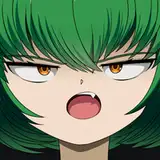
This time, instead of creating facial expressions in advance with facial patterns. I created them as an experiment to see if I could create expressions by combining blendshape values.

01. default face
This is the state where no expressions have been added.

02. open mouth and add angry eyebrows
This time I wanted to create a shouting atmosphere, so I opened the mouth and made the eyebrows a little slanted. However, in this state, there seems to be a distance between the mouth and the nose.

03. Adjusting the height of the mouth
In an aori angle, the mouth and nose tend to be far apart, so adjust the distance between the mouth and nose by raising the height of the mouth.

04. Strengthen the eyes
We want to add a little more oomph to the expression, so we will make the black eyes (corneas) smaller and adjust the eyebrows so that they are slightly angled.

05. make the mouth opening bigger
Make the mouth a little larger to give it more oomph. Add some false expressions here to make it look a little more animated.

This is an expression unique to animation, but when shooting from an angle or from the side, you need to make sure that the edge of the mouth does not extend beyond the red line (the line from the nose).
To do this, you can add a facial pattern that moves the mouth to the left or right, or prepare a facial pattern that moves the nose to the left or right.

After adjustment.
Final hairstyle adjustments.

06. Add a stream of power to match your consciousness
I wanted a little more of a screaming atmosphere, so I created an image of flying consciousness toward the other person. I tried to keep the impression of the hairstyle as unchanged as possible, and tried to add a flow of hair toward the direction of consciousness (red arrow). I adjusted my hair a little so that it was leaning in the direction of the blue arrow, and it seemed to have more momentum than before I adjusted my hair.

Facial pattern used in this expression.
I made a combination of these expressions.

Face patterns included in Vroid.
The face patterns that are included in Vroid by default.

Created additional facial patterns.
Added facial patterns that can be adjusted for different angles, such as eyebrows, upper and lower mouth, left and right nose, etc.

Determine the character's features.
Just like deciding on a hairstyle in the setting material for an animation, be aware of the points that characterize the character. For this character, I made the red and purple lines the key points.

For example, in this case, if you check the feature points of the hair, it is difficult to recognize the shape because of the overlap.

The bones of the hair have been adjusted so that the hair's feature points can be recognized. By making adjustments in this way, I believe I can express the character's impression without losing it.

3D model at different angles without any adjustments.
In the case of hand-drawn images such as animation, beautiful or difficult to draw parts are intentionally left out because the image in the brain is given shape. However, in the case of 3D, it is easy to express parts that are not intentionally drawn.

Not a good angle for a face.
The 45° angle gives a different impression of the size of the left and right eyes and the eyes are too far apart. 30° angle also needs some adjustment.
The 60° angle gives a half-hearted view of the back of the eyes and cheeks.
The 90° angle is not good because it hides the eyes too much.

Before and after adjustment
30°: Adjusted the position of the eyes
45°: Made left and right eyes about the same size
60°: Adjusted to make it easier to see the back part
90°: Adjusted so that the hair is not hidden by the eyes

Angle after adjustment
3D tends to make the picture look bad, so I think I can make it look more like an animation by adjusting that part.