A major update that improves the real-time renderer, adds collisions of rigid objects, makes the simulation history better, and much more.
The update can be downloaded exclusively on Discord.
This is by far the biggest improvement in this update. It significantly enhances the image quality by making the texture mapping continuous across the surface. The smoothing also applies to the shading normals and emission colors, which hides the sharp boundaries of particles and makes the result look similar to a raymarched image. The previous development post explains in detail how it works.
The magnitude of the smoothing effect can be controlled by a parameter in the render settings. There are further two additional parameters - depth limit and UV limit - which can be used to fine-tune the result, although the default values should work in most situations.
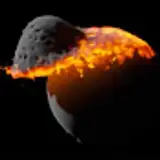
A simple impact simulation with 5000 particles. I think it needs no commentary.

The new update allows you to run a simulation on the surface of a planet, with constant gravitational acceleration pointing downwards (or any direction you choose). It also adds another type of boundary condition - solid boundary. This boundary pushes away the particles and rigid bodies that hit it and prevents them from leaving the domain. These changes are mostly useful for simulations of cratering, water flow, etc.
Additionally, you can simulate the effect of a rotating reference frame, which adds the centrifugal and Coriolis forces.
Simple example of a surface simulation, showing water particles being pushed downwards by gravity and interacting with rigid objects.

Rigid (non-deformable) objects now properly collide with particles and other rigid objects. The collisions work not only for spherical objects, like planets and stars, but also for all shapes, including custom shapes given by a mesh file.
Although the interaction with particles was already being calculated in the previous versions, it has been significantly improved, making it much more stable and robust. It now takes a bit longer to generate these objects at the beginning of the simulation (it needs more processing to determine what's inside and what's outside, see this development post), but it does not slow down the simulation itself in any way.
Furthermore, rigid objects can be made immovable. They still collide with other objects and attract them gravitationally, but they don't move nor rotate. This comes in handy for the surface simulations if you need an immovable obstacle for the particles.
Collisions of rigid objects realistically change their velocities and rotational state.

This is a bit of an experiment. The update adds an option to create completely custom objects using the Lua scripting language (version 5.1). You write a code that specifies the positions, velocities, masses, radii and other quantities of the particles, and the simulation will include them as any other object. This gives users the flexibility to create pretty much anything, not just one of the standard object types. Of course, you have to know how to code. I've written a webpage with basic information about how to create a scripted object.
Scripted objects are added to your object library (the "custom" category when adding a new object). Currently, the script options are quite minimal - it cannot be used to create rigid (non-deformable) objects, massless particles, set textures, customize materials, etc. This is mostly just a proof of concept at the moment. If there is a community interest in scripting, I'll keep improving the feature in the future.
The surface of planets, asteroids and stars now has more visualization options. Apart from the diffuse texture, you can also add a specular map, and textures of emission and city lights. Additionally, you can tweak the surface roughness.
Note that the city lights are not simulated in any way, they are added based on the surface normal. This means that the planet will keep the lights on even after a big collision. The only other thing that affects city lights is the temperature of the surface. Wherever the surface visibly glows, the city lights disappear - pretty sure the energy infrastructure is not functional anymore when everything around is melted.
Example of a custom diffuse texture with specular reflections and city lights on the night side of the planet, together with an emission texture on the star.

Particles can also have varying degrees of transparency. This property was mainly added for surface simulations of water flow, to make the water look more like, well, water. However, it has other uses, for example, to reveal a core of the planet in the rendered image.
Note that the implementation is simple and not very physically accurate - there is no raytracing involved, it simply shows what's behind the particles.
A layer of water on a rigid (non-deformable) planet, moved around by tidal forces from the moon orbiting the planet.

There are a few improvements to the simulation history.
First, the particles are now interpolated between consecutive history snapshots using cubic interpolation (Bezier curves) instead of the linear interpolation used previously. Linear interpolation causes noticeable artifacts when the history caching period is large, especially for rings - particles close to the planet tend to "bounce" around their orbit. The cubic interpolation utilizes the known velocity vectors to significantly improve the replay accuracy between the snapshots, especially for smooth and predictable trajectories, such as elliptic orbits.
The only price for the improvement is that the velocity data needs to be stored in the history, which makes the snapshots a bit larger and the simulation will run out of cache memory a bit faster. If needed, the interpolation can be set back to linear in the settings.
Second, history can now store additional particle data, which is useful for rendering non-realistic color modes, such as acceleration or pressure, using the simulation stored in the history. This allows you to run the simulation once and then render each color mode separately. Note that if used, the saved simulation snapshots take more memory and fewer snapshots will fit into the cache limit.
By default, the history only stores data necessary for the realistic view. The additional data can be enabled by setting 'Saved data' to 'Full' in the settings. This has one additional benefit. When using the 'Full' mode, the history can now also be used to resume the previous simulation. You can simulate a part of the simulation, save the history, turn off your computer, and later return and simulate the rest.
Last but not least, you can now use the video time step to set the speed of the video recorded from history. If the video time step is automatic, it renders each history frame without interpolation, as in the previous versions. If the video step is set to manual, it utilizes the interpolation and renders the frames with given step.
Comparison of the linear and cubic interpolation with an extremely high caching period (6 hours). The cubic interpolation results in much smoother movement of objects during replay.

Rings now have a customizable density profile. You can draw a custom curve that specifies a relative amount of particles at a given distance, allowing you to add ring gaps or set more complex ring systems. There is also a new preset simulation - J1407b - that shows an example of the custom ring structure.
Example of the ring structure that can be set using the curve control.

The update adds two additional overlay options. You can display the current orbits of planets. This differs from the predicted paths - orbits show the path with respect to the parent body and do not take any other body into account, so the resulting path is always an ellipse (hyperbolic orbits are not shown at the moment).
You can now also view spin axes. The overlay shows an arrow for each large object in the simulation that represents its axis of rotation. You can use it to see how the rotational state of a planet changes due to a collision, for example.

There is a new simulation option called 'Meteors'. If enabled, it creates hot particles around fast-moving objects in the simulation. The main purpose of meteors is to make the surface cratering simulations look more realistic, although I'm sure it will find other use cases.
Currently, it's a purely visual effect, similar to black hole jets or stellar prominences. The particles created by the meteor are massless, and while they are affected by gravity and collide with other objects, they don't affect the simulation in any other way.
Meteor creating glowing trail particles, with a custom background image showing Earth's atmosphere.

A few simulation presets:
New object type:
New textures:
Samson Leo
2025-05-20 22:38:31 +0000 UTCYZ gaming
2025-05-12 22:55:52 +0000 UTCSuvijack Jaidee
2025-04-01 09:43:00 +0000 UTCJacob Alexandrei Rocafort
2024-08-08 11:01:01 +0000 UTCJengerlivPaulina Sánchez Villamizar
2024-07-06 20:21:50 +0000 UTC