What size TV are you using?
Added 2018-06-02 22:13:19 +0000 UTCHey Everyone, am I the only one sneaking in the electronics department and looking at the back of the TVs and pressing my fingers against the screens every time we visit a mall? :D
Most of us already have a flat TV or you've decided to go and buy one specifically for gaming purposes. As you know, the gridded motion maps I make are optimized for a 40" screen, where the size of the squares are exactly 1". I did choose this size because our main television was a 40" SONY FHD TV which is just big enough to enjoy, and not so expensive nowadays to become a common size for gaming tables. I would like to know if you guys feel the same - or different, and discover which is the most common TV size used by our community.
The v1. version of the Dynamic Dungeons Editor and Player will have various custom grid features. You'll be able to set the size, the shape, the opacity, colors etc. The result of this poll will also help me to improve this feature in the upcoming app.
Please check the used or preferred size, (and a resolution from the last 4 options below). Thank you!
Comments
70" Vizio for the win.
Kurt Stoffer
2019-08-15 02:18:16 +0000 UTCThere will be adjustable grid size, and I’ll provide a chart showing which size fit to which screen sizes. Coming soon!
Dynamic Dungeons
2018-06-11 21:48:48 +0000 UTCFor the editor will the editor will the selection process be based on screen size rather than scale? IE something like a pull down tab where we select screen size (for example: 31in widescreen) and it adjusts the grid to be 1in for that size?
wphwphwph
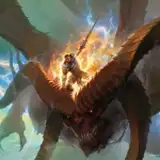
2018-06-11 18:16:17 +0000 UTCI'm using a 32" now, but your maps are one of the main reasons I'm considering upgrading to a bigger tv, so while I selected 32" I may be shooting myself in the foot! Also, what is the map on display above? That's awesome. I could use it tomorrow if it were out!
Lou Anders
2018-06-08 20:46:23 +0000 UTCAwsome work! Is there a possibility for any futuristic maps, like warhammer style. Personaly i run a campaign of Dark Heresy and would be very handy. Also is there a way to download everything in one link instead of clicking all links in every post?
Hany Ribeiro
2018-06-07 16:21:44 +0000 UTCMy last reply doesn't seem to have stuck for some reason. Anyway, thanks for the incredibly fast reply. I didn't expect that. I'm not sure what file types Patreon accepts, but can you upload Zip files potentially? That would allow you to bundle all of one variation into a single download.
2018-06-06 09:15:06 +0000 UTCThe problem is that the file size limits on Patreon are 200Mb. I was thinking on making archives zipped in several parts, but I found it more difficult. As you know, there are different donation levels with different content, which is a hard job at the time of the rendering process. Even a single map pack has at least 8-10 variations.
Dynamic Dungeons
2018-06-06 09:09:15 +0000 UTCWow, super fast reply. I'll think of a few formats and show you what I'm thinking. I don't know the ins and outs of Patreon, but is it possible to have upload zip files? That way you could load whole file sets into a single download.
2018-06-06 09:04:45 +0000 UTCYou’re absolutely right. I’m open for any suggestions to make it better organized.
Dynamic Dungeons
2018-06-06 08:40:13 +0000 UTCAwesome content - you're the only reason I joined Patreon. The only thing I'll say for you to improve on right now is the organization & naming of these files; it's really rough. Having to scroll through and compare each name to make sure I've got the complete file set is a bit of a disaster. For example, your post: "Red Rocks Encounter / Underdark Cave animated GRID, GRIDLESS with sound" - Why put these together? Either put them all as one pack (the Red Rocks map pack) OR post them all separately as variation packs, i.e., 1. Red Rocks Day 2. Red Rocks Night 3. Red Rocks Desert 4. Red Rocks Underdark And the names are all over the place. The way I named my files, if you care, is like this: "Desert, Gridless, Red Rocks Encounter" and then I put them into the individual folder for that set. Again, amazing content, very frustrating download downloads/archiving due to file-naming/organization. Thanks again!
2018-06-06 08:38:20 +0000 UTCI'm probably in the minority, but I haven't made the jump to a digital mapping surface yet. I run a game at my local game store as well as one at home and I'm kind of waiting to find an option that will work for both locations.
2018-06-05 21:50:05 +0000 UTCOne of my players built a wood frame with a plexiglass cover for the tv we use (32 in). Have not had any issues with the maps or sizing or resolution, everything works greats. We can't get enough! The audio for the scenes are awesome as well. Keep up the good work!
Laird Krug
2018-06-05 16:17:05 +0000 UTCI'm using a 49" 1080p TV for my digital projection. I"ve been using a custom-written piece of software that I used for various aspect of my game space (I have 4 displays running via my laptop), which I'm in the process of extending to support my use of these dynamic dungeons, as well as resize them as needed for my needs (since my screen results in 1.22" squares).
2018-06-04 22:50:15 +0000 UTCwe use a an ultrawide monitor so unfortunately or fortunately (depending) there's a bit of space left on the sides to put other things. nickels and dimes and such fit pretty well still, if a bit cramped (but it adds to the realism of people being that close to each other bumping around).
2018-06-04 21:53:22 +0000 UTCWow this video rocks, thank you guys, and the outcome of the construction is amazing!
Dynamic Dungeons
2018-06-04 19:49:55 +0000 UTCI do both; I run a Roll20 campaign using static maps, and a pen and papaer campaign using the dynamic maps. Spectacular work, thank you.
Michael Allen
2018-06-04 16:33:56 +0000 UTC<a href="https://www.patreon.com/dynamicdungeons/community">https://www.patreon.com/dynamicdungeons/community</a>
Dynamic Dungeons
2018-06-04 16:13:00 +0000 UTCI’m excited to see your setup guys, feel free to post a photo about it in the community section: <a href="https://www.patreon.com/dynamicdungeons/community">https://www.patreon.com/dynamicdungeons/community</a>
Dynamic Dungeons
2018-06-04 15:52:54 +0000 UTCSpeaking of TV sizes, I decided to build a table with an old TV I had once I found this Patreon. IF you're interested, please check out the "how to video" we did with a shout out to Dynamic Dungeons! <a href="https://www.youtube.com/watch?v=03x1CtiwaxI&t=4s" rel="nofollow noopener" target="_blank">https://www.youtube.com/watch?v=03x1CtiwaxI&t=4s</a>
The Brewery
2018-06-04 15:12:11 +0000 UTCHow can we post a picture? I will post a photo of the 50'' I am using inside my gaming table
2018-06-04 15:04:13 +0000 UTCWow! Can we have a picture about your table in action? Feel free to post in the community section.
Dynamic Dungeons
2018-06-04 14:59:26 +0000 UTCI built a portable gaming table with a 43 inch tv. It has a wood frame and cut-in handles so I can take it to the gaming store. It's smaller than if I'd done it as a static build, but I can throw it in the back of my car and carry it to the gaming store to run games there.
2018-06-04 12:56:14 +0000 UTCI don't use one at all.
Jan Schattling
2018-06-04 10:37:07 +0000 UTCI'm on an ultra short throw projector, so size varies for me, but been happy with the grid sizes so far
Lone Wolf
2018-06-03 22:20:02 +0000 UTCLooking forward to being able to resize the grid =)
Robert T Jordan IV
2018-06-03 00:49:04 +0000 UTCThe scale you are currently using works perfect for me.
Rick Stringer
2018-06-03 00:47:16 +0000 UTCactually on a 50" tv it's to scale 1".
Blue Phoenix RPG
2018-06-03 00:44:48 +0000 UTCJust built a frame for my 65" 4k. On a 4x6 table it has 7" to spare on all sides. Here's a link to my build featuring Dynamic Dungeons. <a href="https://imgur.com/gallery/rFtUa5z" rel="nofollow noopener" target="_blank">https://imgur.com/gallery/rFtUa5z</a>
2018-06-03 00:12:06 +0000 UTC42 inch Panasonic plasma.
Chris Skuller
2018-06-02 23:30:03 +0000 UTCI play on a 40', I've been photshopping your maps to fit my story, so far so good. I also use Photoshop to display the maps so I can erase a black layer (fog of war), as well as add AOE spells, line spells and Torchlight. I also use layers to show secrets when they spot them and a picture of a weapon when someone drops it. These last ideas might be easy to implement in your player as well!
Lars Rietkerk
2018-06-02 22:34:41 +0000 UTCI play on two TVs, a 49 and a 50 inch 4K
2018-06-02 22:21:52 +0000 UTCUsing a 55” 4k right now, but 1080 is great for the maps. The 4k filesizes would just be massive and i bet my laptop would struggle to play.
nickythegreek
2018-06-02 22:21:16 +0000 UTCWhere did you buy the plexiglass cover, and about how much was it?
2018-06-02 22:20:43 +0000 UTCI'm still working on my setup, but I've purchased a projector and I'm mounting it above my table. Initial testing was good, so I think it'll work fine. I decided not to go with a TV because I don't have room for a second table, which means I'd be moving a TV onto and then off the table every session and that didn't sound like a good time. If I could have a second table with the screen permanently built into the table, I think that would be the ideal.
Jonathan Irons
2018-06-02 22:19:47 +0000 UTCWe went with the cheapest "large-ish" TV Walmart sold for our game. Happened to be a 40" (Sceptre 40" Class FHD, 1080P, LED TV [X405BV-FSR]) and it also conveniently lays flat on a table without any addition supports. I also bought a sheet of plexiglass to protect the screen because a lot of the players like to roll on the TV. I finished it by creating a stand using simple square tube from Home Depot (<a href="http://imgur.com/a/V7xqDST" rel="nofollow noopener" target="_blank">http://imgur.com/a/V7xqDST</a>) All-in-all, not a bad purchase!
Dean
2018-06-02 22:19:25 +0000 UTC