Thank you for all the birthday wishes on my post earlier this month, I appreciate it. 😄
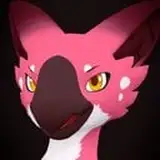
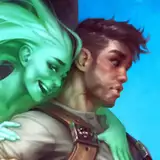
For the illustration this time around I decided to revisit the trio from #99. The three of them were meant to be out doing herbalism field studies. Don't you hate it when you're assigned to a group who just wanna fuck around instead of being productive? Typical, right?😏
Check out the rewards in the attachments! You can also always find them in the rewards collection post, alongside all other past rewards you might have missed!
I've been working on restructuring my painting process this month to allow me to separate image elements to different layers, as opposed to painting everything as if it's merged to one layer. I realized the way I usually paint, without separating things, doesn't lend itself well to being used in bigger projects, like when doing art assets for a game for example. So this is an attempt at starting to fix that problem.
The reason I've usually steered away from this is because separating everything in a picture to different layers necessitates having tons of layers. And tons of layers means a lot of layer management, which causes friction in my workflow and kinda frustrates me. To minimize that friction I've begun to try to create hotkeys for as much of that layer management as possible, so I can spend as much time as possible focusing on just the canvas instead of fiddling with the layer panel. The biggest help, by far, is setting a convenient hotkey for selecting a layer by clicking on its pixels on the canvas instead of clicking the layer in the layer panel. Other useful hotkey actions are jumping down or up one layer in the layer stack, and obviously creating a new layer. Since I wanna preserve transparency around edges when I paint I also heavily rely on the Preserve Alpha toggle hotkey for my brush, as well as toggling eraser mode for the brush. By using those I can do nice painterly edges and preserve that painterly style I like while also having transparency around edges on everything. I was initially worried that would be difficult or inconvenient to do, but it turned out better than I thought it would!
In the time lapse video this time around you'll see I tried to do values and colors separately for a while. But this has a compounding effect on the number of layers I have and I ended up with way too many to manage comfortably. I don't think I'll want to separate values and colors like that going forward. Also, when colors and values are separated it made it more difficult to select the correct layer by clicking the layer's pixels. So keeping values and colors merged seems to just be tidier and more convenient for this particular workflow.
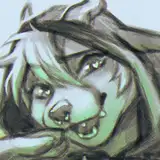
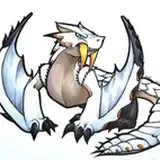
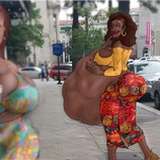
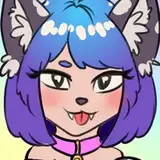
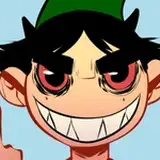
The doodles this time were a few extra things I've been messing around with as a way to get used to the restructured painting process. The more complex layer structure than I'm used to isn't ideal, but I am noticing throughout the main painting and these doodles that it's got some really nice benefits too. Toggling Preserve Alpha makes it a lot easier to do shading on each element in a drawing without needing to carefully shade along the edges of things or paint bespoke masks. So, while the extra layer management steals some time, there are time savings to be made there too! Hopefully a net positive.
Thanks for supporting me through June! I'm eager to start painting something new. 😀
Calm
2025-08-05 18:45:47 +0000 UTCdevorah industries
2025-07-28 00:48:51 +0000 UTCCalm
2025-07-01 11:12:38 +0000 UTCCiarán
2025-06-27 15:34:23 +0000 UTCTopher
2025-06-27 00:18:19 +0000 UTC