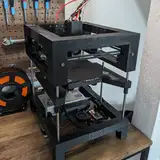
Toolhead Cable Management
Added 2025-02-03 15:36:45 +0000 UTCLast week, my productivity took a hit as I spent most of my time nursing a Covid infection with tea and binge-watching shows. However, by the weekend, I began to feel better and was able to resume work on the printer.
One long-standing task on my to-do list was to develop a holder for managing the toolhead cables. I’m quite proud of the solution I developed: a clip positioned at the front through which all the cables can be threaded. This clip is secured by simply pushing in the Bowden Tube from the right, eliminating the need for any screws while keeping the cables tightly in place.

In addition, I introduced a second holder specifically for the CPAP tube. Previously, the tube would occasionally hit the carriage, particularly at higher speeds, which affected performance—most notably, the Y measurement of the input shaper. With this new design, the recommended input shaper for the Y-axis has improved by 4.5 Hz, translating to an approximate increase in acceleration of 2200 mm/s².

By the way, the part showcased in the video was printed using my upcoming quality profile for the T250.
Comments
This is exactly what I was looking for. Trying to wrap my head around what Klipper/Slicer inputs to get better/faster prints.
Z-Man23
2025-02-03 20:27:37 +0000 UTCIt’s tough to give a one-size-fits-all answer. The part you saw was printed as fast as 600 mm/s, but because it had no overhangs, it was an ideal candidate for high-speed printing. I managed to optimize the Benchy for 360 mm/s on its outer perimeters, but I haven’t yet found a way to translate that speed into a general “fire-and-forget” profile. Additionally, the CPAP is quite loud, so for most prints I only use about 25–40% part cooling—still about twice as much cooling power as the T100 can provide.
Matt the Printing Nerd
2025-02-03 20:19:06 +0000 UTCWhat speeds are you seeing on average with the "quality" profile?
Z-Man23
2025-02-03 19:23:27 +0000 UTC