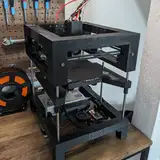
Over the last 3-4 days, I’ve run into 2-3 sporadic MCU shutdowns with the Error Message: MCU shutdown: Timer too close. The reason for that error is in most situation a bottleneck caused by the Host CPU. I suspect the combination of speeds exceeding 1000mm/s, High Precision Stepping enabled, Polynomial Input Shaping, PA synchronization, and microstepping set above 16 is simply too much for the SoC on my Orange Pi Zero 3 to handle.
So I thought, this might be a good opportunity to evaluate an SoC with a bit more horsepower.
To kick things off, I’ve started researching the current market, comparing SoCs using PCMark benchmarks to see what’s available and how fast it is compared to the Banana Pi M2 Zero (Allwinner H3) that I recommended 1,5 years back for the T100 and Orange PI zero 3(Allwinner H618) which is part of my current T250 BOM:

For a better understanding of which chip is used on which board, here’s a quick overview:
Allwinner H2+/H3: Banana Pi M2 Zero
Allwinner H618: Orange Pi Zero 3
BCM2711: Raspberry Pi 3/4
BCM2712: Raspberry Pi 5
RK3566: Orange Pi 3
RK3588: Orange Pi 5 / Banana Pi M7
As you can see, the Raspberry Pi 5 and Orange Pi 5 outperform all the other boards significantly in PassMark benchmarks. I cross-checked these results with the Geekbench database, and the findings were consistent:
While raw performance is a great starting point for narrowing down potential candidates, it doesn’t fully address the specific needs of a 3D printer host board. To get a clearer picture, I went a step further and reviewed multiple sources for each chip, consolidating the findings into a comparison and decision table tailored specifically for 3D printing applications.
At the end of this post, you’ll find a list of all the sources I used. If you’re interested in exploring the topic further, everything you need is right there for your own deep dive!
So what are the main differences:

First up, it’s important to note that Klipper is a single-core application, so its performance doesn’t directly benefit from having more cores. However, additional cores can still play a critical role by offloading tasks handled by the operating system while Klipper is running. For instance, if you’re streaming a webcam feed of your print, the CPU is responsible for transcoding the video, which will block a core.
The "MCU shutdown: Timer too close" error occurs when the CPU usage of the core running Klipper exceeds about 50%. This is where having more cores becomes beneficial: the operating system can distribute aditional workload across all available cores, reducing the load on each individual core and ensuring a lower load on the core Klipper is running.
Another key factor to consider is the process node. This refers to the size of the transistors used in the SoC, with an 8nm process node meaning each transistor is just 8 nanometers in size. Smaller transistors have shorter distances between them, which reduces the power required to drive signals across the chip. This translates into lower power consumption and cooler operation.
A cooler chip also significantly reduces the chances of thermal throttling. This is crucial because when a chip running at, say, 30% load at 2GHz thermally throttles down to 1GHz, the effective load doubles to 60%. But it gets worse. Since Klipper is a single-core application, the operating system cannot split its load. Instead, it interrupts Klipper to perform a cleanup, offloading unnecessary processes from that core to equilize the load over all availible cores. This interruption desynchronizes the MCU and triggers our lovely error message.
As I mentioned earlier, I’ve compiled a Comparison Matrix with all the information I’ve gathered about the potential SoCs I’m considering. This matrix includes everything from raw performance metrics to key factors like thermal efficiency and suitability for 3D printer host boards. You can check it out here: Google Spreadsheet.
The first page focuses on the chips themselves, comparing their specifications and performance. On the second page, I’ve analyzed different boards at various price points, giving a broader perspective on value for money.
Feel free to explore the data and before you read further to get an unbiased view on the data!
Before I dive into the board I’ve chosen to evaluate, here’s a quick disclaimer: When it comes to selecting an SoC, integration is king. It’s not just about raw performance; the most critical question is how well the hardware is supported. For example:
Linux Kernel Compatibility: Does the kernel fully support all the board’s features?
Software Library Support: Does the transcoding library you use for your webcam support the SoC’s encoder?
There are countless potential roadblocks when adopting new hardware. Without proper support, even the best-performing hardware can become a frustrating liability. You might end up with a powerful board that’s practically useless due to limited software or driver compatibility.
Overview:

When I started color-coding the table, the first thing that jumped out at me was how poorly the Banana Pi performed—at least, that’s what I thought at first. But as I compared it to the Raspberry Pis, I realized that both actually play in the same league when it comes to performance per watt and performance per euro.
Looking back, my decision 1.5 years ago to integrate my T100 using the BPI-M2 Zero wasn’t such a bad call after all!
However, as soon as you add the Orange Pi Zero 3 into the mix, the argument for sticking with a Banana Pi falls apart. Back then, the Orange Pi Zero 3 was still relatively new, and its integration was very experimental. On top of that, getting your hands on one in the US or Europe was a challenge due to limited distribution. But both of those issues have been resolved, and today, the Orange Pi Zero 3 reigns as the price-to-performance ratio king.
That said, there’s a caveat to consider. Klipper doesn’t require much RAM, so I opted for the minimal configuration of 1GB RAM on the Orange Pi Zero 3. In comparison, the other boards, like the Raspberry Pi 4/5 and Orange Pi 5, start with a minimum of 4GB RAM.
Now, some might argue that going with more RAM, even on the Orange Pi Zero 3, is a smarter, future-proof choice—and I wouldn’t disagree. But for a printer focused purely on high-speed printing (not insane speeds) and running a lean operating system without additional bells and whistles, 1GB is more than enough for the job right now.
The numbers really speak for themselves. With 2.5x the single-core performance, the Orange Pi 5 Pro gives us a ton of headroom—even for demanding tasks like CPU-hungry Input Shaper algorithms or running 128 microsteps. The almost 3x multicore performance is impressive, though it’s not strictly necessary for 3D printing.
What’s particularly exciting is the inclusion of 4 efficiency cores. These allow the operating system to offload most background tasks, leaving the performance cores—and by extension, Klipper—with more thermal headroom to avoid thermal throttling. Combine this with a more advanced production node that generates less heat, and the Orange Pi 5 Pro should stay cooler on average than the Raspberry Pi 5.
But here’s the catch: it comes at a price. With a cost nearly 4x higher compared to the Zero 3, it’s far from a bargain. Even though it’s more power-efficient, it’s unlikely to offset the price difference through reduced energy costs alone. Essentially, there’s a bit of a "premium tax" you’re paying for the added performance and efficiency.
Still, for those who need the absolute best, it’s a tempting option. If you’re looking at other boards that might be valid alternatives, let me know in the comments—I’d love to hear your thoughts!
So, here’s the deal—I ordered three boards for testing. Thanks to your generosity, I was able to do that… with your money! Seriously though, I really appreciate your support—it means a lot! 😉
References:
https://picockpit.com/raspberry-pi/raspberry-pi-5-vs-orange-pi-5-plus-vs-rock-5-model-b/
https://www.rock-chips.com/uploads/pdf/2022.8.26/192/RK3588%20Brief%20Datasheet.pdf
mathew500
2025-01-17 23:57:22 +0000 UTCmathew500
2025-01-17 23:52:54 +0000 UTCMatt the Printing Nerd
2025-01-13 15:34:23 +0000 UTChydos
2025-01-13 12:13:18 +0000 UTCMatt the Printing Nerd
2025-01-13 11:15:58 +0000 UTCMatt the Printing Nerd
2025-01-13 11:11:24 +0000 UTChydos
2025-01-12 06:24:52 +0000 UTCyogadude911
2025-01-11 13:27:32 +0000 UTCMatt the Printing Nerd
2025-01-10 21:21:00 +0000 UTCnemith
2025-01-10 19:54:20 +0000 UTCMatt the Printing Nerd
2025-01-10 18:27:23 +0000 UTCMatt the Printing Nerd
2025-01-10 18:25:30 +0000 UTCRyan Gamble
2025-01-10 18:11:01 +0000 UTCZ-Man23
2025-01-10 17:29:49 +0000 UTC