Improved Homing Process
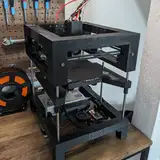
Added 2024-12-22 16:11:01 +0000 UTCOver the past four weeks, I’ve made significant changes to the homing process of the T250, and I think it’s time to share the current state with you. Here’s a detailed breakdown of what happens during the homing sequence:
0. Standardized Acceleration
Every step of the process is performed with an acceleration of 10,000 mm/s². This ensures consistency across various printer configurations.
1. 0:04 - Sensorless Homing for X/Y
With the improvements in my custom Klipper branch, the impact during X/Y sensorless homing is drastically reduced. Listen closely to the sound when the axes hit their limits: the impact is almost inaudible for X and noticeably softer for Y compared to standard Klipper sensorless homing with TMC5160 drivers.
2. 0:11 - BD Sensor Homing for Z
Using a distance sensor allows us to home the Z-axis quickly without risking a nozzle crash into the bed. I’ve implemented a two-pass homing system:
Pass 1: The Z-axis homes 3 mm above the bed at a speed of 15 mm/s.
Pass 2: The Z-axis then moves from 3 mm to 1 mm at a slower speed of 2 mm/s for precise homing.
3. 0:15 - Basic Z-Tilt Alignment
Next, the printer aligns the bed to within approximately 1 mm tolerance. This step prevents any risk of bed scratches during the following processes.
4. 0:27 - Twist Compensation
Once the bed is roughly leveled, the printer performs twist compensation. This corrects for distortions in the X or Y axes caused by shrinkage, warping, or other frame-related issues. While this improves print quality, it’s important to note that twist is one of the biggest challenges for speed and acceleration. A warped frame remains a limitation, but this process minimizes its impact on the print.
5. 0:43 - Z-Tilt Refinement
After twist compensation, another Z-tilt alignment is performed to account for any bed misalignment introduced by the twist adjustment. The initial alignment uses a Z-hop, while the fine-tuning is done without it.
6. 1:00 - Nozzle Collision Auto-Z Calibration
With the bed fully leveled, the printer determines the Z-offset using a combination of nozzle collision detection and the BD sensor. The nozzle slowly moves toward the bed while the sensor continuously measures the distance, stopping when no further distance change is detected.
7. 1:05 - Adaptive Bed Mesh
Based on the size of the first layer of the print, Klipper generates a bed mesh that’s only as large as necessary. This saves time while allowing for more detailed mesh points. For a full bed, I use a 32x32 grid (approximately 1,000 points). In this example, only an 8x8 grid was used.
8. 1:13 - Prime Line
To combat any potential nozzle oozing, the homing sequence ends with a prime line. This over-extruded line removes any residual material by binding it to the line itself.
9. Final Step
The acceleration is reset to the printer’s standard printing acceleration. Finally, the nozzle performs an ARC move (a circular motion) away from the prime line, ensuring that any remaining oozing filament is cleanly detached.
After weeks of refining and testing, I consider the Homing Routine good enough for the final release of the printer! My next goal is to migrate the non-blocking heating macros from my T100 to the T250, further enhancing the printer’s capabilities.
I hope you enjoyed this detailed walkthrough! Let me know your thoughts in the comments below. 🚀
Comments
This kind of explanation and effort is what I'm here for...thanks
Flo
2024-12-22 22:08:32 +0000 UTCLooks nice
Garry
2024-12-22 18:07:44 +0000 UTC