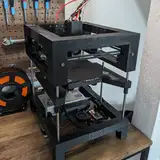
This week, I made significant progress on THEOS, focusing on implementing new features and migrating all the Klipper enhancements from my local build to the THEOS image. Here's an overview of what’s been accomplished:
1. BDSensor Integration
I removed the BDSensor files from my custom Klipper build and fully integrated them into the THEOS installer. By leveraging their installation scripts, any updates or changes made to the original scripts are automatically applied without requiring manual intervention on my side. This ensures a smoother and more future-proof integration.
2. Simplified Domain Access
THEOS now includes an Avahi Daemon, allowing Klipper to be accessed using a local domain name instead of an IP address. By default, you can connect to the web interface at:
t250.local for OrangePi
t100.local for BananaPi
No more remembering IPs!
3. Log File Management
Over time, I noticed that klipper.log and moonraker.log files can grow to several gigabytes. To prevent this, THEOS now automatically clears the logs on firmware restart. Since most useful log information occurs between restarts, this change maintains error-tracing capabilities while keeping your system clean.
4. Plugin-Friendly Klipper
Klipper typically flags itself as -dirty when modifications are detected, which can lead to issues. To solve this, I’ve introduced a plugins directory for customizations. When Klipper starts, it merges the main directory with the plugin folder, prioritizing files from the plugin directory. This approach keeps Klipper’s integrity intact while supporting extensive modifications.
5. Reload Macros Command
Developing macros in Klipper can be tedious because every change requires a firmware restart. I’ve added a RELOAD_GCODE_MACROS command that reloads macro changes without restarting the firmware. This preserves the printer’s current state, allowing you to instantly test changes without re-homing or re-leveling.
6. Improved Sensorless Homing
Sensorless homing with TMC5160 drivers can be inconsistent. I’ve integrated double-checking functionality from Danger Klipper into my fork. Now, Klipper performs two homing checks with different speeds and accelerations. If the endstop positions differ significantly between checks, the homing process halts with an error. This improves homing reliability and consistency.
7. Optional MCU Support
I’ve added support for defining MCUs as optional in the configuration. Optional MCUs can be connected or disconnected without restarting Klipper. For example, you can keep a portable input shaper board defined in printer.cfg and disconnect it whenever needed—seamlessly.
With these core features in place, my next goal is to rebuild the Klipper configuration for the T100 and T250 from scratch. I’ll divide the configuration into modular packages and reference them in the printer.cfg file, similar to RatOS or Klippain.
Learning from RatOS:
I’ve spent considerable time studying how RatOS handles firmware updates and plan to integrate many of their best practices into THEOS.
The latest version of THEOS (v0.2.0) is now available for download:
👉 Get it here
Thank you for your continued support and feedback. Stay tuned for more updates on the T250 and THEOS in the future!
orangecat54
2024-12-08 15:28:05 +0000 UTCspacebut
2024-12-08 11:18:50 +0000 UTC