XaiJu
yiffalicious
yiffalicious

patreon


Scalie 2 Head First Look & New Character WIP

With the new Scalie2 Head just around the corner, we’re at a point where we feel confident showing it off a little.

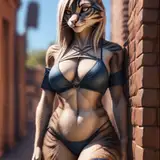
So, here’s a first glimpse at both the upcoming Scalie2 template as well as the next official character —because, who would have thought?— the new head is perfect for custom offsets, allowing us to turn it into a dragon in no time!

This new head features a three-bone neck, for proper posing and it's now the bridge between the regular heads and the snake/giraffe ones.

I also delved deeper into the matter of Substance Painter, so our new -still nameless- dragon lady will be the first character with full painted PBR textures, I'm quite excited about that actually.

We all hope you like the new head and what possibilities come with it, we can't wait to see what you'll create with it once it launches with the upcoming build, till then, have a great time!

-Blacky

Scalie 2 Head First Look & New Character WIP Scalie 2 Head First Look & New Character WIP Scalie 2 Head First Look & New Character WIP Scalie 2 Head First Look & New Character WIP

Comments

Looks great! Can't wait to give it a try!

Ninjamurai

I am currently abusing the UDIM Workflow for Substance Painter myself, by giving every part its own UDIM tile (including body attachements like wings) in Blender, then I use the same material for everything. This way I can paint over the seams relatively easily, change the texture size per part and it looks okay in the end. The important part with this is to make sure to move the UV Maps of the specific parts EXACTLY into the same spot onto their respective UDIM tile. This leads to a bunch of UDIM exports that you can just use for the various body parts in the app. It takes some time to set up but works well enough to basically have no seams as long as it isn't manually drawn over it.

Hans Petersen

Ah, yes, I know what you mean. So regarding Substance Painter topic, I believe there is no proper way to get rid of the connector areas where head/limbs meet the body without destroying or altering the UV map. I worked myself around it pretty well though since you get material slots from the exported models automatically and then you of course have to adjust and re-apply your coloration scheme on each of said slots. It is a bit of a finicky work but it's doable. Regarding normalizing the UV maps, I reckon this won't be possible, since the way it's designed will cause quite big changes to all characters done previously. So let me explain: A character consists out of a head, hands, feet, the body and the private area. All of those mentioned pieces have their UV Maps unwrapped individually and get stacked on top of each other in their own material slot respectively. Now, since the body has the biggest face count compared to all the other limb parts it's UV unwrap is proportionally smaller compared to limbs which causes the discrepancy. All UVs use 2048x2048 pixel maps, all are stacked on top of each other so if you plug in the same normal map on every detail texture slot you will always get different results on each individual limb slot compared to the body. In order to normalize UVs, we would have to unwraps all UV maps on every limb part so that they proportionally fit ever potential body shape. Doing that will not only result in sacrificing resolution on all the limb parts (since we would have to scale down their UV maps) but also will destroy all textures on those limb parts (premade ones like mouth, teeth and eyeliner but also every custom made texture) which means every single character on the cloud would have to be reworked by it's owner or it will look off to some point.

Blacky

Speaking of Substance Painter, the only way to get the unwrapped model is by exporting the mesh, right? Because the mesh overlaps are terrible to work with in Substance Painter. Also, do you know if there are plans to "normalize" the UV Maps across all parts? Because they usually have different sizes which makes it very annoying to get them to a roughly similar scale by altering the specific texture sets.

Hans Petersen


More Creators