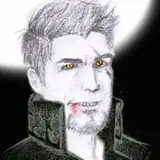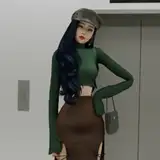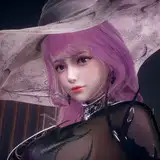
New Skin & Face Shaders + textures, aiming to improve the visual look and provide realistic skin shading for your characters. Contains zipmod + Graphics presets. This mod intended to work with Graphics plugin ONLY, which means it's won't work with DHH. Also, it supports only directional light, so you have at least one in your scene to work. And you can watch the video below for reference
Video: https://youtu.be/HwCFM69Q7Gs
How to use:
The official mod has been updated to the latest version by betterrepack, so the download link below is just some extra features for the mod.
https://mega.nz/file/K7xR1SgI#GlvgEp0B5LYNlEQxArOXWfU8IG1JZbNfkLQbN238NE0
https://drive.google.com/file/d/1J4XsHToI34qm8EQO801G5kNmaF26etiY/view?usp=sharing
Extract into the game folder
Deactivate DHH or remove it from the plugins folder or F1 menu.
Open Material Editor, change skin and face shaders to Hanmen/Next-Gen, Open Graphics plugin (F5) and turn on SSS checkbox, or load the preset.
Note that I recommend starting with some of my presets. Nymph or Nymph_Ari. Works best with these presets or 55b_02_HS2GraphicsTest2-1SSS.
If you don't have NGS please update the game and then download my pack.
And download this Graphics plugin made by OrangeSpork.
https://github.com/OrangeSpork/Graphics/releasesNew Skin & Face Shaders + textures, aiming to improve the visual look and provide realistic skin shading for your characters. Contains zipmod + Graphics presets. This mod intended to work with Graphics plugin ONLY, which means it's won't work with DHH. Also, it supports only directional light, so you have at least one in your scene to work. And you can watch the video below for reference
Video: https://youtu.be/HwCFM69Q7Gs
How to use:
The official mod has been updated to the latest version by betterrepack, so the download link below is just some extra features for the mod.
https://mega.nz/file/K7xR1SgI#GlvgEp0B5LYNlEQxArOXWfU8IG1JZbNfkLQbN238NE0
https://drive.google.com/file/d/1J4XsHToI34qm8EQO801G5kNmaF26etiY/view?usp=sharing
Extract into the game folder
Deactivate DHH or remove it from the plugins folder or F1 menu.
Open Material Editor, change skin and face shaders to Hanmen/Next-Gen, Open Graphics plugin (F5) and turn on SSS checkbox, or load the preset.
Note that I recommend starting with some of my presets. Nymph or Nymph_Ari. Works best with these presets or 55b_02_HS2GraphicsTest2-1SSS.
If you don't have NGS please update the game and then download my pack.
And download this Graphics plugin made by OrangeSpork.
https://github.com/OrangeSpork/Graphics/releases
youtube post: 2DodotDaHok