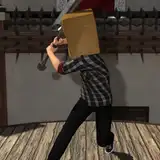
Here is the latest update for CakeMix. I hope you all enjoy it. As always, please let me know if you have any trouble with anything.
Download the Update: Click here
Just unzip it somewhere and you're all set. You can delete the older version if you like, wherever you put that.
CakeMix is for Windows PCs. See System Requirements at the end of this post.
 Story Time
Tips to get the most out of CakeMix: Click here
Customize your LLM settings: Click here
 Character Generator
Improved Lighting: All of the lighting has been upgraded to better show back sides. Some lighting on darker skinned characters was a little bit too dark when viewing from behind, so it's all be updated for better visibility.
Improved Performance: Several changes have been made behind the scenes to improve performance, particularly in the Character Creator, but also in other sections. This is an ongoing thing, always in progress.
Fixed Unity Vulnerability: Unity recently announced a potential security issue in games made with it, so I updated the Unity Editor to the latest (fixed) version, and this CakeMix build was made with that. So no more vulnerability.
Added Tonemapper Settings: This is something you'll want to play with if you don't know what it is. Basically it's how the graphics renderer handles the overall tone of how the characters, etc. look. You can find it in Settings/Visuals. Try Photographic vs Aces to see the biggest difference.
Improved Hands Clipping: I fixed a problem with hands clipping a bit too much in Story Time mode. I also made changes to the clipping avoidance overall, but this is also something that is always being tweaked. Clipping is unavoidable (every game has some) but I'm doing my best to keep it under control as much as I can.
Improved Settings: I moved the Graphics settings to their own tab, so now Visuals and Graphics are separated. They're very similar, but basically Graphics is for video card stuff, and visuals is for general things like Brightness. Subtle change, but it gives me more room in the UI, so it works better than before. I also removed an FOV toggle from Graphics settings because it wasn't working anyway and was in there accidentally.
 Character Generator
Enjoy!
~ piper
-----------------------------------------------------
System Requirements
Minimum:
OS: Windows 10 (64-bit)
Processor: Intel Core i5-6600K / AMD Ryzen 5 1600
Memory: 16 GB RAM
Graphics: NVIDIA GeForce GTX 1070 / AMD Radeon RX Vega 56* (8 GB VRAM minimum)
Storage: 10 GB available space (varies depending on AI settings)
Additional Notes: Integrated GPUs are not supported.
Recommended:
OS: Windows 10 (64-bit)
Processor: Intel Core i7-9700K / AMD Ryzen 7 3700X
Memory: 32 GB RAM
Graphics: NVIDIA GeForce RTX 2070 SUPER / AMD Radeon RX 6700 XT* (8 GB+ VRAM)
Storage: SSD with 20 GB free space
Additional Notes: Performance scales with available system RAM and GPU VRAM when running larger language models.
-----------------------------------------------------
* Special Note for AMD GPU Users on Windows
If the game’s AI runs only on CPU (extremely slow), it means the runtime is failing to use your graphics card. By default it tries CUDA (NVIDIA only), then AMD HIP (not supported on Windows), and finally falls back to CPU.
To fix this:
Open the CakeMix install folder.
Find the folder named windows-hip.
Rename it (e.g. windows-hip.bak) or delete it.
Restart CakeMix. It will now use Vulkan on your AMD card, which is much faster.
This change is safe, because HIP doesn’t work on Windows anyway. And... This only affects the game’s AI runtime. Do not touch any HIP or AMD folders outside the CakeMix install folder.