Hi everyone,
After doing the moddable translations, I kind of felt "in the flow", so unfortunately, I ended up doing the moddable clothes alongside.
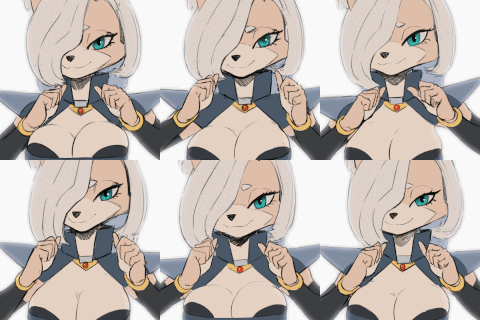
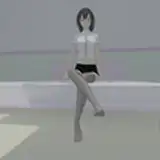
Here is an example with a cube replacing Zoe's hair. Of course, it's just an example, I'm sure you guys are going to do better than a silly cube!
It's fully done and ready, so I'll ship it tuesday (if I have Internet back, that is)!
As an avant-première, here is the offical readme explaining how to create custom mods for Zoe. For context, the game folder now includes a "Mod Resources" folder with everything needed to easily create mods for Zoe.
The readme explains what's what in said folder.
Stay safe,
FWG
(readme below)
/Blender Files:
In this folder, you'll find a Blender file that you can use to skin clothes on Zoe.
The Blender version used is 4.2.2 LTS
Copy the Blender file to avoid having your work erased when the game is updated. If you work in the official Blender file, your work will be erased during the next update!
Keep the created copy in the same folder, then open it.
Add your new cloth in it, and skin it on Zoe.
The bone layers are named, the deform bones are on the layer "Deform Bones (Skin here)".
There is a sample cube already attached to Zoe. You can delete it, it only serves as an example.
Once you're done, you can use the embedded script "export.py", available in the Scripting view.
Simply execute it, and your different clothes will be exported in the "/Blender Files/export" folder.
You can then grab them and paste them in the Mod Builder in a folder of your choice. Recommanded:
/Assets/Mods/<YourMod>.
Afterward, you'll need to add your textures in Unity, and then you can create your Unity materials for your 3D model.
/Mod Builder:
This is the Mod Builder project. It's a Unity project that you can open with Unity 2022.3.46f1. It should be compatible with more recent versions, but that's really up to Unity.
No coding knowledge is required.
Basic knowledge of Unity interfaces, such as the project window and the inspector, is necessary.
Mod example available in:
Assets/Mods
How it works:
Create a folder in Mods.
Create your mod files in there, as showcased in the example.
Flag your mod files with an asset bundle name of your own.
Build.
Build mods:
FWG → Mod → Build
Outputs in "Mod Builder/BuiltMods"
Package your mod:
The generated manifest file can be dismissed.
Put the resulting asset bundle in the game's mod folder. (<GameFolder>/Mods/YourMod/<paste here>)
Your mod is now ready to use in-game.
Zip your mod, you can now distribute it on Nexus or anywhere you wish to.
Make sure that your zip file content starts with the folder named after your mod.
/Translations:
Contains the full, current translations for the in-game dialogues.
Use this as a template to override the translations you wish to improve.
Once you're done, paste the resulting JSON in your mod as such:
<GameFolder>/Mods/<yourMod>/Translations/fr.json (for french translations)
Languages are:
cn: chinese
es: spanish
fr: french
it: italian
jp: japanese
ru: russian
To avoid conflicts with other mods, please delete the translations you didn't modify from your mod's JSON files.
/Example
Contains a fully working mod example, named "ModExample".
You can drop it in the folder of the game ("<GameFolder>/Mods"), and it will work.
Your mods should look the same as this example, so use it as a way to check if your folder names and files are correct.
It contains a red cube acting as Zoe hair, that you can buy in the shop, and one overriden french translation.