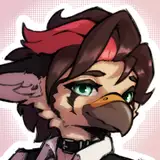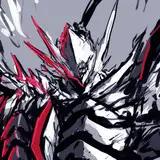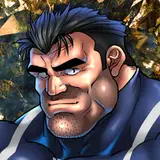
マーベルライバルズのウルヴァリンです。すごく顔が上手く描けた気がしています。
なんかすごく臭いらしいっていう話と、ライバルズにおける髪が逆立つギミックが勃起みたいだなと思って描いてみました。
露茎/包茎どっちにしようかなと思って民意を調査した所、包茎率が結構高い印象があったので萎え状態は包茎にしてみました。
……なんかちょっと思ったんですけど、包茎が多いのってヒーリングファクターが所以なんですか?
差分では臭そうな靴下を履かせてみたのでそちらも是非ご覧ください。
This is Wolverine from Marvel Rivals. I think I did a really good job on the face.
I drew him because I heard that he smells really bad, and because I thought the gimmick of his hair standing up in the Rivals game looks like an erection.
I had the impression that Wolverine had a pretty high foreskin rate, so I decided to make the atrophied penis a foreskin.
I wondered ...... something for a minute, but I wondered if the healing factor is the reason why there are so many foreskins?
In the difference, I made them wear smelly socks, so please take a look at that as well.
イラストの差分はDiscordサーバーにて閲覧できます。
ご参加の上ご覧ください。
You can view illustration diffs on the Discord server.
Please join us to view them.
To join my Discord server, please follow the steps below.
### How to Join a Patreon Creator's Discord
1. *Create a Discord account*
2. *Access the Member Account page*
- Log in to Patreon using your browser and navigate to the "Member Account" page.
3. *Go to the settings page*
- Within the "Member Account" page, proceed to the settings page.
4. *Click on the "More" dropdown menu*
- In the settings page, click on the "More" dropdown menu.
5. *Select "Connected Apps"*
- From the dropdown menu, select "Connected Apps."
6. *Link Discord*
- On the "Connected Apps" page, find the Discord option and click on the link.
7. *Link your Patreon account to Discord*
- Follow the instructions to link your Patreon account to Discord.
Once linked, you will automatically join my server on Discord.
【JPN】
私のDiscordサーバーに参加するには、以下の手順に従ってください。
1. *Discordアカウントの作成*
2 *Member Accountページにアクセス*
- ブラウザでPatreonにログインし、「Member Account」ページに移動します。
3. *設定ページに移動*
- 「Member Account」ページ内で、設定ページに進みます。
4. *ドロップダウンメニュー「More」をクリック*
- 設定ページにある「More」というドロップダウンメニューをクリックします。
5. *「Connected Apps」を選択*
- ドロップダウンメニュー内の「Connected Apps」を選択します。
6. *Discordをリンク*
- 「Connected Apps」ページでDiscordのオプションを見つけて、リンクをクリックします。
7. *PatreonアカウントをDiscordにリンク*
- 指示に従って、PatreonアカウントをDiscordにリンクします。
Discordにリンクされれば自動的に私のサーバーに参加できるようになります。
背景素材利用:アキ二号機様【https://www.pixiv.net/users/61071305】