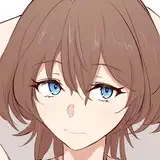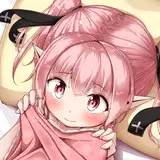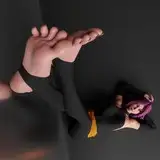
過去に制作した「ホモクエ!」の収録イラストのその後の展開をイメージしたようなイラストが見たいという依頼を受け制作させて頂きました。
同作品内からシチュエーションはバブルスライムで構図は足裏を見せる構図のものから、ということで自分にはあまりない過去作をリメイクしたような形のイラストになりました。
10年以上前の作品のリメイクということもあり、自身の成長を感じられて楽しかったです。
I was asked to create a series of illustrations that would represent the subsequent development of the illustrations I had created in the past for “Homokue! I was asked to create an illustration inspired by a later development of an illustration I had created in the past for “ホモクエ!”
I started with a situation of a bubble slime and a composition showing the soles of the feet, so the illustration became a remake of a past work, something I do not often do.
It was a remake of a work that was created more than 10 years ago, and I enjoyed feeling my own growth.
イラストの差分はDiscordサーバーにて閲覧できます。
ご参加の上ご覧ください。
You can view illustration diffs on the Discord server.
Please join us to view them.
To join my Discord server, please follow the steps below.
### How to Join a Patreon Creator's Discord
1. *Create a Discord account*
2. *Access the Member Account page*
- Log in to Patreon using your browser and navigate to the "Member Account" page.
3. *Go to the settings page*
- Within the "Member Account" page, proceed to the settings page.
4. *Click on the "More" dropdown menu*
- In the settings page, click on the "More" dropdown menu.
5. *Select "Connected Apps"*
- From the dropdown menu, select "Connected Apps."
6. *Link Discord*
- On the "Connected Apps" page, find the Discord option and click on the link.
7. *Link your Patreon account to Discord*
- Follow the instructions to link your Patreon account to Discord.
Once linked, you will automatically join my server on Discord.
【JPN】
私のDiscordサーバーに参加するには、以下の手順に従ってください。
1. *Discordアカウントの作成*
2 *Member Accountページにアクセス*
- ブラウザでPatreonにログインし、「Member Account」ページに移動します。
3. *設定ページに移動*
- 「Member Account」ページ内で、設定ページに進みます。
4. *ドロップダウンメニュー「More」をクリック*
- 設定ページにある「More」というドロップダウンメニューをクリックします。
5. *「Connected Apps」を選択*
- ドロップダウンメニュー内の「Connected Apps」を選択します。
6. *Discordをリンク*
- 「Connected Apps」ページでDiscordのオプションを見つけて、リンクをクリックします。
7. *PatreonアカウントをDiscordにリンク*
- 指示に従って、PatreonアカウントをDiscordにリンクします。
Discordにリンクされれば自動的に私のサーバーに参加できるようになります。