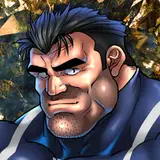
マーベルライバルズのブラックパンサーです!
パニッシャーを描こうと思っていたんですが、このスキンを見て「こっちもいいなァ!」ってなってTwitterでアンケート行ったところ僅差でブラックパンサーだったのでこっちを描くことになりました。
構図はカバーアートのオマージュにしてみました。
エッチキャラの大渋滞が起きていることが巷で話題のマーベルライバルズですが、最初に描こうと思ったパニッシャーも今後の機会に描いてみたいと思います。
ZIPファイルでは裸差分のほか、おまけなども見ることができます。
This is Black Panther from Marvel Rivals!
I was initially going to paint Punisher, but when I saw this skin, I thought, “This one's good too!” I was wondering which one to draw.
Then I did a survey on Twitter, and the winner by a narrow margin was Black Panther, so I decided to paint this one.
The composition is a homage to the cover art.
There are many other hot characters in Marvel Rivals, but I would like to draw Punisher, who I first thought of drawing, in the future.
In the zip file you can see naked diffs as well as extras.
ストーリー、イラストの差分はDiscordサーバーにて閲覧できます。
ご参加の上ご覧ください。
You can view story and illustration diffs on the Discord server.
Please join us to view them.
To join my Discord server, please follow the steps below.
### How to Join a Patreon Creator's Discord
1. *Create a Discord account*
2. *Access the Member Account page*
- Log in to Patreon using your browser and navigate to the "Member Account" page.
3. *Go to the settings page*
- Within the "Member Account" page, proceed to the settings page.
4. *Click on the "More" dropdown menu*
- In the settings page, click on the "More" dropdown menu.
5. *Select "Connected Apps"*
- From the dropdown menu, select "Connected Apps."
6. *Link Discord*
- On the "Connected Apps" page, find the Discord option and click on the link.
7. *Link your Patreon account to Discord*
- Follow the instructions to link your Patreon account to Discord.
Once linked, you will automatically join my server on Discord.
【JPN】
私のDiscordサーバーに参加するには、以下の手順に従ってください。
1. *Discordアカウントの作成*
2 *Member Accountページにアクセス*
- ブラウザでPatreonにログインし、「Member Account」ページに移動します。
3. *設定ページに移動*
- 「Member Account」ページ内で、設定ページに進みます。
4. *ドロップダウンメニュー「More」をクリック*
- 設定ページにある「More」というドロップダウンメニューをクリックします。
5. *「Connected Apps」を選択*
- ドロップダウンメニュー内の「Connected Apps」を選択します。
6. *Discordをリンク*
- 「Connected Apps」ページでDiscordのオプションを見つけて、リンクをクリックします。
7. *PatreonアカウントをDiscordにリンク*
- 指示に従って、PatreonアカウントをDiscordにリンクします。
Discordにリンクされれば自動的に私のサーバーに参加できるようになります。