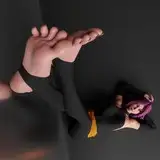
I drew a situation where a person who was given the honor of serving the demon king at Hammam was finally allowed to serve the third leg of the demon king .......
The “Cage of the Zonai” comics by Kirsi engine were so great and so moving that I wanted to draw Ganondorf's armpits myself! so I drew them this time.
If you don't mind femboys and like the difference in body size, please read “Cage of the Zonai”.
As a side note, I was feeling a bit like burnout after giving it my all in the last Barret.
So it took me a lot of time to think about the composition and so on.
I still have a stock of ideas and things I want to draw, so I will continue to work hard in the second half of this month.
ハマムにて魔王の奉仕をするという栄誉を賜った者が、ついには3本目の足の奉仕まで許され……といった感じのシチュエーションで描いてみました。
キルシーエンジン先生の「ゾナウの貞操帯」って漫画がまじで最高で、ズビズビくる内容だったので自分でもガノンドロフの腋見せ描きたい!となって今回描いてみました。
フェムヴォーイが平気で体格差好きな方は全人類「ゾナウの貞操帯」を読んでください。
余談なのですが前回のバレットで全力を出し尽くしたのか少々燃え尽き症候群のような感じになり、構図などを考える時間がすごくかかりました。
描きたいもの自体やアイデアのストックはまだまだあるので、今月後半も頑張りたいです。
イラストの差分はDiscordサーバーにて閲覧できます。
ご参加の上ご覧ください。
You can view illustration diffs on the Discord server.
Please join us to view them.
To join my Discord server, please follow the steps below.
### How to Join a Patreon Creator's Discord
1. *Create a Discord account*
2. *Access the Member Account page*
- Log in to Patreon using your browser and navigate to the "Member Account" page.
3. *Go to the settings page*
- Within the "Member Account" page, proceed to the settings page.
4. *Click on the "More" dropdown menu*
- In the settings page, click on the "More" dropdown menu.
5. *Select "Connected Apps"*
- From the dropdown menu, select "Connected Apps."
6. *Link Discord*
- On the "Connected Apps" page, find the Discord option and click on the link.
7. *Link your Patreon account to Discord*
- Follow the instructions to link your Patreon account to Discord.
Once linked, you will automatically join my server on Discord.
【JPN】
私のDiscordサーバーに参加するには、以下の手順に従ってください。
1. *Discordアカウントの作成*
2 *Member Accountページにアクセス*
- ブラウザでPatreonにログインし、「Member Account」ページに移動します。
3. *設定ページに移動*
- 「Member Account」ページ内で、設定ページに進みます。
4. *ドロップダウンメニュー「More」をクリック*
- 設定ページにある「More」というドロップダウンメニューをクリックします。
5. *「Connected Apps」を選択*
- ドロップダウンメニュー内の「Connected Apps」を選択します。
6. *Discordをリンク*
- 「Connected Apps」ページでDiscordのオプションを見つけて、リンクをクリックします。
7. *PatreonアカウントをDiscordにリンク*
- 指示に従って、PatreonアカウントをDiscordにリンクします。
Discordにリンクされれば自動的に私のサーバーに参加できるようになります。
背景素材利用:アキ二号機様【https://www.pixiv.net/users/61071305】