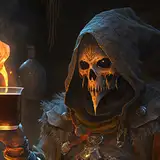
A few of you had asked for an easy sculpting program and I found a new app called Nomad Sculpt that I highly recommend. A while back I had suggested "Forger" for IOS/Ipad, and as much as I enjoyed that program this one is so much better in every way.
Nomad sculpt
Very much like zbrush this program treats sculpting in a way that makes sense even to most beginners. The program allows layers, merging objects, powerful sculpting tools and exporting to finish detailing on the computer. The export is especially handy for me so I can finish doing work in zbrush or blender.
So why am I using this app? It is a great program to use if you are on the go an happen to have a tablet (be it ipad with an apple pencil, or a samsung tablet with a stylus). I highly recommend having a stylus when using this app. You will be doing a lot of repetitive motions and the pencil will provide a better sculpting experience.

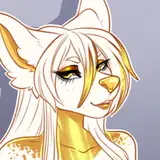
The feline was the first quick attempt at making something while learning the app. I had so much fun with the app I sculpted most of the character in a night.

I like to sculpt in parts. I tend to work on the head, then torso and add limbs after. The app allows layers which means I could work on the head and torso in separate layers before merging them. If you work with apps such as photoshop you will understand how important layers are when working on projects. The app auto saves and does it often which is a plus since 3D apps can crash at random and this save feature has already saved me twice from 2 random crashes. I am unsure how well this app will run on older Ipads, currently on an Ipad pro from 2 years ago and it is running great. So at least I can easily say it will work fine on slightly older ipads but unsure how stable it is on even older ones.

Once I was happy with most of my parts I started to merge together and sculpt on top of the merged parts to create a more defined look.

Like a lot of what I do I tend to do a quick sculpt which is what this cat was and then scrap it and start a whole other new one. I learned so much from messing with the app and seeing how the tools worked that I could approach this sculpt in a totally new manner that made more sense to me.

Since the app allows merging using "Voxel" which merges the parts together but eliminates the intersecting parts in the model I wanted to try this way of sculpting. Very much the same way Zbrush handles "zspheres" when creating characters. It speeds up the process and works as a sort of sketch to get the shapes in the correct locations.

Once you are happy with the parts and you have merged them ( I tend to merge the legs together first, work on that before I merge to the rest of the body )then you can start to add detail.


Started going in and blending the parts together with the smooth tool, clay build up and flatten. I use the same sort of tools I use in zbrush when working on this app. Makes the transition from zbrush to this and back to zbrush very seamless.

The toes are in a new layer where I can sculpt and manipulate the size without affecting the rest of the model. Once I am happy with the shape and size I will merge them to the legs.
So what is my goal with using this program? To be able to sculpt more VRC avatars while I am away from my computer. I use an Ipad pro with an apple pencil which is also my main 2D art device. This allows me to get most of the design done without having to be stuck behind a desktop. Once I have most of the character the way I like it I just export the OBJ over via dropbox (you can do this in a variety of ways, I just like using dropbox) and finish it in zbrush, paint it in subtance painter and rig it in blender.
So if you are interested in jumping into the sculpting world and potentially make VRC characters be sure to check this app out. $15 on the IOS store.
Lady Rain
2020-10-20 19:05:20 +0000 UTC