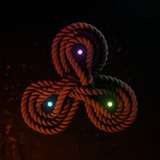
This week, we take a look at Master Properties using the Essential Graphics Panel. While you can use them to make things like lower thirds comps with replaceable text, we're going to use them in a different way—using single comps of elements to generate more complex imagery.
We'll do that in a few different ways in this tutorial. This tutorial only scratches the surface of what is possible with this new After Effects feature.
Because the feature that allows this is only in the latest version of After Effects, only CC 2018 files are provided in the project download. The transition matte used for the logo, and the parking garage footage that is used to generate the background in the logo comp are included in the download. Grab the project here.
For further information, please consult the following:
School of Motion - Master Properties
Tutorial 65: ASCII and Text Generators
Tutorial 116: Filming Elements