必ず以下の説明をお読みになり、必要な情報を揃えた上でご連絡ください。
Please read the following and contact me with all the necessary information.
連絡先 / Message:
https://www.pixiv.net/messages.php?receiver_id=53638632
https://www.patreon.com/messages?mode=user
ログと設定ファイルのアップローダー (ダウンロード URL をお伝えください):
Uploader for logs and configuration files (please provide the download URL):
https://datadeliver.net/
https://gofile.io/
こちらの環境で不具合が再現できないものは、修正が極めて困難です。
It is difficult to fix any problems that cannot be reproduced in my environment.
不具合を再現するために、不具合の内容に合わせて、ログと設定ファイルの提供をお願いしております。
また、本当にその mod だけの不具合か特定するため、その mod (と依存mod) 以外の mod はすべて削除した状態でも不具合が再現するか必ず確認してください。複数の mod の干渉と思われる場合は、どの mod とどの mod が一緒にあるときに不具合が発生するのか、不具合が発生する最小限の mod の組み合わせまで特定してから、ご報告をお願いします。
不具合の報告をいただいて、こちらで試しても再現しなくて、また詳しい状況を聞かせていただいて…、という流れになって、双方ともに時間や労力をロスしてしまう、場合によっては不具合が解決しないまま終わってしまう、などいった不幸な結末にならないよう、どうかご協力お願いいたします。
In order to reproduce the problem, I ask you to provide me with logs and configuration files according to the details of the problem.
Also, in order to identify if the problem is really only with that mod, please make sure to check if the problem reproduces even when all mods other than that mod (and its dependent mods) have been removed. If the problem seems to be caused by the conflict of multiple mods, please specify which mods and which mods together cause the problem, down to the minimum combination of mods that cause the problem, and then report the problem.
I sometimes receive a report of a problem, I try to reproduce it but cannot, so I have to ask for further details... and both sides end up losing time and effort, and in some cases the problem is not resolved at all... I would appreciate your cooperation to avoid such unfortunate consequences.
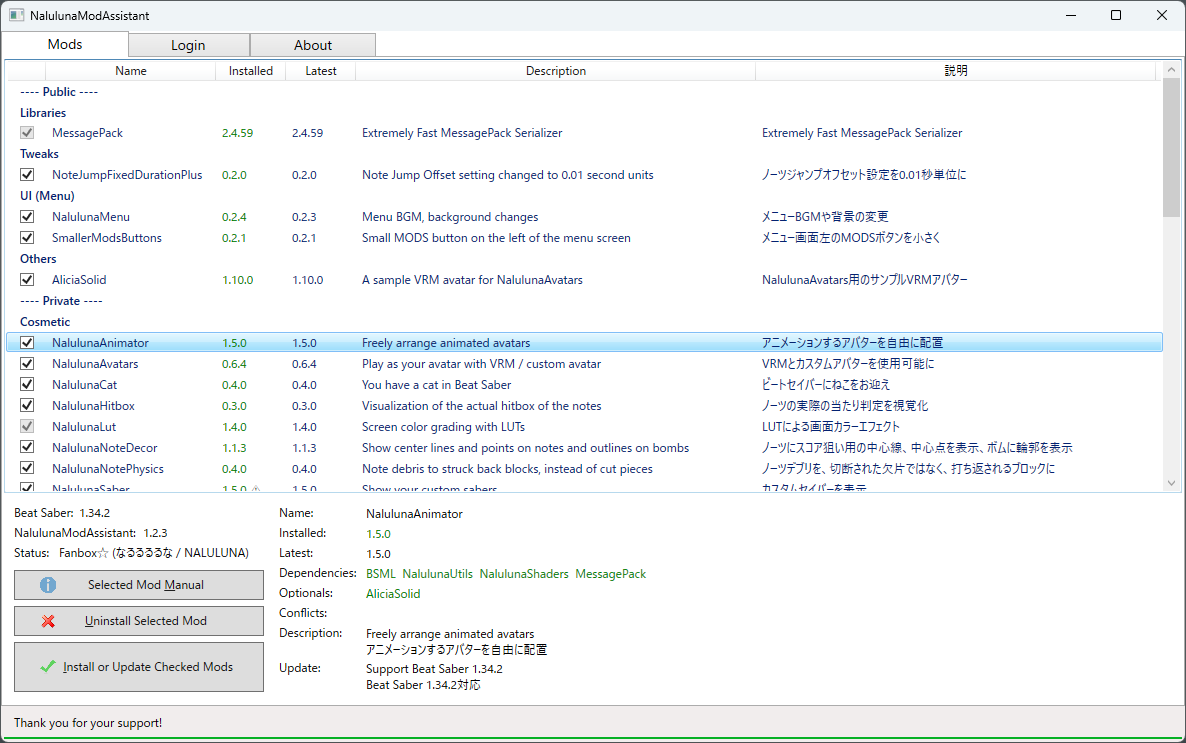
Beat Saber のPlugins フォルダの中を、不具合が生じている mod と、その依存 mod だけにして、その状態でも不具合が発生するか確認してください。依存 mod は、NalulunaModAssistant の Dependencies で確認できます。
Beat Saber のインストール先を変更していない場合は、Plusins フォルダは以下の場所にあります。
(Steam)
C:\Program Files (x86)\Steam\steamapps\common\Beat Saber\Plugins
(Oculus)
C:\Program Files\Oculus\Software\Software\hyperbolic-magnetism-beat-saber\Plugins
In the Plugins folder of the Beat Saber, check if the problem still occurs with only the mod that is causing the problem and its dependent mods. Dependent mods can be identified in Dependencies of NalulunaModAssistant.
If you have not changed the location of your Beat Saber installation, the Plusins folder can be found in the following locations.
(Steam)
C:\Program Files (x86)\Steam\steamapps\common\Beat Saber\Plugins
(Oculus)
C:\Program Files\Oculus\Software\Software\hyperbolic-magnetism-beat-saber\Plugins
ログには Beat Saber のバージョン、インストールされている mod とそのバージョン、Beat Saber は Steam 版なのか Oculus 版なのか、など検証に必要な多数の情報が含まれています。
ログファイルは、Beat Saber を起動するたびに新しく作られます。不具合が発生していないときのログファイルがあっても意味がないので、必ず不具合が発生した直後のログファイルをお送りください。
Beat Saber のインストール先を変更していない場合は、以下の場所にあります。
(Steam)
C:\Program Files (x86)\Steam\steamapps\common\Beat Saber\Logs\_latest.log
(Oculus)
C:\Program Files\Oculus\Software\Software\hyperbolic-magnetism-beat-saber\Logs\_latest.log
The log contains a lot of information necessary for verification, such as the Beat Saber version, installed mods and their versions, whether Beat Saber is for Steam or Oculus, etc.
A new log file is created each time Beat Saber is launched. It is not useful to have a log file when the problem has not occurred, so please make sure to send me the log file immediately after the problem has occurred.
If you have not changed the location of your Beat Saber installation, you can find it in the following locations.
(Steam)
C:\Program Files (x86)\Steam\steamapps\common\Beat Saber\Logs\_latest.log
(Oculus)
C:\Program Files\Oculus\Software\Software\hyperbolic-magnetism-beat-saber\Logs\_latest.log
不具合は、特定の設定のときのみ発生する場合もあるため、設定ファイルもお送りください。また、複数の mod の組み合わせで発生する不具合の場合は、それらの mod すべての設定ファイルが必要です。
Beat Saber のインストール先を変更していない場合は、設定ファイルは以下の場所にあります。mod 名と同じ名前のファイルをお送りください。
(Steam)
C:\Program Files (x86)\Steam\steamapps\common\Beat Saber\UserData
(Oculus)
C:\Program Files\Oculus\Software\Software\hyperbolic-magnetism-beat-saber\UserData
As the problem may only occur with certain configurations, please send me the configuration file. Also, if the problem is caused by a combination of several mods, all the configuration files for those mods are required.
If you have not changed the installation location of Beat Saber, the configuration files are located in the following location (The file with the same name as the mod name):
(Steam)
C:\Program Files (x86)\Steam\steamapps\common\Beat Saber\UserData
(Oculus)
C:\Program Files\Oculus\Software\Software\hyperbolic-magnetism-beat-saber\UserData