Available for alpha testers now!
On image layers you can use grouping and snapping, here are the shortcuts:
- 'g' to group or ungroup
- 's' to toggle snapping
- 'Shift+s X' to set the snapping fraction, where 'X' is any number, e.g. 'Shift+S 2' to set snapping to a 1/2 grid. You press 'Shift+S' together, release, then press 2.
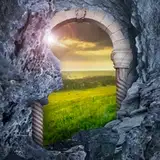
These assets are from the 2 minute tabletop 'castle walls' pack, I should be able to include them in the tool once I sort out better image hosting!
~Keir