Update number 3 everyone. And on this project - what a behemoth. WHAT an absolute behemoth.
 The following link is a spreadsheet I've made over the last week to better help me understand what "finished" looks like. And DOOOOOM - well also, it's good - but also doooom:
https://docs.google.com/spreadsheets/d/19tOipWj8X3P8nNhxRY9jWX5xB8hi-gK450FbOfdButo/edit?usp=sharing
That spreadsheet is about 694 rows long. Detailing 694 individual tasks that need to be checked before this is ready for the Youtube channel. What a monster.
But also to some degree, that spreadsheet lies. Some tasks on there are duplicates, or can be completed rapidly. Audio refinements for example can be as simple as dragging in some ambient birdsong.
But you can now see the previously mentioned task categories. Which lets me identify what I can outsource.
But the really important (and slow) parts are in blue and in red. Bits where assets are missing entirely and work needs to be assigned to willing artists. Or where animation needs to be completed personally. Those parts will slow my progress.
 Those are the pain points.
Additionally, I've been chipping away in scenes D1 to D29 last week. And you can see my progress. This will be the form this editing takes. You'll see me chip away, row by row, composition by composition. Locking them down for final render.
 On that note, let me talk about a structural challenge.
Originally all bullshittery videos were made in Sony Vegas 12 and 13. This was between 2012 and 2017. And your average timeline in Sony Vegas looked a little something like this:
 For those unfamiliar with editing, the video moves from left to right, and plays out whatever objects you place on the timeline.
This is the form that the bullshitteries once took. Little clips of DayZ, CSGO, etc, that were taken from the recording program FRAPS. With text boxes I would simply move with very basic position, size and rotation tweaks.
In January 2017 however I switched over to Premiere/After Effects on the recommendation of the Twitch chat. And it turned out to be a far more appropriate tool for visual effects.
But it also meant I inherited behaviours from my prior Sony Vegas experience. Meaning when I first took a stab at Dungeons and Dragons in 2017, this is what the timeline looked like.
 A bunch of objects (in this case, crude drawings for the previs) playing from left to right with simple position, size and rotation.
Now that's absolutely fine. Excellent even. If all you ever wanted was a previs.
But the project evolved. And one by one those assets were converted into After Effects files using the right click "replace with after effects composition" function. And in doing so, I've given myself a headache. One I could not foresee due to my inexperience in 2017 and because it evolved organically.
 The timeline started to become like this. With those original png files living alongside After Effects projects, within which animation was being done. All visible at the highest level of course - Adobe Premiere.
 But you don't actually animate anything in Adobe Premiere. Not anymore. This isn't Vegas.
What I was inadvertently doing was making lots of individual After Effects project. Opening them to find a character standing in the green void like billy-no-mates. I wasn't combining the After Effects projects into one workspace.
 You can't easily match eyeline with other characters. You can't easily tell what's going on around them. Or make sure they're moving and reacting at the same time as everybody else. Not without awkwardly importing another comp repeatedly.
And if you try to switch between characters, you're asking After Effects to stop, save, close, reopen the one you want to view...again and again.
What I really wanted is something like this in After Effects:

With all of the compositions "packed in" as part of a master composition for the whole scene.
This has folders with all the characters loaded on the same project, with their custom animations stored in their own sub-compositions. And you can just animate it all within one open project for that scene. Or cluster of scenes.
And so that's precisely what I'm having to do. A process in which the timeline is being slowly, painstakingly converted into its final form. Flattened, packed in, made neat and efficient. Made to look more like this.
 Slowly, with pressure, this beast is steadily being tamed. The timeline is being put into shape. The assets are finding their places and work is being queued to identify what's missing and getting it done.
 Current objective - keep going. Maintain pressure on it. Don't lose enthusiasm or let it feel overwhelming. Delegate any parts that are to commissioned help.
Some Patreon polls will eventually follow concerning your willingness to let me do this. So I'm hoping that if I demonstrate solid progress and that this is leading somewhere, it'll be an easier proposition.
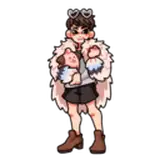
And as you've probably noticed from the first gif, Cyanide's halfling asset is fast approaching a workable animation. That is actually the last "major" asset. As the alterative versions are not as mechanically complex.
Editing continues.
Lilliandria
2025-04-28 19:06:00 +0000 UTCZeroplue
2025-04-28 11:39:51 +0000 UTC