Simple Night Vision for VRChat
Added 2024-03-13 22:27:08 +0000 UTC
This is a simple & lightweight shader-based night vision solution for PC VRChat Avatars, built with VRCFury.
Features:
- Extremely low footprint; will be rated excellent on a simple avatar.
- 100% Invisible to other players.
- Performance friendly.
- Easy to customize.
Limitations:
- Does not actually create light, so pitch-black scenes will remain dark.
- Not currently customizable in-game.
- Not Quest compatible, as it uses custom shaders.
Specs:
- 12 Triangles
- 1 Mesh Renderer
- 1 Material Slot
- 1 Parameter
- 1.52 MiB Texture Memory
Requirements:
Installation:
- Import the requirements listed above.
- Import the .unitypackage bundle downloaded from this page.
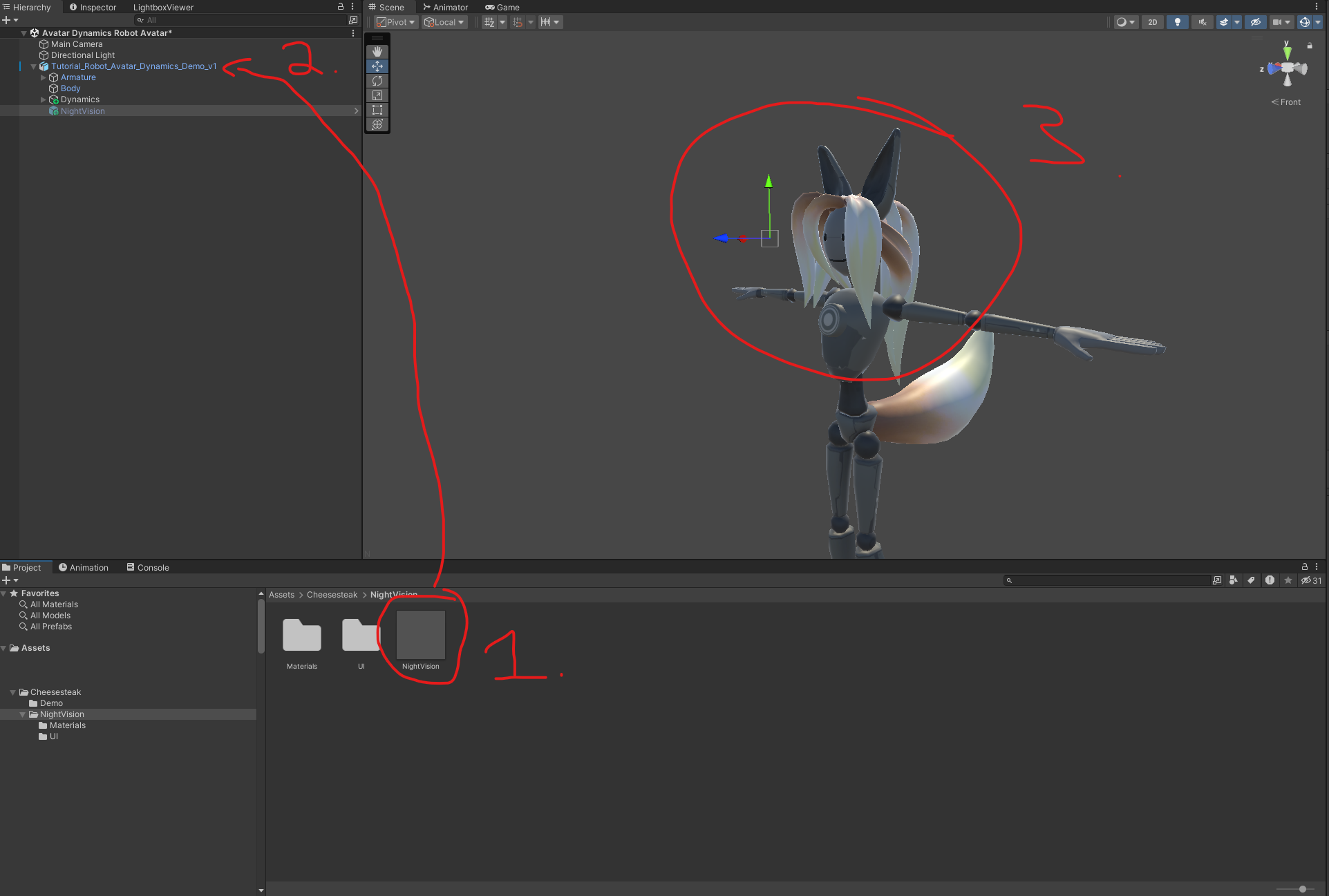
- Locate the prefab titled 'NightVision' in Cheesesteak/NightVision.
- Drag 'NightVision' to the root of your avatar; it should be next to Armature, Body, and others.
- Move the prefab in the Scene view to be somewhere roughly in front of your eyes (precision doesn't matter here, about .2 meters should be enough.)
- The prefab can safely be deactivated in your hierarchy if it is interfering with your ability to see in the editor.
- For support, please see the thread in the VRCFury Discord: https://discord.com/channels/1001423276553285653/1217631035890860062/1217631035890860062
Usage:
- Toggle "Night Vision" in your Gesture Menu to enable and disable the effect.
Customization:
- 'Cheesesteak/NightVision/Materials/NightVisionMaterial' contains the screen space material used. The color, saturation, brightness, and other properties can be easily edited here.
Changelog:
2024-03-14 - 1.0
Simple Night Vision for VRChat © 2024 by Cheesesteak is licensed under CC BY 4.0