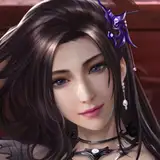
Going to try something completely new! Here's a "behind the scenes" look at me coloring Supergirl in my latest artwork. While I am not a pro digital coloring expert, I try my best to learn new techniques.
This drawing software is called Clip Studio Paint PRO, and it's absolutely awesome. For the longest time I used Photoshop CS3 to do all my digital art. If you know anything about Photoshop, this version is outdated as heck. Clip Studio is a modern tool for making digital art, with a focus on Manga and Comics.
I really like the pen tool in this program. It's silky smooth, allowing me to get nice looking curves for hair and clothing. I use a Wacom Intuos Tablet to do all my drawing.
For coloring hair, my technique isn't sophisticated, but gets the job done. Using a special tool that mimics manga hair strands, I just draw hair strokes one by one. I start with big strokes, then go smaller. I go heavy on the shading, then add some small bright highlight strokes to give the hair shine.
Art requires care and patience. It's a process that occurs over several days! So next time you see a finished piece, think about all the little line strokes needed to get there.
These videos are fun to make, so I'll try to post more going forward!
Mad Man with a Pen
2020-05-05 22:51:43 +0000 UTC