
Onivim 2 - v0.4.0 Update
Added 2020-04-06 16:19:32 +0000 UTCWelcome to the 0.4.0 update! We've been working hard the past few months to get this latest build out the door. Lots to share!
Features & improvements that made it into this release:
- Source control management
- Diff markers
- Integration with extension APIs
- Initial source control pane
- Integrated terminal
- UX Improvements
- Dialog UX
- Notification UX
- Tooltips
- Improved Theming
- Input improvements
- Input control
- Key sequences
- Auto-closing pairs
- Comment operator (gc)
- Skia Rendering
- Experimental animation
Check out the latest build at our Early Access Portal, or read on for more details.
Source Control (Git) Integration
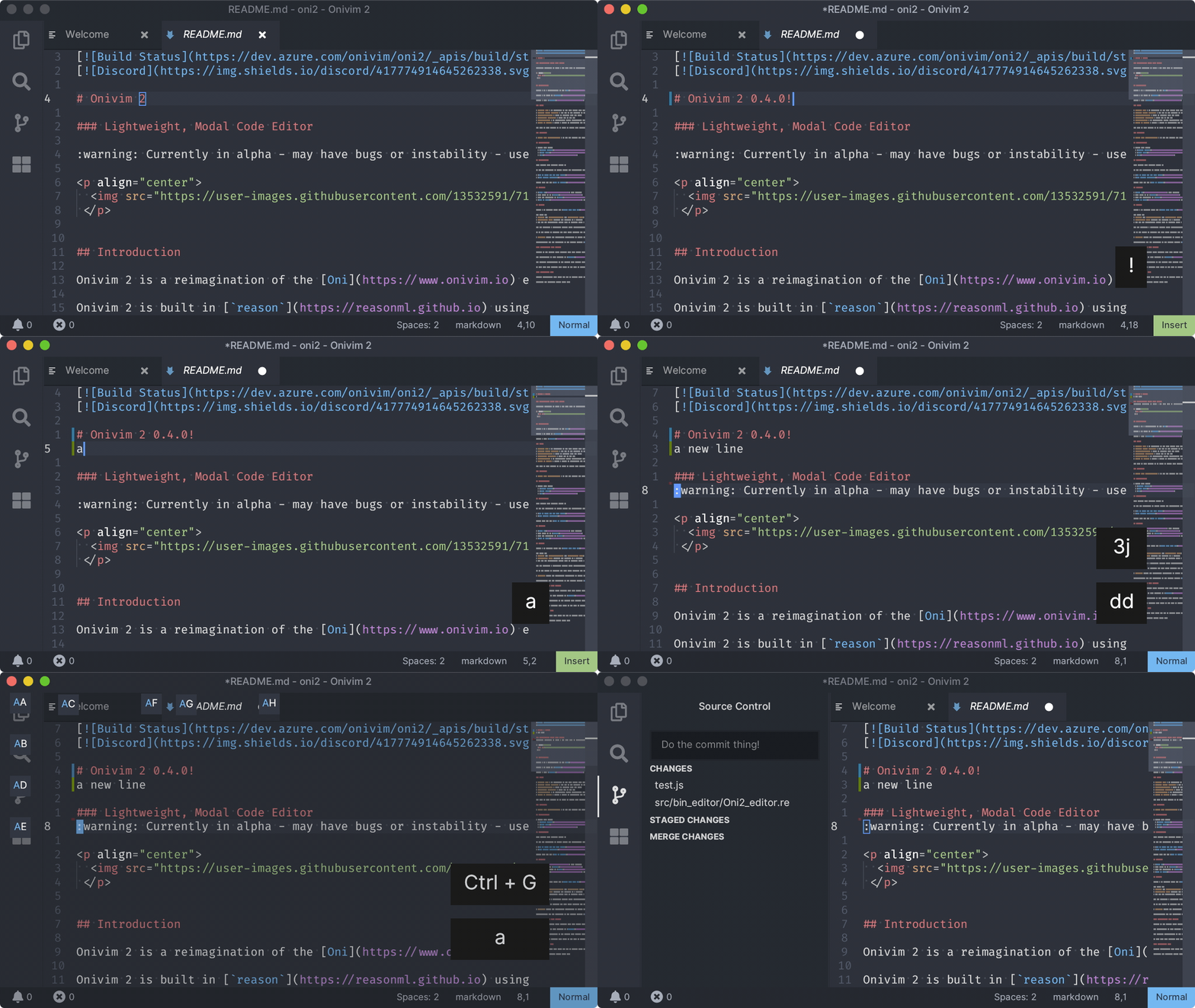
Glenn implemented the extension host APIs for integrating for source control, brought over the default vscode-git extension, and hooked up diff markers to the editor surface. It's awesome to have this just work, out-of-the-box, for any git repo!
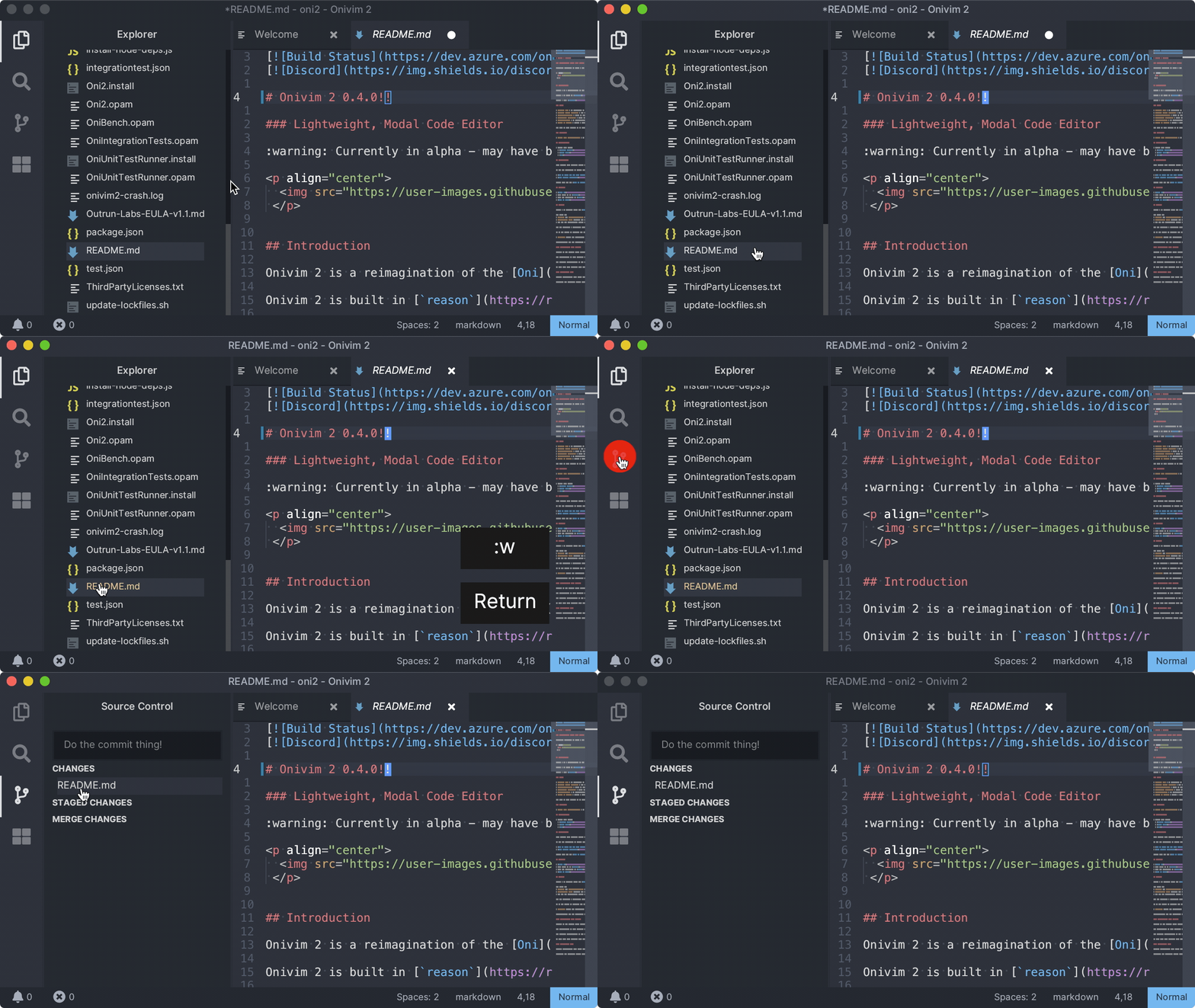
In addition, files that are changed are highlighted in the file explorer, and visible in our brand-new source control pane:
Integrated Terminal
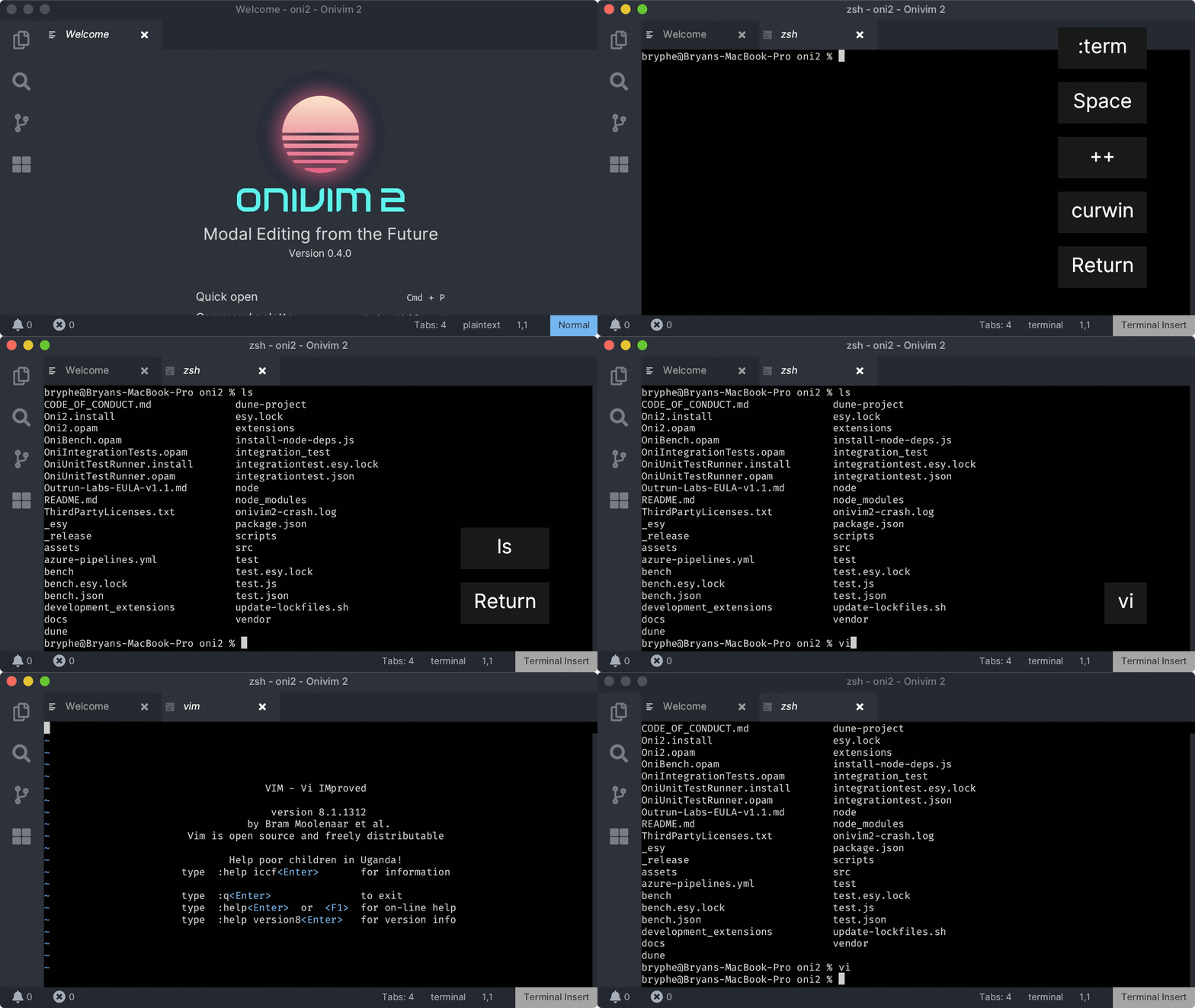
The terminal emulator is based on libvterm - this is the same terminal emulator used by Vim and Neovim. It's an excellent library that tremendously simplifies the work of handling terminal output and distilling it into a simple model for a consumer like Onivim.
In fact, we built a stand-alone version of a Revery+libvterm powered terminal emulator - revery-terminal. This was a convenient proof-of-concept that our terminal could work, independently of Onivim 2:
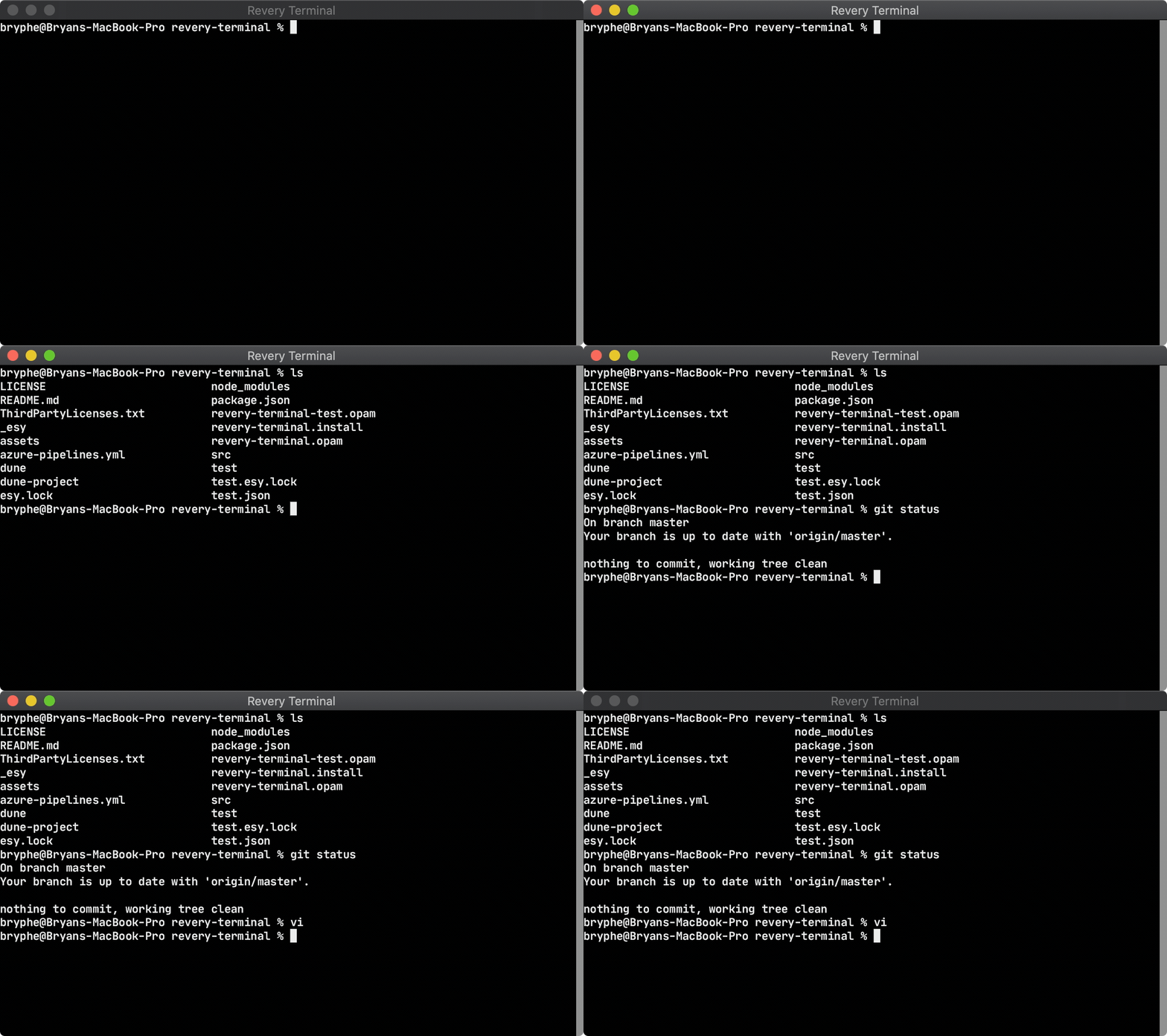
As part of building the terminal emulator, we created several ReasonML projects:
- esy-libvterm - cross-platform, esy-enabled build for libvterm
- reason-libvterm - ReasonML bindings for libvterm (API)
In Onivim 2, we use the VSCode extension host to manage the pseudoterminal session - this gives our integrated terminal cross-platform support.
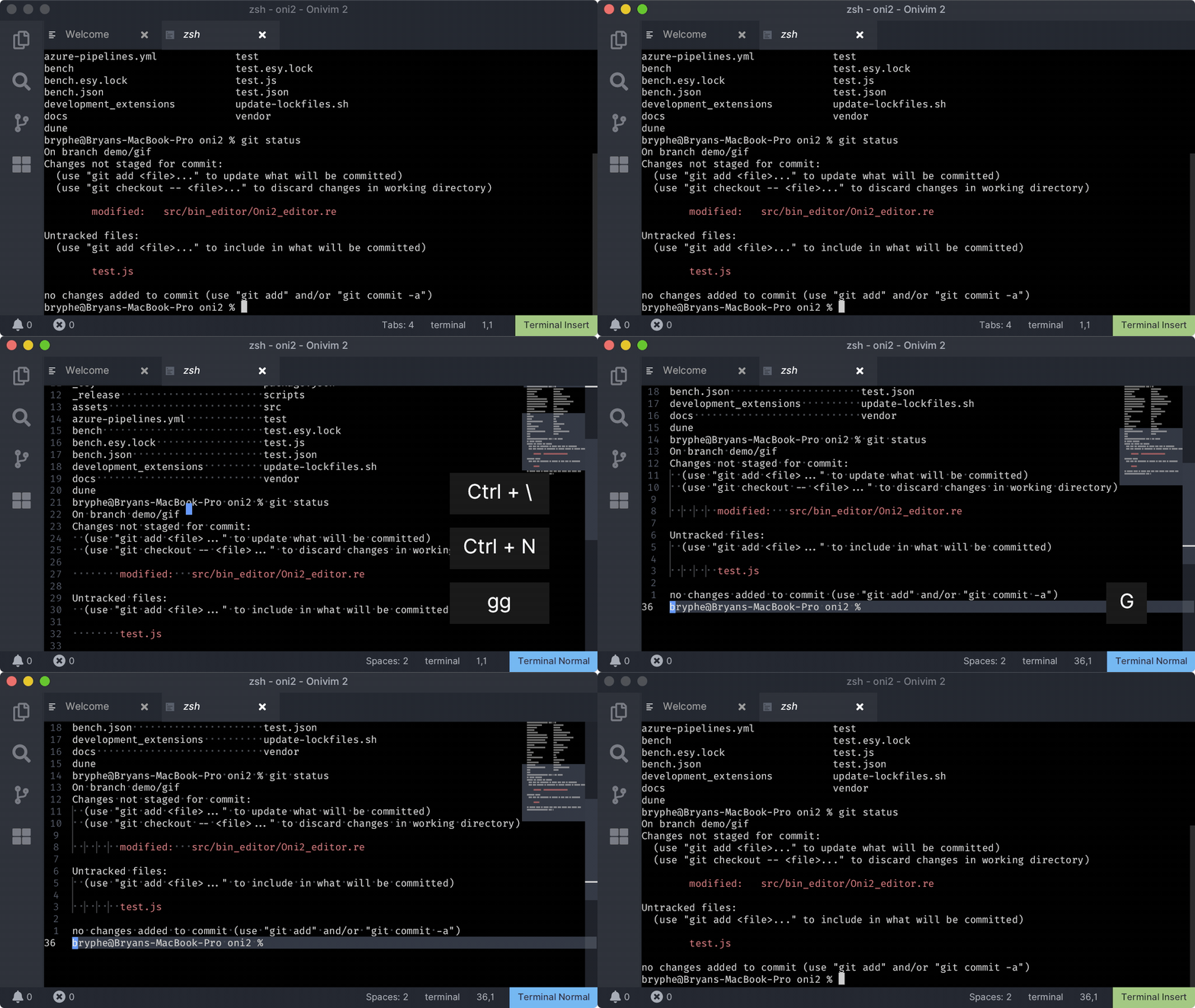
Like Vim, we support switching into normal-mode:
UX Improvements
Dialog UX
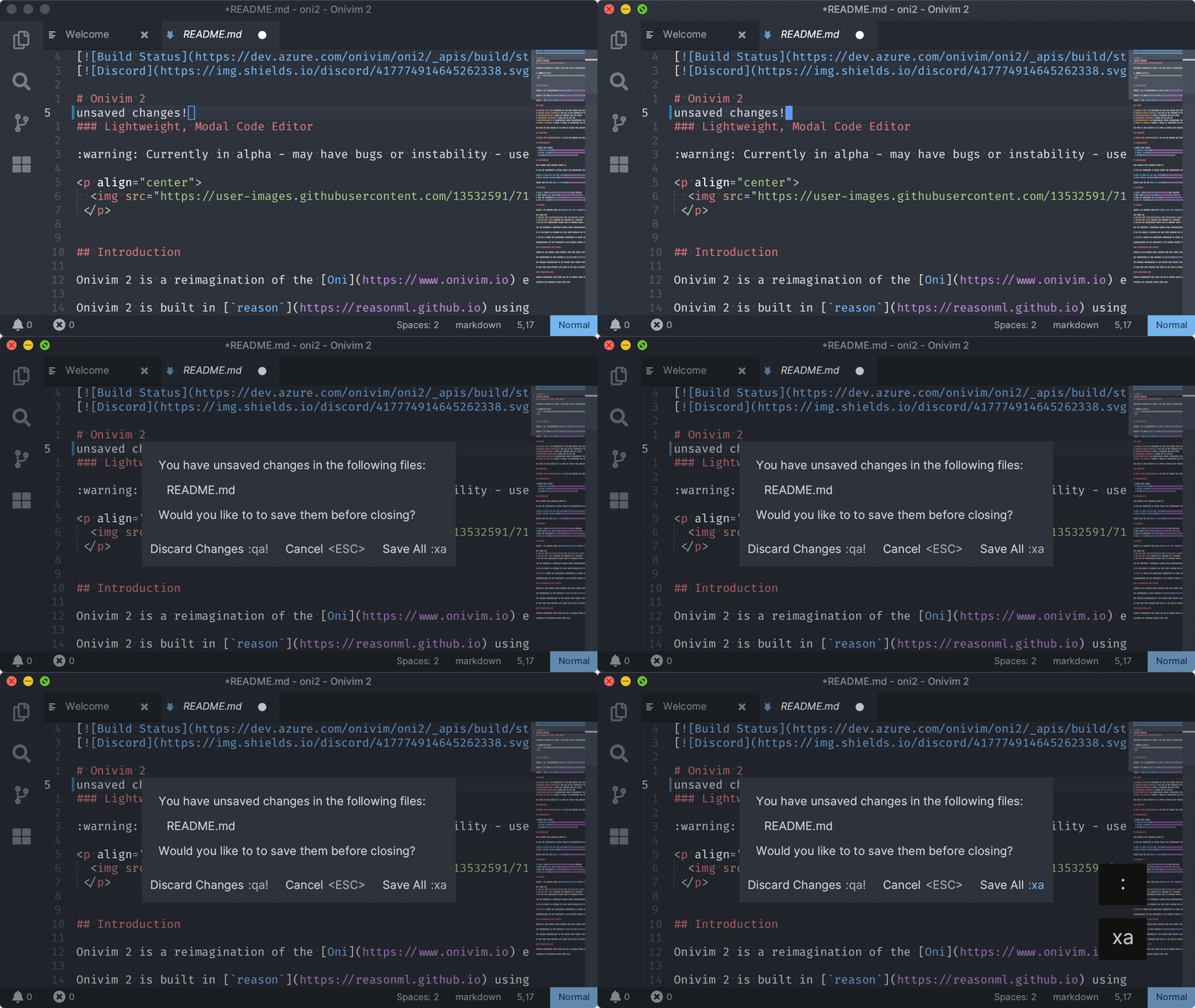
Glenn built a dialog experience, with the goal of providing a convenient way to notify the user when immediate action is required - with the dual goal of helping the user learn vim commands. If you try and exit with unsaved files - you'll be presented with this dialog:
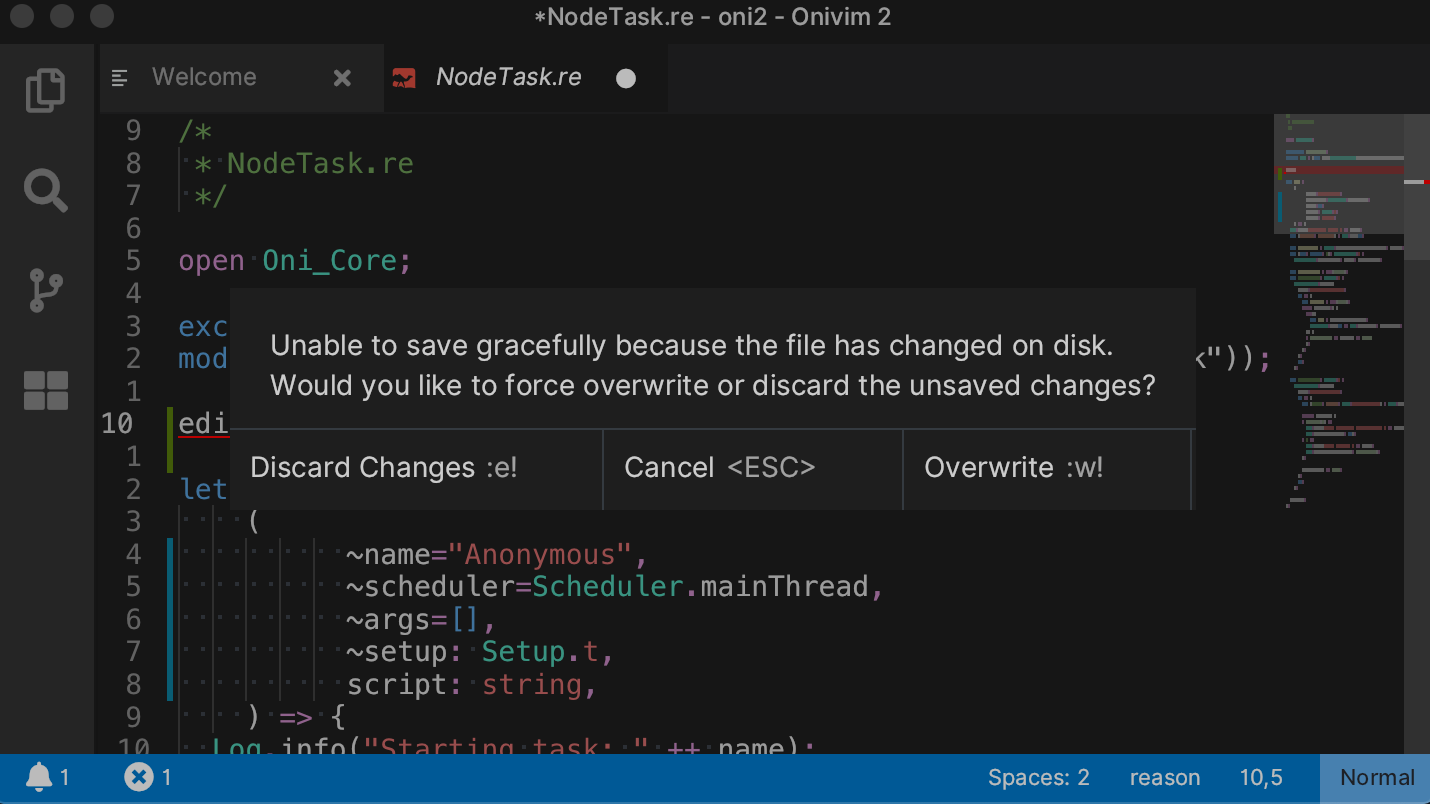
There is also another place we use this - if a file has changed outside the editor, and you try to exit, we'll alert you:
This is the first feature in Onivim 2 that makes progress towards our goal of 'lowering the bar' - and we want to continually explore how we can make modal editing easier to learn.
Notification UX
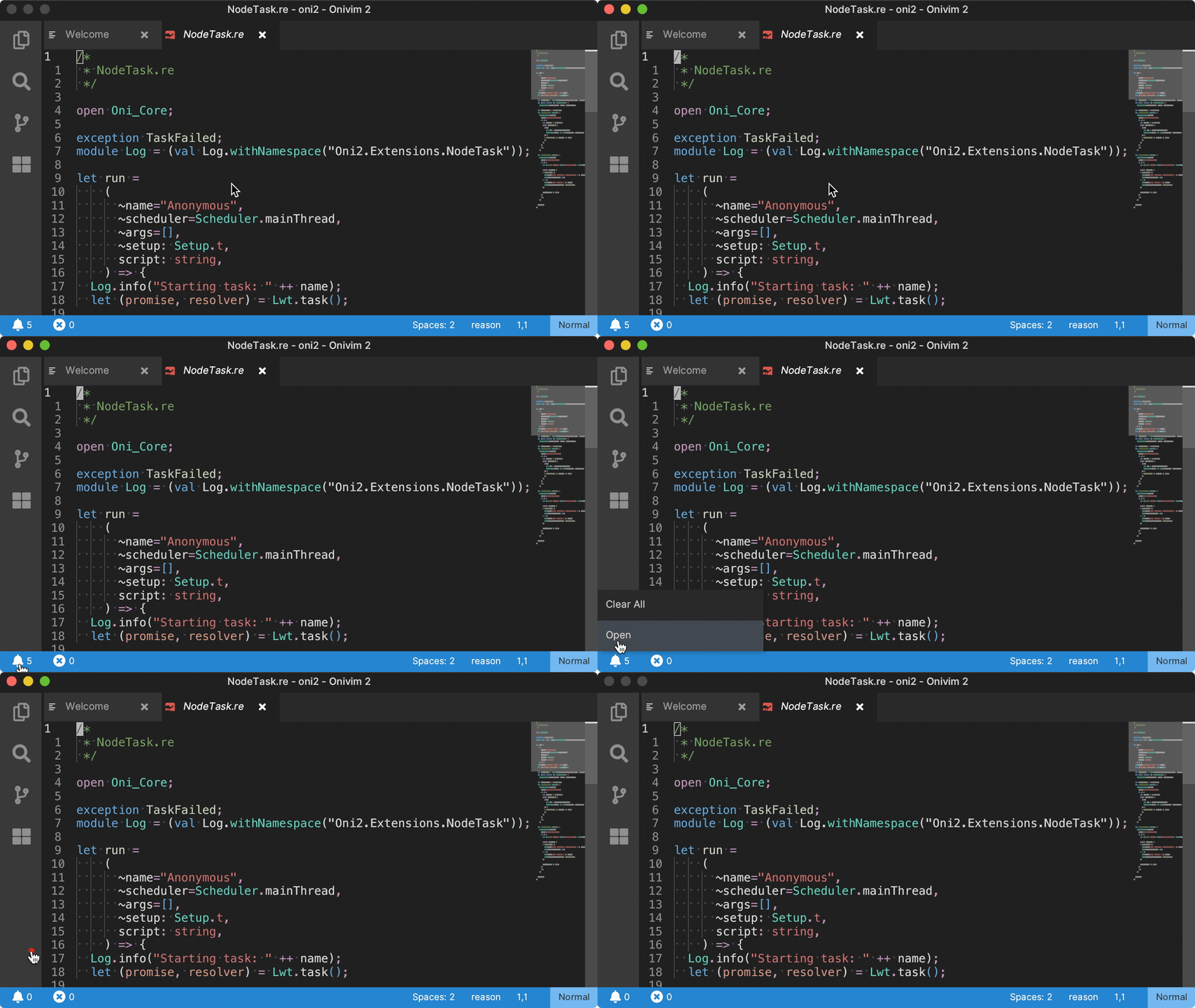
Glenn also built a beautiful notification experience:
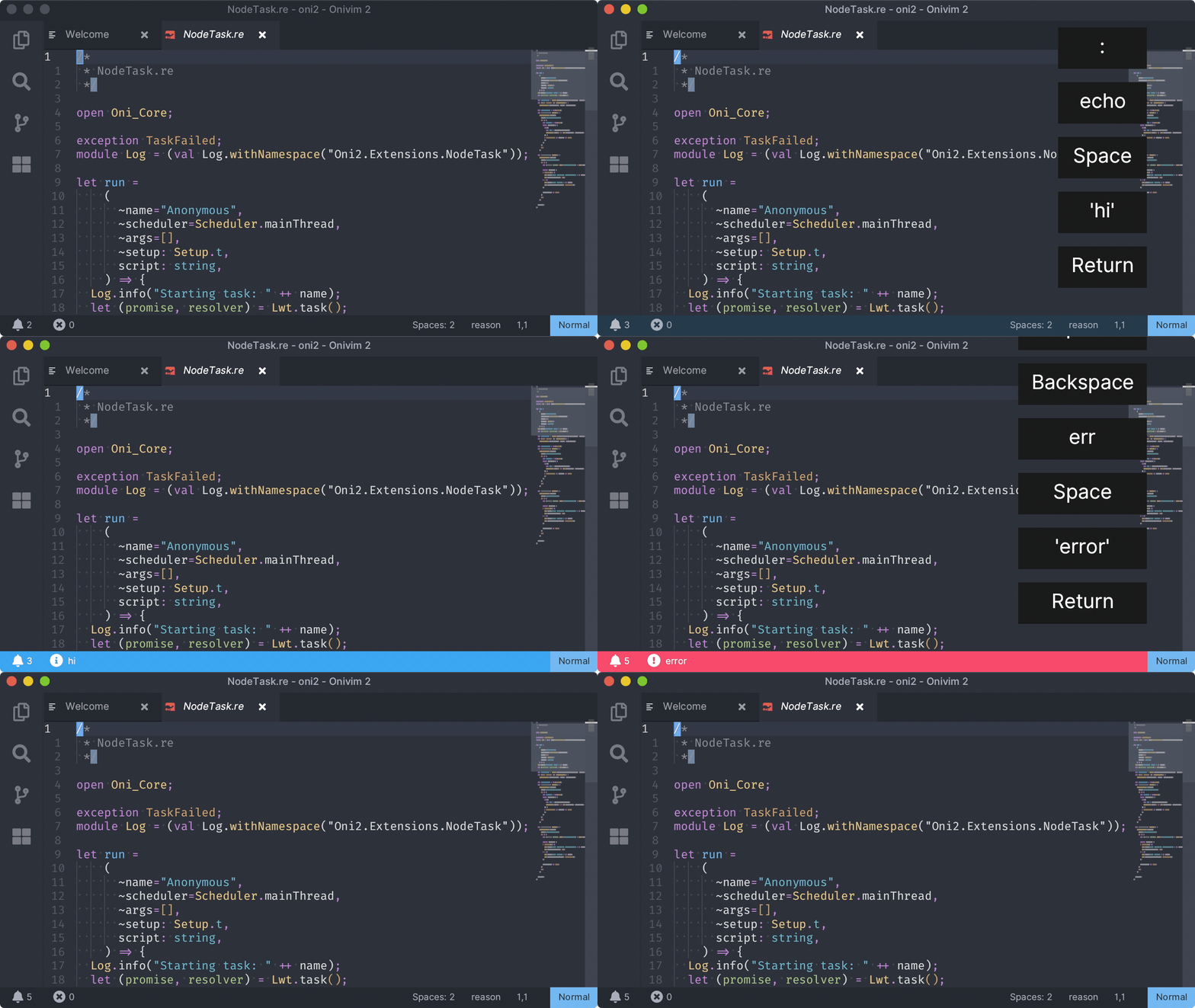
Note the smooth color transition - several improvements were made to Revery to support this feature.
In addition to the notifications themselves, Glenn built a context menu control, available on right-click of the notification 'bell':
Tooltips
Tooltips were an oft-requested feature for users who use the mouse for navigating the UI - Glenn created a tooltip component, and added it to the file explorer:
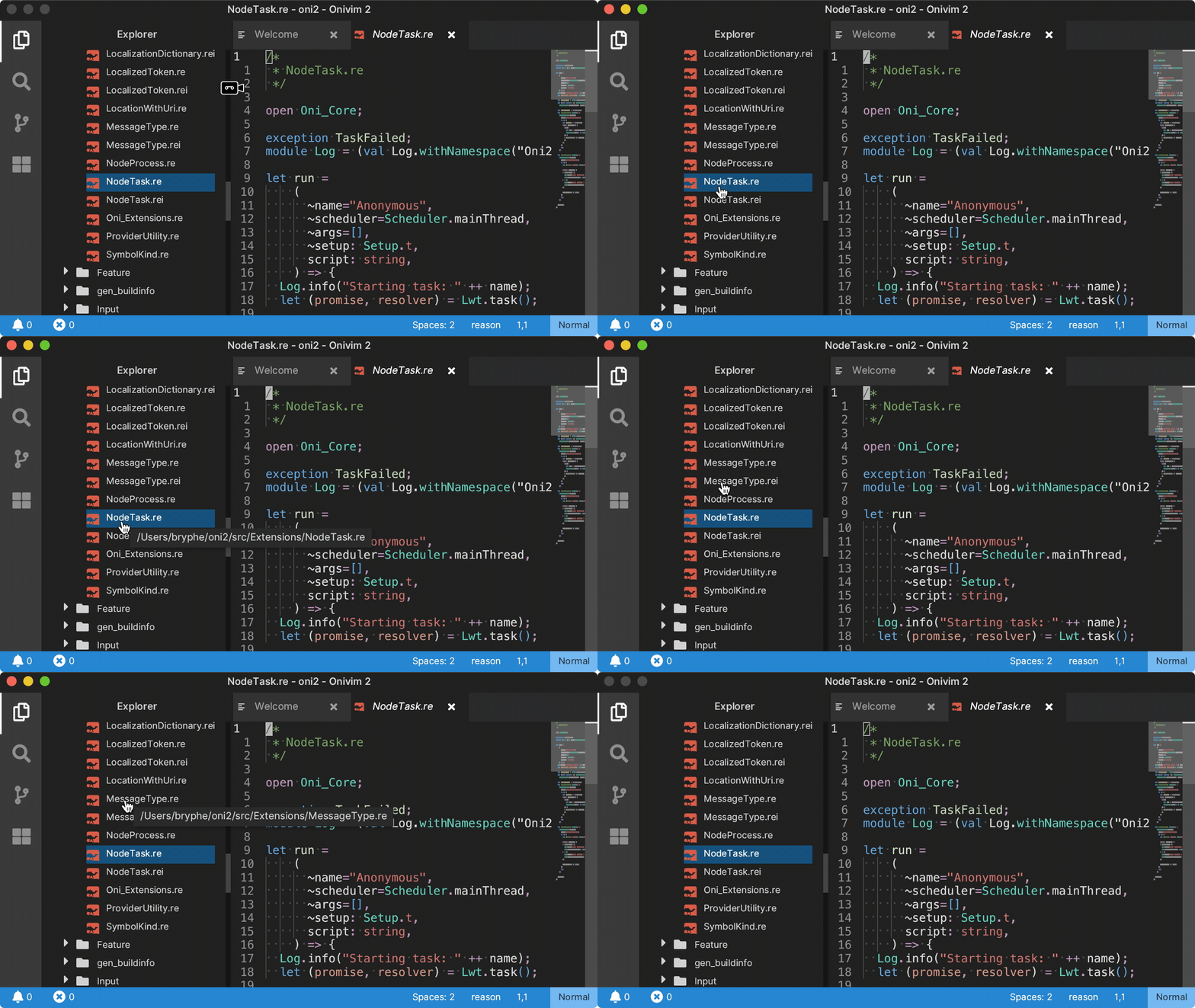
These new UI features - like Tooltips and the Context Menu - are foundational controls that will help enable additional features we want to build, and we're looking forward to using them elsewhere in the UI. These are especially important in helping to make Onivim accessible for users that are new to modal editing, and improve discoverability around our user interface.
Improved Theming
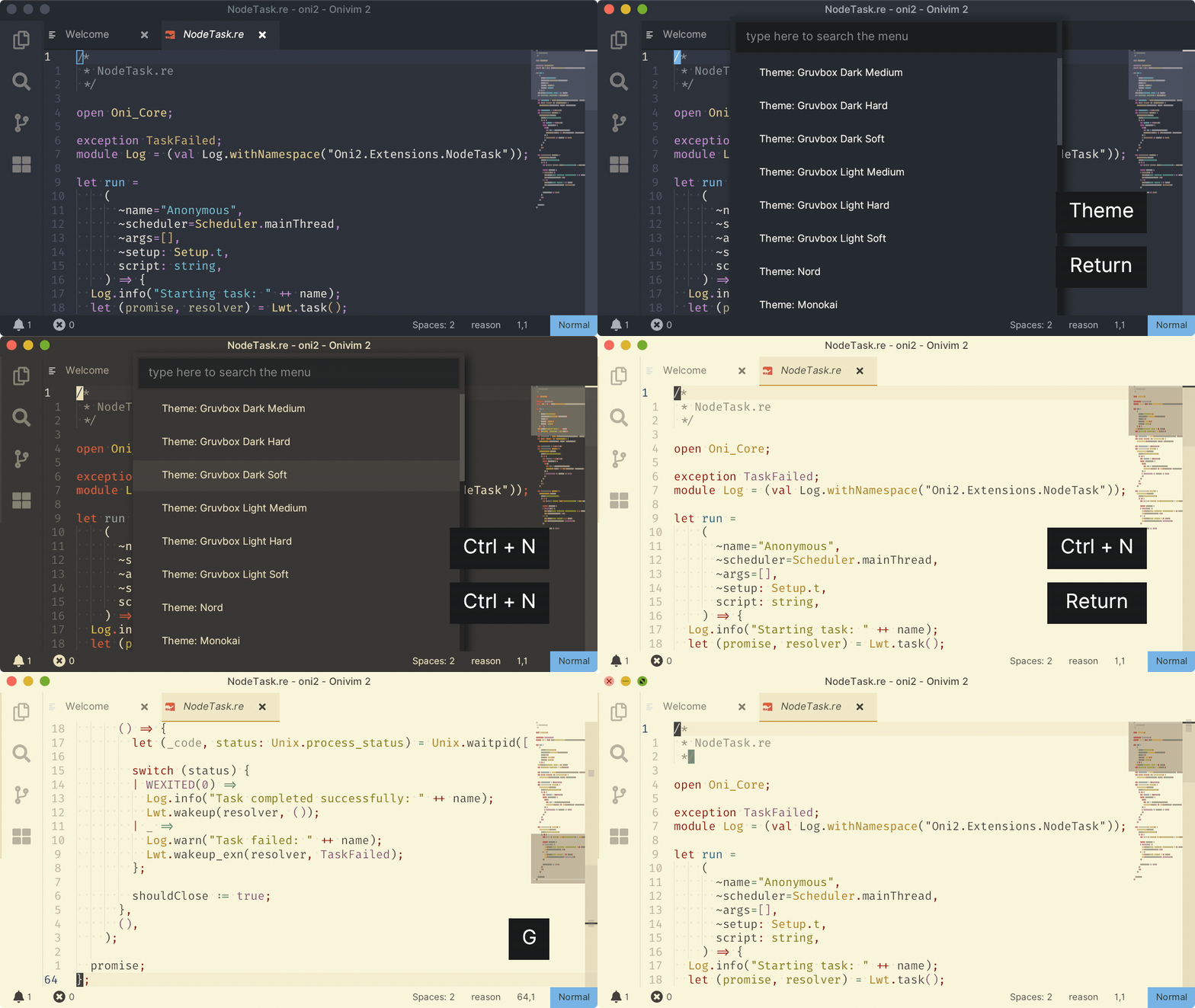
Although we had support for VSCode themes in the previous build, there were several cases where our theming didn't match - and it was especially apparent in light themes.
A challenge is that there is a complex graph of dependencies with the way theme colors are calculated - there are fallback colors defined, computed colors (ie, a UI control might ask for the opposite of a theme color, or a theme color partially transparent). Glenn fully modeled this dependency graph in our theming infrastructure, and the result is that the themes tend to look much closer, especially light themes (which were previously unusable!)
Input Improvements
Text Control
Anton made some great contributions to our text control, used in search, quick menu, and the source control pane.
He added several features:
- Selection via shift
- Home / end key support
- Arrow key movement (supports Control, too!)
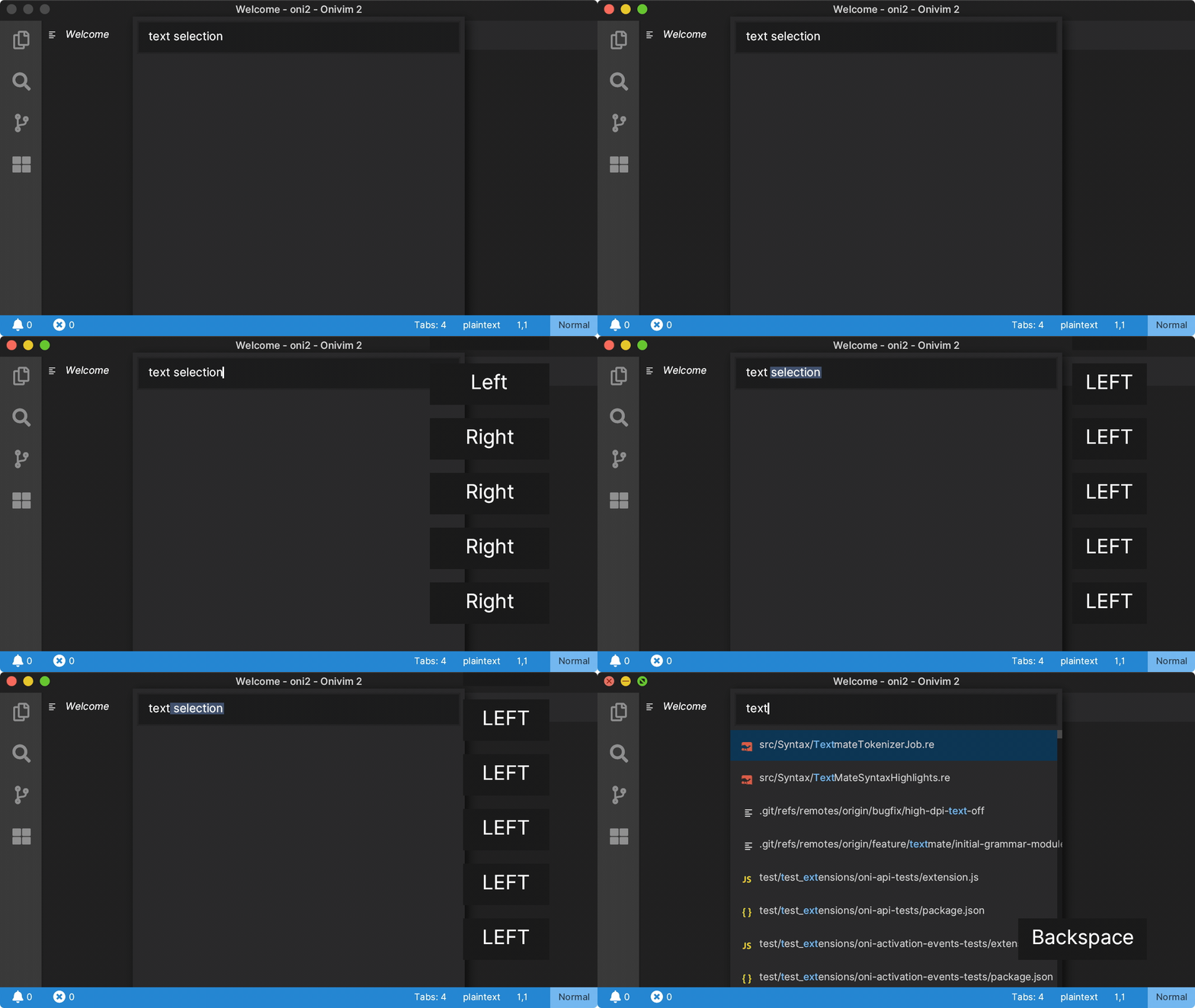
Awesome contribution and makes the control much more useful and usable! Thanks Anton!
Key sequences
We've revamped our key-bindings infrastructure - we now support both VSCode style key-bindings (ie, Ctrl+P) and Vim-style key-bindings (ie, <C-P>). This is in-line with our goal to eventually be able to pull in VSCode configuration automatically.
Besides that, we also support key-sequences now. A common blocker users ran into is binding keys like jj or jk to exit insert mode. Unfortunately, we didn't way to support this common use-case - but we do now:
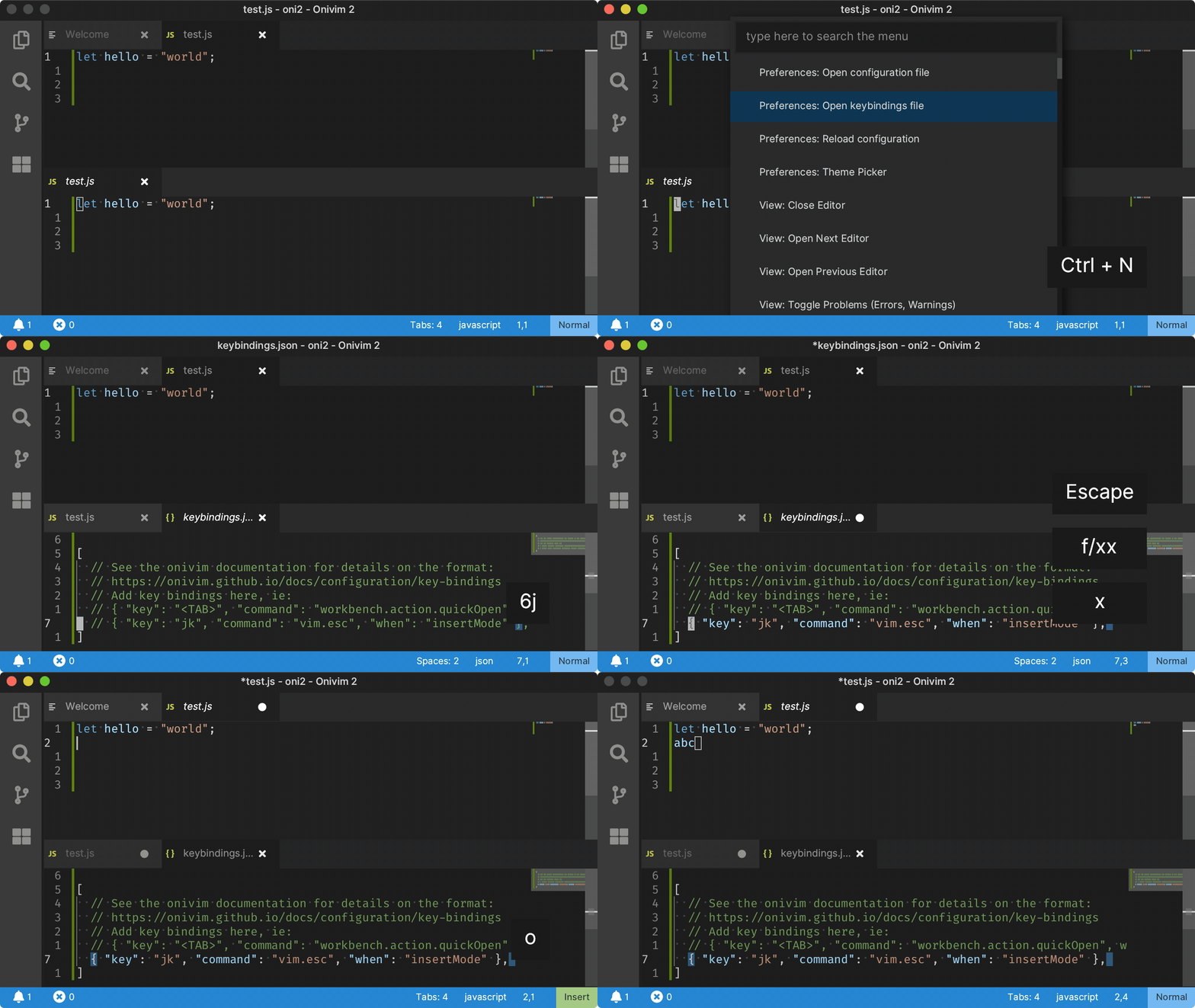
The library for handling key sequences is agnostic of Onivim, and lives in editor-input.
Auto-Closing Pairs
Onivim 2 now supports auto-closing pairs by default. This provides automatic bracket and quote insertion:
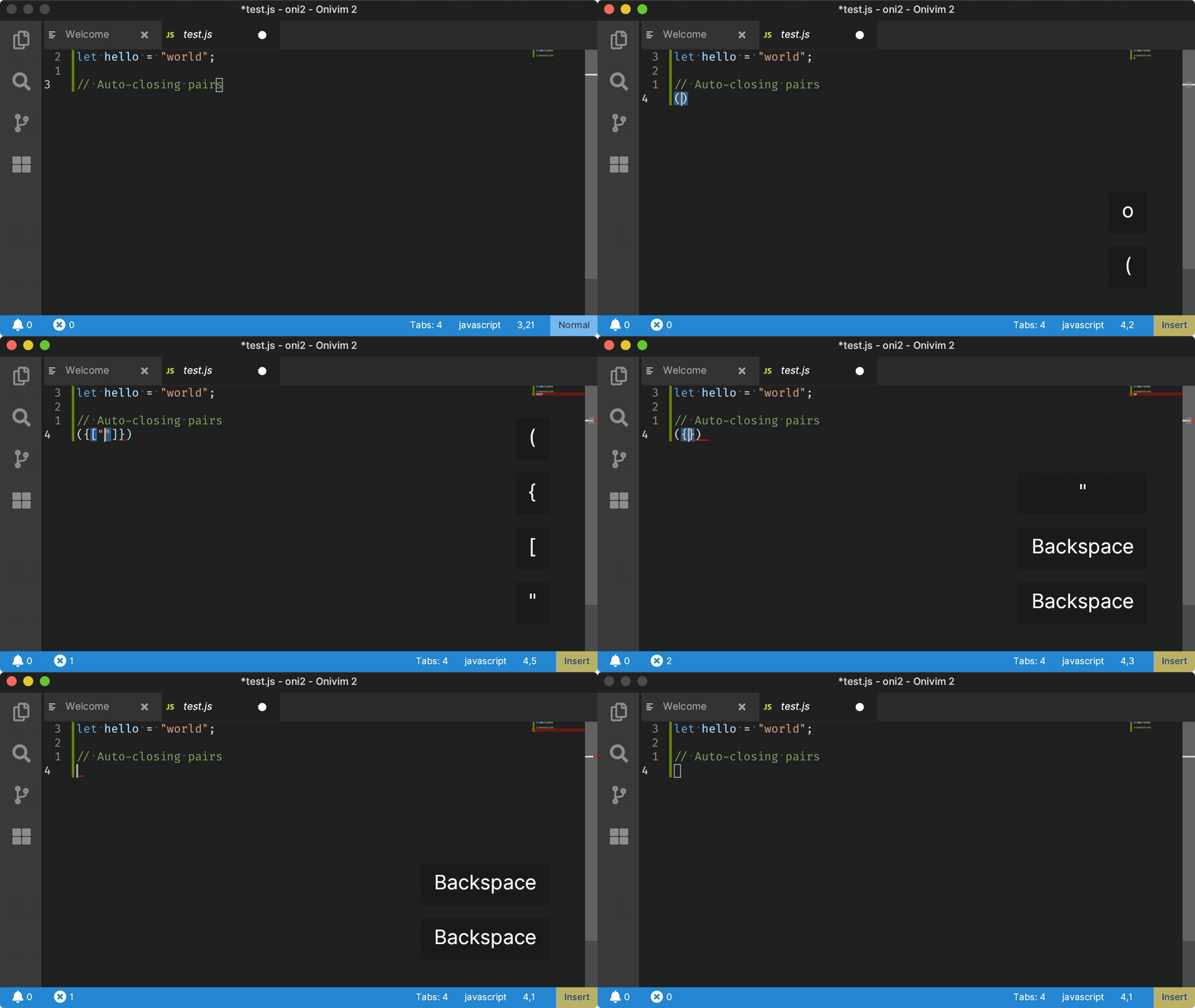
It leverages the same language configuration as VSCode, and the same features (like, being able to specify syntax scopes where auto-closing pairs should not be active).
Comment Operator
A feature all of us on the team missed was a quick way to comment / un-comment code.
Glenn came to the rescue and implemented the gc operator, inspired by vim-commentary - a way to quickly comment or un-comment code:
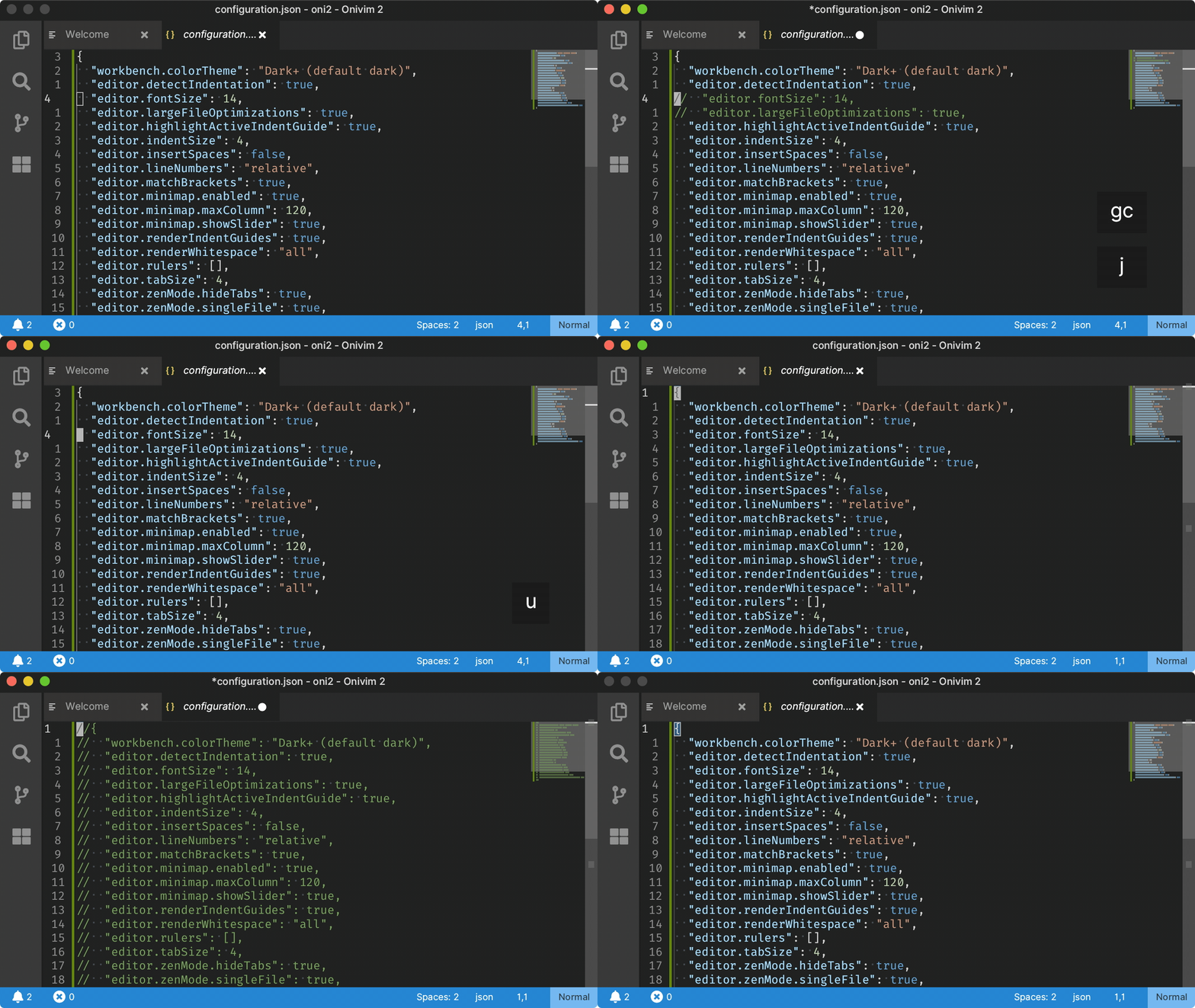
Usage:
- gcc - comment a line
- gc + motion - comment a region defined by motion. (for example, gcj would comment the current line and the line below, gcG would comment until the end of the file).
Skia Rendering
We've finally integrated Skia as the rendering solution for Revery (and Onivim 2). Skia is a battle-tested framework for 2D graphics and text rendering - powering Sublime Text, Chrome, and Flutter. It's a huge improvement over our home-grown rendering strategy we had in Revery.
In particular, it gives us much more fidelity and control over text rendering - allowing us to have antialiased and subpixel-antialised text:
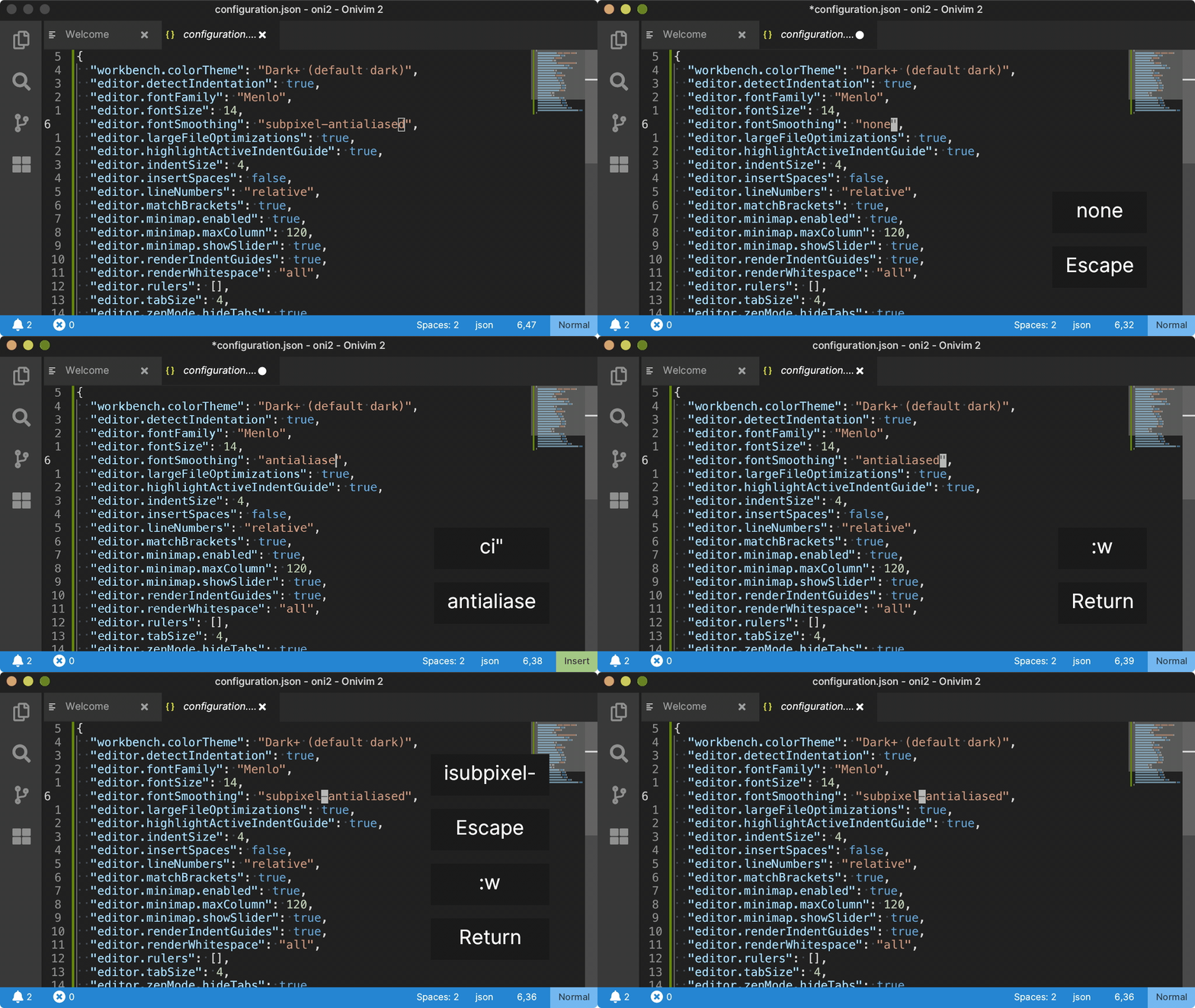
Not only that, but it gives us a huge improvement in performance:
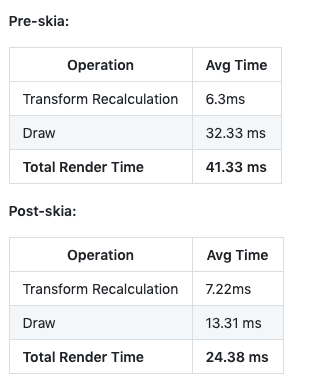
It's not often you can have your cake and eat it too... but in this case, Skia gives us both a performance boost and better text rendering!
It was the culmination of a lot of work by Manuel, who built our Skia bindings and unblocked the Windows+esy builds, and it was great to see it land.
There are still drawing primitives we haven't used yet (gradients, curves) - so I'm excited to explore those in the future and really take our user experience to the next level.
Most of our remaining performance bottlenecks are in our logic (for example, expensive string manipulations done during rendering), and less so in the actual rendering - this is good because it means there is lots of headroom for optimization!
Experimental Animation
Since Skia has improved our rendering performance, we've added a few experimental animations to take advantage of it:
Smooth Scrolling: 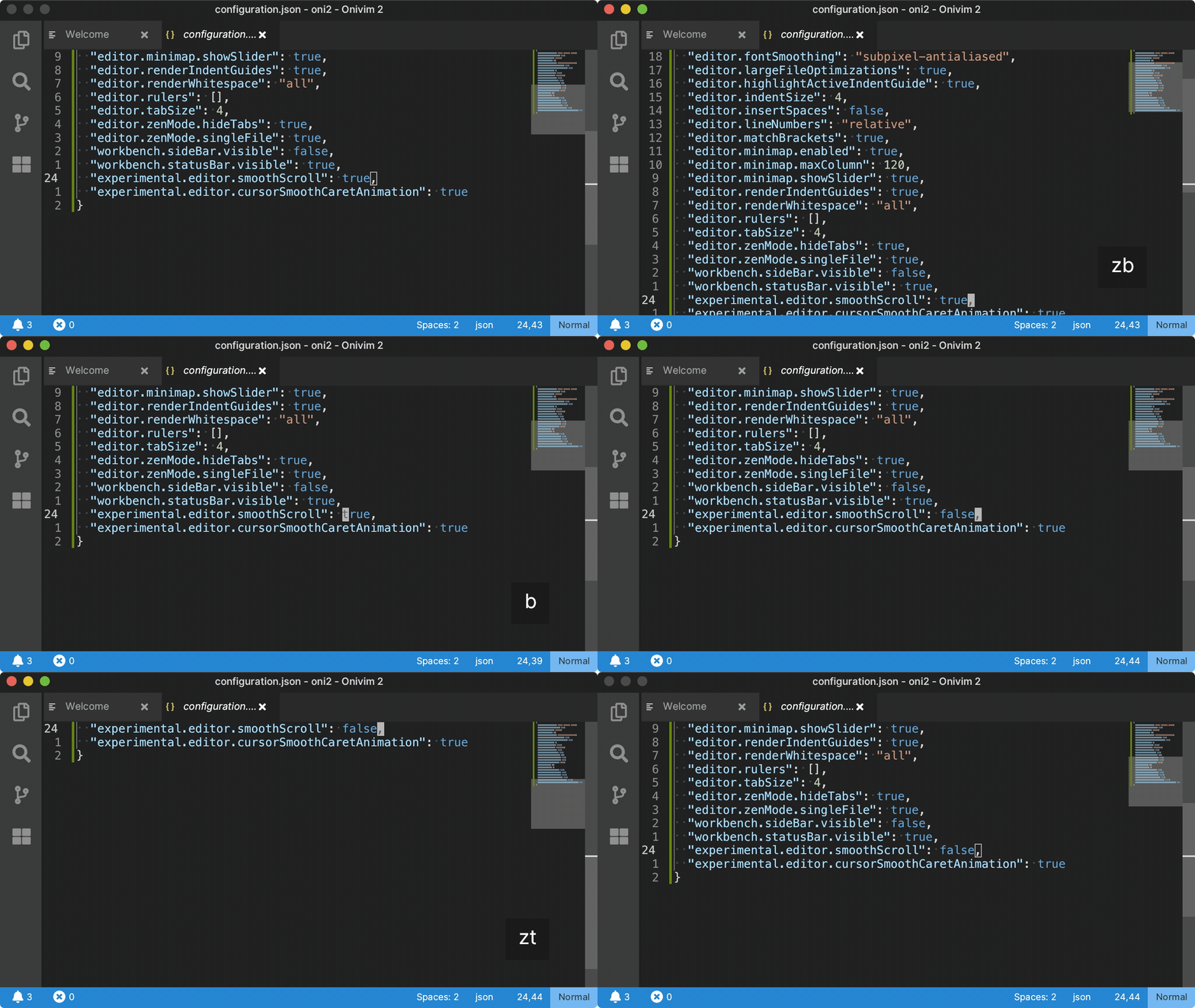
Animated cursor movement: 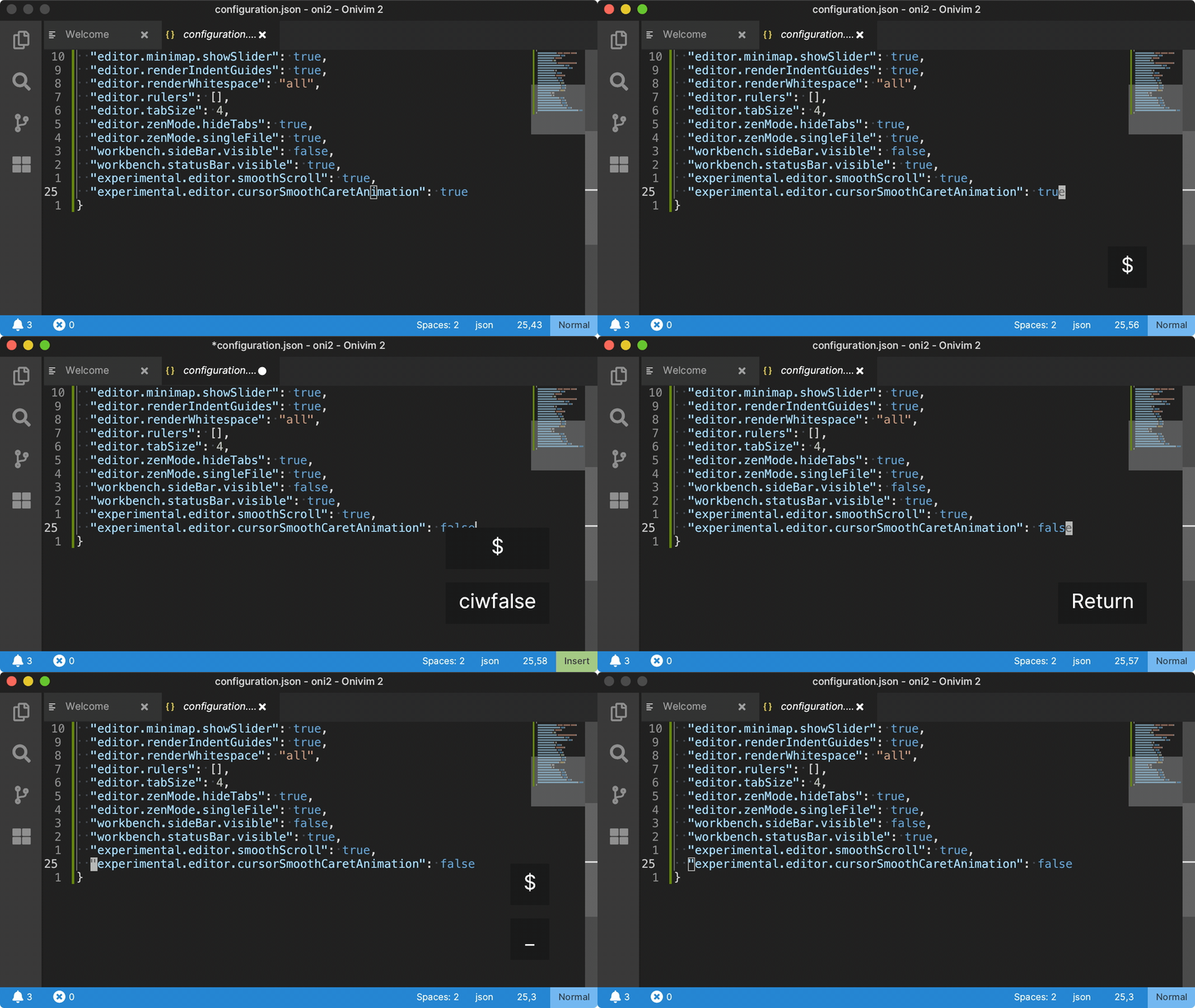
These are a lot of fun, and are great for learning (and showing!) modal editing - because they give you some instant feedback over how the cursor or screen moves:
They can be enabled with the following options:
"experimental.editor.smoothScroll": true,
"experimental.editor.cursorSmoothCaretAnimation": true,
Next Steps - 0.5.0
We've made significant progress, but we still have a lot of work to do in the extension host - in particular, we didn't get to some of the extension host work we planned for this release.
We still consider our builds alpha quality - and our metric to moving to 'Beta' status is to fix all the daily editor blockers . So we still have our work cut out for us! If there is an issue you are hitting preventing you from using the editor, and it's tracked - we'd like to know about it - please log an issue.
For our next milestone - 0.5.0, targeting end of July, our goals are:
- Continue addressing daily editor blockers.
- Pick up the extension host work that was left from 0.4.0
This updates our timeline to look like this:
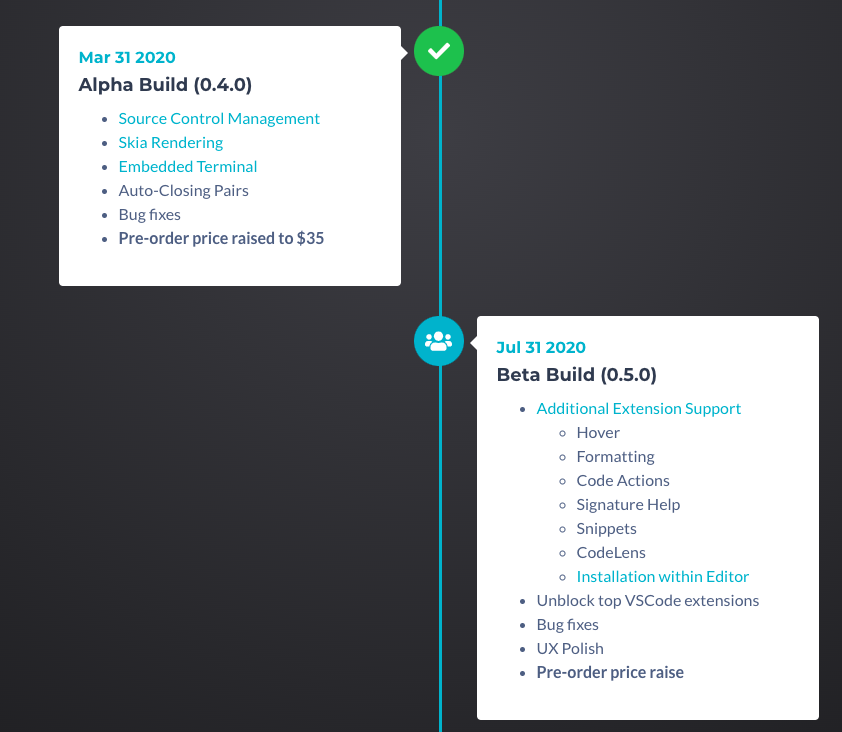
We want to show progress on the extension work, because it is one of the key deliverables for us now. So we've set course for the next 4 months to work on that, and continue to fix bugs and blockers.
THANK YOU!
Big shout-out to our team - Glenn & Ryan - and THANK YOU to our patrons, users who have pre-ordered, and everyone who has contributed to help us get this far. We tremendously appreciate all your support and help.
Stay safe and healthy in these crazy times!
- Onivim 2 Team (Bryan, Glenn, Ryan)