THIS PURCHASE DOES NOT COME WITH CLOTHING!!!
MUST OWN THE NOVABEAST ITSELF BY Kittomatic
https://kittomatic.gumroad.com/l/Novabeast
As an artist, it is essential that you refrain from redistributing, reselling, or engaging in price splitting of these products.
SPP FILE IS AVAILABLE ONCE YOU DM ME WITH PROOF OF PURCHASE FOR THE TEXTURE AND NOVABEAST ITSELF
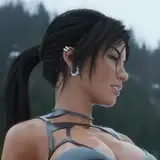
THIS PRODUCT IS NOT AN AVATAR. You will ONLY get the textures for Ardyn!
My rules:
This Gumroad will be the reference for any tutorials available. I can update it easier here and will be how I upload textures here from now on. If I miss an effect you wish to know (and it pertains to the avatar present here), please ask via Discord.
Below the tutorial you will find all of the PNG's
If you want the Abs Normal you can find it in the Nova Beast Discord #nova-textures (only acquirable after verifying in the discord) thread by: Aigiaon & Aurabeep
Rain Effect:

To replicate:
Firstly, you will need a rain Gif.
Here's one for free! Provided by: https://pixabay.com/gifs/rain-raining-wet-rain-drops-rainy-10807/
Free for use under the Pixabay Content License
NOTE: When this GIF is referenced in Unity, you may notice it being referred to as "Texture Array" this is what unity short hands a GIF formatted image.


Secondly, youll need the mask for the clouds so the rain doesnt overlay it.
Heres the mask:
Background makes this look weird

Just fill in the information found here: for Poiyomi's Latest version

The rain should be complete now!
As for the Cloud Texture:
You'll need a few things:
A MatCap:

A mask for the MatCap:

And a Normal Map:

Put these together like so:

The Clouds also utilize the rim light FX found in Poi:

Lastly, the clouds use one of the regular emission FX:

You probably came here for this & there's a few options:
Firstly, the Emission FX


The Collar Emission: