FarmD v1.4.1 (changelog)
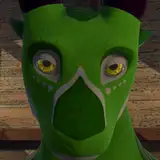
Added 2023-02-17 20:27:30 +0000 UTCGraphics update! New environment models and lighting, overhaul of the character skin editing mode, and new Drake and Gryphon models with lots of customizable bits.
[desktop/vr]
ADDED
- New versions of the Drake and Gryphon characters have been added. All previous built-in characters were also moved to the "Legacy" species group.
- Added support for toggleable cosmetic parts in the Character Menu. Currently the new Drake and Gryphon characters have options for this.
CHANGED
- Graphics updates to environmental models and materials, particularly in the outdoor areas, with the exception of the farmhouse which will be updated in the near future and given interior furnishings.
- Adjusted lighting and post-processing settings for some nicer visuals, including changing to the deferred render pipeline.
- The color customization options for characters has been significantly reworked. Rather than selecting a Pattern and its Colorset, you now select a single Skin which contains information for both. The edit mode for Skins contains the previous functionality for color layer editing, as well as a number of material properties like smoothness and metallic values, to allow for greater customization. Also, you can now disable texture layers within a pattern, adjust the transparency of colors, and sync color fields to edit multiple at the same time. Unfortunately, any previously-created custom colorsets could not be migrated to the new system and would need to be re-created.
- Changed the UI for the configurable body parts settings in the Character Menu to use a checkbox/radio style rather than being all dropdowns.
- Increased the maximum draw distance setting for vegetation in the Performance tab. The default value remains the same (100m).
- The hanging plank in the stable was changed to make it only mountable from one side instead of both, to simplify the animation setup.
- Tweaked some animations for the player-on-top Missionary and Riding positions for better results with different genital orientations and cock sizes.
- Adjusted some physics settings to improve stability for cocks and tails in some situations where they would get wedged in geometry.
FIXED
- Fixed a bug where the time of day was not being applied properly on startup.
REMOVED
- Eye Type selection has been temporarily removed, and will be updated to use the new material setup and re-implemented in the near future.
- The "Tree Billboards" distance slider was removed, as tree rendering is handled a little differently and no longer uses billboards. You can use the LOD Bias slider to control the render distance of trees.
KNOWN ISSUES
- Wetness painting on characters is not currently working in some scenarios and mesh surfaces.
- Setting the partner's cock size to maximum can cause odd belly bulge behaviour in some positions.
- The "Suck My Cock" position when sitting on the crate can have alignment/clipping issues with the partner's mouth.
NOTES
- Any custom characters made before v1.4.1 that used the "Customizable" mode for either the Materials or Configurable Parts modules will not be compatible with this build of the game, and will need these modules to be updated in this version of the importer and re-built.
- Due to changes to the handling for Cock Scale and Ball Scale, any previously saved values for these fields have been reset.
- The Saddle and Belly Rig equipment models have not yet been updated for the new Drake and Gryphon characters - these activities are still available but the meshes for the equipment will be invisible.
[desktop]
KNOWN ISSUES
- The "Servicing" position does not yet have actions for the partner if they have a male slit instead of a sheath, and the existing "sheath" actions result in some buggy behaviour. Proper male-slit interactions will be added in the future.
[vr]
CHANGED
- Increased the size of the menu tablet, to make selecting small UI elements easier.
- The kneel action is now bound to clicking in the right thumbstick instead of pressing it downward, to prevent accidental presses when turning.
- The deadzone settings for the right touchpad on Vive controllers was adjusted to help reduce unintended inputs.
FIXED
- Fixed a bug where launching the game in VR mode for the first time (with no save files) would cause an error and a duplicate body mesh for the player.
[importer]
ADDED
- The Configurable Parts module was expanded to include support for Sheath types (to support a character with both a male slit and sheath) as well as generic Cosmetic types. Additionally, there is now a Groups field for configuring which types of configurable parts your character uses along with the heading name that appears in the character menu, and some other properties. Individual body parts can also now specify "Exclude Objects" which are GameObjects that will be disabled when that body part is active, as the inverse to the existing "Include Objects".
- Added a flag to the Cock module for "Kinematic When Sheathed", which defaults to True which was the previous behaviour. Unsetting this flag will allow you to have better control over the cock's physics using the Unsheath expression animation, so it is not always stiff and rigid when fully sheathed.
CHANGED
- The Materials and Textures module has been significantly reworked to support the new Skins system. Any characters that were previously using the Customizable mode to allow for custom color layers will need to be updated to use Skins.
- The CharacterMaterials component was removed, as its previous functionality now lives in the Materials module of the CharacterImporter. You may have a (Missing Script) component on your top-level importer object that should be removed, if you weren't using the CharacterImporter prefab - otherwise it will have automatically been removed as it is no longer in the prefab.
- The Cock Scale and Ball Scale handling is now expected to be defined in animation clips in the Expressions module, similarly to how Breast Scale worked previously. Additionally, there is now a default value slider in the Configurable Parts module for each of these scaleable objects to define the normalized time (0.0-1.0) of the animation that should be used as the starting scale.
- The Left Shoulder and Right Shoulder fields in the Limb Setup module no longer appear for Feral characters as they are unused.
- Changed some behaviour of the DriveBlendShape component, used for the penetrable hole colliders. Instead of calculating distance along an arbitrary axis, it now works only with the positive distance along the local y-axis, since this is how all the collider prefabs are set up. Additionally, this component now executes while in the Importer project (in Play mode) for easier testing, and the physics joint setup for the individual colliders has been simplified in all prefabs.
- Breast scaling is now properly supported for feral characters.
- When auto-populating limbs from an Avatar for an Anthro character, the Chest avatar bone is now used as a fallback for the Chest importer field, if the UpperChest avatar bone is not assigned.
- Compression settings on some Example scene textures were changed and example output fdc files were removed in order to reduce the importer package size and import time.
FIXED
- Fixed an issue where fingertip colliders were generated with incorrect sizes/positions if the character model had been scaled.
- Fixed a bug where IgnoreColliders would not correctly ignore all colliders on a GameObject, if more than one Collider component existed on it.
- Added some missing help wording for the "Front Of Thighs" touch target for Anthro characters.
REMOVED
- The "Has Sheath" flag in the Cock module has been removed, as this is now determined automatically by whether the Cock Unsheath expression animation has been assigned.
NOTES
- Due to some large importer changes in this build, it is recommended to back up your project before upgrading. Any characters that used the Customizable mode in the Materials or Configurable Parts modules will lose data in those modules and need to be reconfigured to use the new systems. Note that Eye Types have not yet been updated to the new material setup.
- The "CharacterImporter" prefab has been deprecated, and any new characters created with the setup window will no longer use it. This prefab will be removed in a later build, so you should right-click on the CharacterImporter object in your Hierarchy window and select Prefab -> Unpack. Unpacking the prefab can also help with performance issues with complex importer configurations.