Hi, patrons!
This month, I bring you a fully functional(hopefully) virtual pet for your VRChat avatars!
This functions similarly to the old Tamagotchi games of the late 90s, if you remember those, and infact, if you can't tell, is totally *not* heavily based off of them.
This release is pretty involved, and requires some setup, have no fear though, I've tried to make the process fairly straightforward.
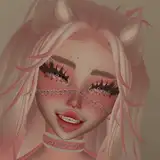
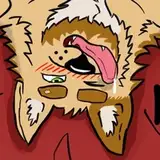
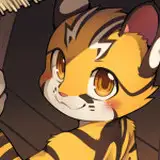
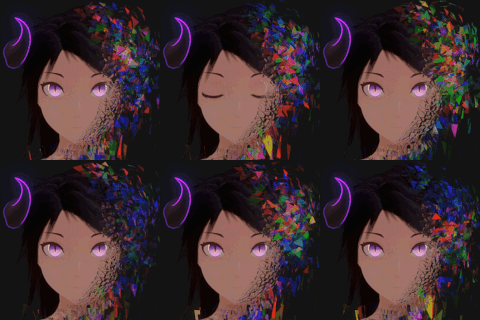
This Excesapet changes form based on how good of care you take of it, and even has a secret form! You'll need to feed it, wash it, play with it, and sometimes even make it go to bed! I hope you all enjoy this!
Instructions to install:
1) Make sure that you do not have any old version of the Avatars3Animator Merger Script, if you do, remove it, as I've updated it, and it will be included in the package you've downloaded. If you do not remove it, there will be errors in the console.
2) Import the Unitypackage into your project.
3) You should now have a new folder in your Assets called XSaPet_2.
4) Inside this folder, you've got a Prefab folder. Drag the prefab included in that folder under the root of your avatar.
5) Un-collapse the hierarchy, you should see two objects telling you to place them somewhere(Store Target, and Hold Target). Right click the Excesapet prefab, and hit unpack, and then re-parent those two objects to your desired locations. In my case, I have parented the "Store Target" to my hip, as I want it to be stored on my belt, and I have parented the "Hold Target" to my hand, as I want to hold it in my hand. Once reparented, position the object to where you want it to be located.
The next step will change based on if you already have a custom FX Layer on your avatars 3 avatar or not. If you do not have a custom FX layer, proceed to step 6a, if you do, proceed to 6b.
6a) Navigate to the "anim" folder within the XSaPet_2 folder, and set the Tama_FX_Layer as the FX Layer on your avatar, then, set the Expression Parameters and Expression Menu from the "AV3_Assets" folder. You are now done, and you should see the Virtual Pet item in your menu in game.
6b) On the top bar of Unity, navigate to Xiexe > Tools > AV3AnimatorMerger.
7b) Drag your Avatar into the Avatar Descriptor slot.
8b) For the Source Expr. Parameters slot, select the Tama_ExpressionParameters object.
9b) For the Source Expr. Menu slot, select the Tama_Menu object.
10b) Hit merge.
11b) Un-collapse the FX layer, and choose the Tama_FX_Layer object.
12b) Hit Merge. You are now done, and you should see the Virtual Pet item in your menu in game.
If you would like to have a custom hand pose whole holding the Excesapet, you must do so in your Avatar's Gesture Layer, and transition based on the Tama_Hold bool. I have not included this in the package since hand sizes change and my pose will not really be a good pose for your hand, more than likely.
NOTE: If you have VRCQuestTools installed in your project, be sure to exclude this from getting stripped of vertex colors. This is essential to the shader's functionality, and will result in looking broken if the vertex colors are stripped from the model.
UPDATE Rev 1.1:
- Fixed an issue where Avatar Expression Parameters and menu were not getting saved properly when restarting Unity Editor.
UPDATE Rev 1.2:
- Fixed an issue where spot lights, point lights, and additive directional lights would break the lighting on the shell model.
- Fixed an issue where the compiler would sometimes break trying to compile the shader.
UPDATE Rev 1.3:
- Fixed an issue where recovering the state of Excesapet would sometimes result in the forms swapping at random, instead of recovering the previous state properly.